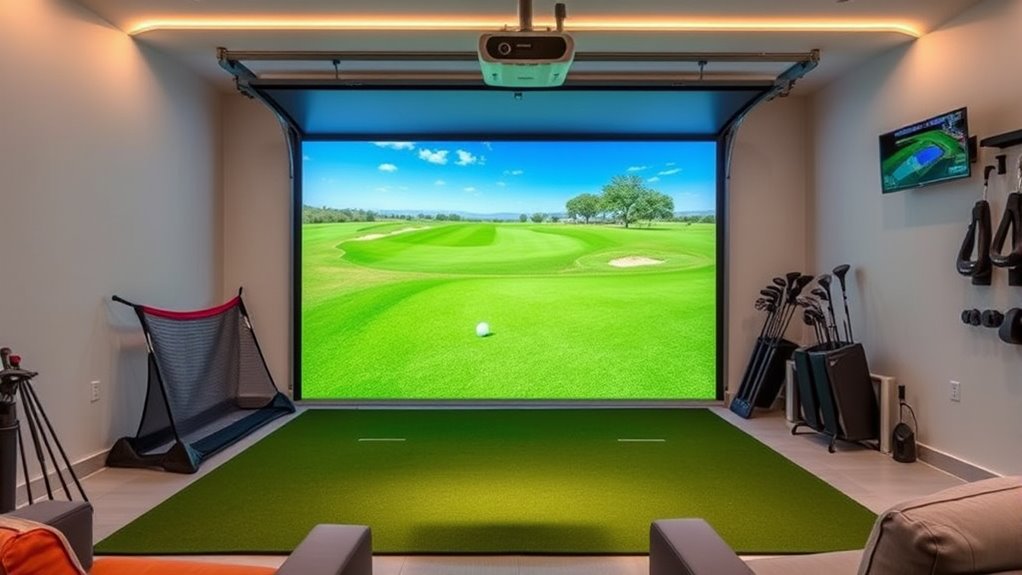

If you’re looking to turn your garage into a home golf haven, I recommend considering top kits like the PHIGOLF simulator, which is portable and easy to set up, and the Net Return’s kits that offer seamless software integration. For durability, impact screens and cages like ORIENEGAR’s provide safety and long-lasting performance. Affordable nets and turf mats from GoSports add a realistic touch. Keep reading to discover more options suited for your space and budget.
Key Takeaways
- The list covers portable, integrated, and high-precision golf simulators suitable for garage conversion.
- It includes impact screens, cages, enclosures, and nets for durability and safety during indoor practice.
- Affordable, easy-to-install options like nets and turf mats are highlighted for home setup convenience.
- Compatibility with launch monitors, projectors, and software ensures a customizable and realistic golfing experience.
- Space requirements and safety considerations are emphasized for optimal garage conversion and setup success.
| PHIGOLF Home Golf Simulator with Motion Sensor |  | Best Overall | Dimensions: Compact (fits in suitcase) | Compatibility: Android, iOS, App, E6 Connect | Setup Time: Easy, app-guided, Bluetooth pairing | VIEW LATEST PRICE | See Our Full Breakdown |
| Golf Simulator Kits – The Net Return | 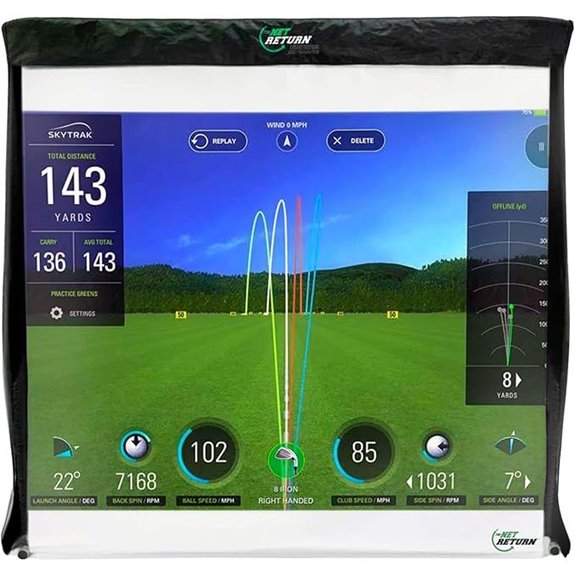 | Best Value | Dimensions: 81 x 26 x 81 inches | Compatibility: Major golf simulator software + launch monitors (Foresight, SkyTrak, etc.) | Setup Time: Under 5 minutes, tool-free assembly | VIEW LATEST PRICE | See Our Full Breakdown |
| ORIENEGAR Golf Simulator Cage with Impact Screen |  | Budget-Friendly Pick | Dimensions: 11’W x 8’H x 5’D | Compatibility: Compatible with projectors, golf simulators | Setup Time: About 10 minutes, illustrated instructions | VIEW LATEST PRICE | See Our Full Breakdown |
| GoSports Golf Simulator Enclosure Nets with Frame Kit |  | Easy Setup | Dimensions: 10 x 8 ft, or similar sizes | Compatibility: Major launch monitors + projectors (not included) | Setup Time: Less than 30 minutes, no tools | VIEW LATEST PRICE | See Our Full Breakdown |
| GoSports Golf Simulator Net Set with Frame and Screen |  | Most Versatile | Dimensions: 10 x 8 ft, 12 x 9 ft, or 14 x 8 ft | Compatibility: Major launch monitors + projectors (not included) | Setup Time: About 30 minutes, tool-free assembly | VIEW LATEST PRICE | See Our Full Breakdown |
| GoSports Golf Simulator Enclosure Nets (Various Sizes) |  | Large Coverage | Dimensions: 10 ft 7 in wide x 8 ft high x 6 ft deep | Compatibility: All major launch monitors + projectors (not included) | Setup Time: About 30 minutes, detailed instructions | VIEW LATEST PRICE | See Our Full Breakdown |
| PHIGOLF Home Golf Simulator with Motion Sensor | | Premium Quality | Dimensions: Portable, no specific dimensions | Compatibility: Android, iOS, E6 Connect | Setup Time: Easy, app-guided setup | VIEW LATEST PRICE | See Our Full Breakdown |
| Golf Simulator Enclosure with Impact Screen and Frame | 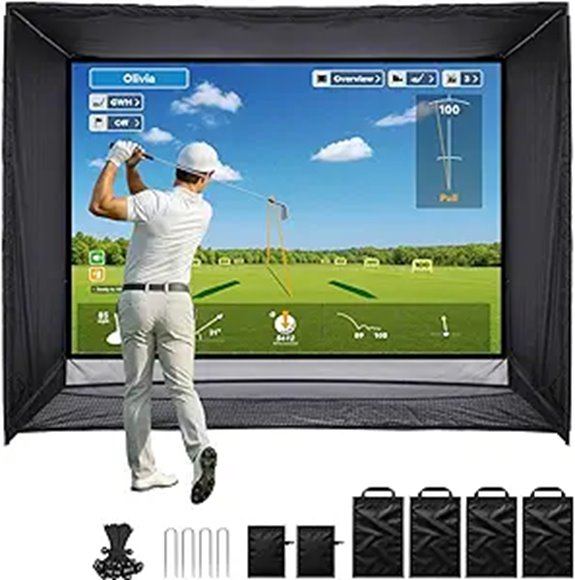 | Space-Saving | Dimensions: 11 ft (w) x 8 ft (h) x 5 ft (d) | Compatibility: Major launch monitors + projectors (not included) | Setup Time: About 30 minutes, detailed instructions | VIEW LATEST PRICE | See Our Full Breakdown |
| Golf Simulator Enclosure with Impact Netting and All Poles | 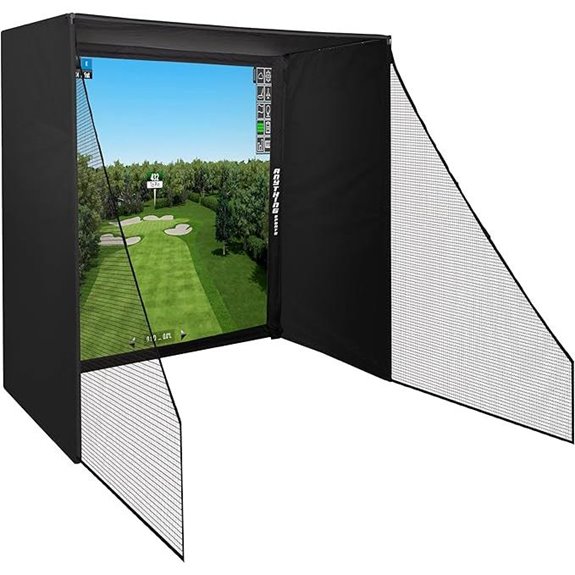 | Heavy-Duty Durability | Dimensions: Varies by size, typically around 8-11 ft wide | Compatibility: Own projector, launch monitor, software | Setup Time: Under 1 hour, straightforward setup | VIEW LATEST PRICE | See Our Full Breakdown |
| SkyTrak ST+ Golf Simulator Studio Package | 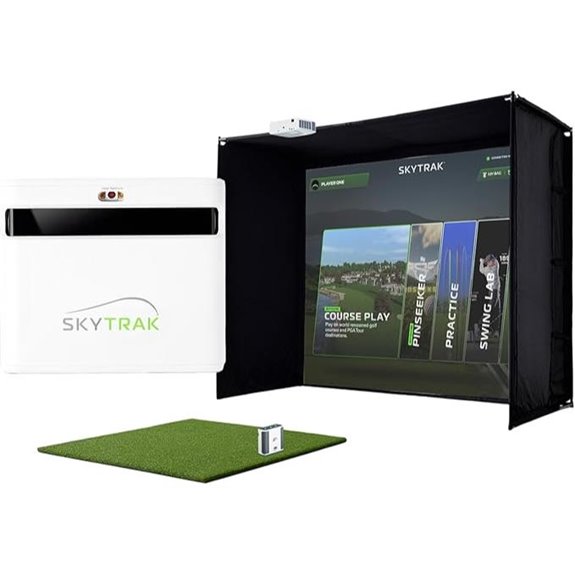 | All-in-One Solution | Dimensions: Enclosure fits standard sizes, approx 10 ft wide | Compatibility: SkyTrak, enclosure, projector, mat | Setup Time: Standard setup, ~30 minutes | VIEW LATEST PRICE | See Our Full Breakdown |
| Golf Simulator Enclosure with Impact Netting and All Poles | 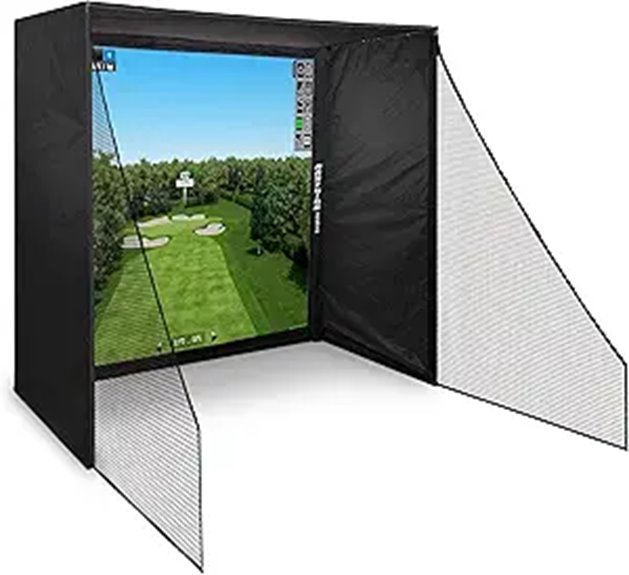 | Quick Assembly | Dimensions: Similar to Product 9, sizes around 10 ft wide | Compatibility: Own projector, launch monitor, software | Setup Time: Under 1 hour, straightforward | VIEW LATEST PRICE | See Our Full Breakdown |
| GoSports 8×8 ft Golf Hitting Net with Impact Screen | 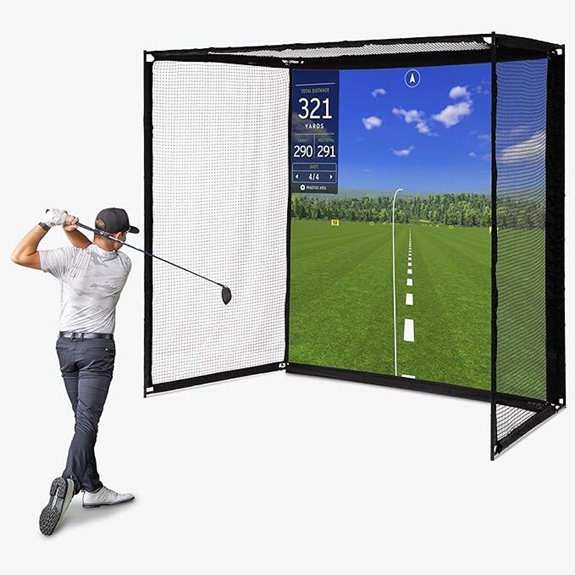 | Professional Grade | Dimensions: 10 ft 7 in x 8 ft x 6 ft | Compatibility: Major launch monitors + projectors (not included) | Setup Time: About 30 minutes, detailed steps | VIEW LATEST PRICE | See Our Full Breakdown |
| GoSports 10×8 ft Golf Practice Hitting Net |  | Compact Design | Dimensions: Approx 8’W x 8’H x 5’D | Compatibility: Own projector, launch monitor, software | Setup Time: Less than 1 hour, simple assembly | VIEW LATEST PRICE | See Our Full Breakdown |
| GoSports Golf Simulator Turf Mat (15mm 10-15 ft) | 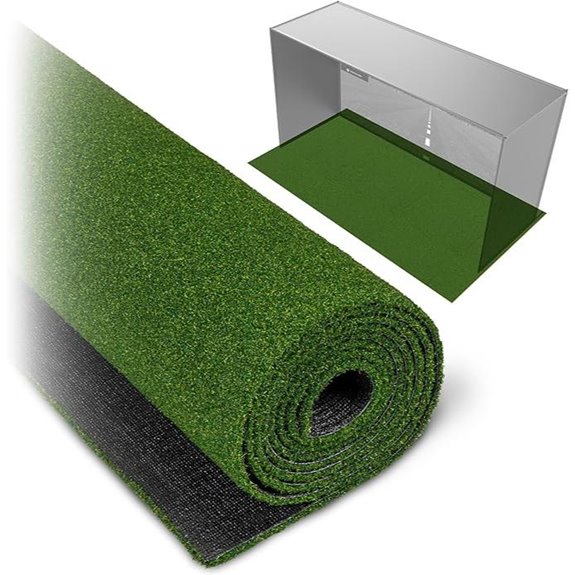 | Top Performance | Dimensions: 6 ft deep sections, modular | Compatibility: Compatible with projectors, launch monitors | Setup Time: About 30 minutes, no special tools | VIEW LATEST PRICE | See Our Full Breakdown |
| DIY Golf Simulator Enclosure with Impact Screen and Padding | 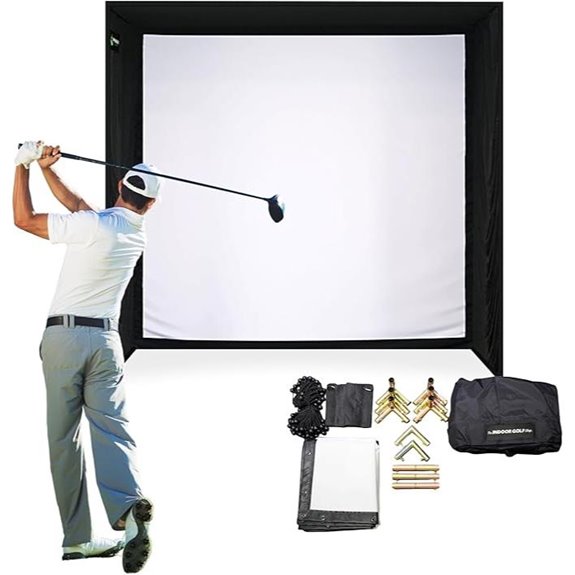 | Best for Large Spaces | Dimensions: 10’10” W x 8’4” H x 5’ D | Compatibility: Compatible with launch monitors + projectors | Setup Time: 1-2 hours, detailed assembly | VIEW LATEST PRICE | See Our Full Breakdown |

More Details on Our Top Picks
-
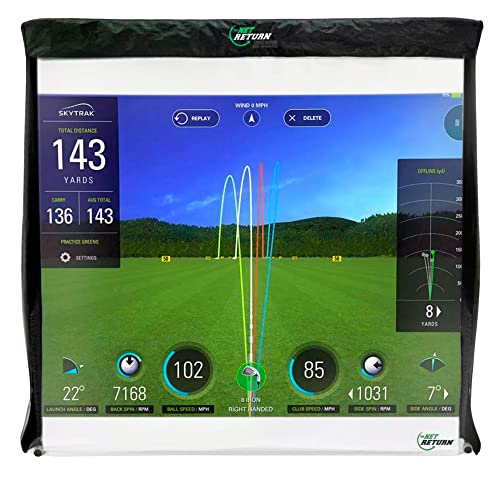
Net Return Pro Series Large 9 Golf Simulator Kit - Sim Screen and Darkening Valence
GOLF’S BEST-SELLING SIMULATOR SCREEN: Designed specifically for the Net Return Pro Series 9 Golf Nets, the Net Return...
As an affiliate, we earn on qualifying purchases.
PHIGOLF Home Golf Simulator with Motion Sensor
Are you looking for a versatile golf simulator that’s perfect for both indoor and outdoor play? The PHIGOLF Home Golf Simulator with Motion Sensor is exactly that. It uses a lightweight sensor and swing stick to deliver realistic swing analysis and access to over 38,000 courses worldwide. No net or ball needed—just attach the sensor to your club and start swinging. Its portable design fits in a suitcase, making it ideal for small spaces or travel. Compatible with Android, iOS, and E6 Connect, it supports multiplayer games for up to four players. Play anytime, anywhere, and improve your game with ease.
- Dimensions:Compact (fits in suitcase)
- Compatibility:Android, iOS, App, E6 Connect
- Setup Time:Easy, app-guided, Bluetooth pairing
- Material:Plastic sensor, steel shaft (club)
- Power Source:Bluetooth sensor (powered by USB-C)
- Use Type:Indoor/outdoor golf simulation
- Additional Feature:Supports multiplayer up to 4 players
- Additional Feature:Fits in suitcase for portability
- Additional Feature:No net or ball needed
-

ORIENEGAR Golf Simulator Cage with HD Impact Screen & Target Practice Cloth, 11x8x5 FT, Golf Hitting Net Cage for Indoor Outdoor Home Use, Garage Backyard Practice Cage
All-in-One Golf Cage - Our golf simulator cage with premium golf simulator screen and practice impact target cloth....
As an affiliate, we earn on qualifying purchases.
Golf Simulator Kits – The Net Return
The Net Return’s Golf Simulator Kit stands out for its seamless integration with popular golf simulator software and launch monitors, making it an ideal choice for serious golfers looking to create a realistic indoor practice environment. It transforms your Large 9 Net Return Golf Net into an all-encompassing simulator setup, including a projection screen and sim valence. The durable screen offers lifelike imagery, withstands thousands of impacts, and absorbs sound for quieter sessions. Setup is quick—less than five minutes—and maintenance is easy, just wash the screen. Designed for longevity and safety, it’s backed by a 365-day warranty, ensuring a top-tier indoor golf experience.
- Dimensions:81 x 26 x 81 inches
- Compatibility:Major golf simulator software + launch monitors (Foresight, SkyTrak, etc.)
- Setup Time:Under 5 minutes, tool-free assembly
- Material:Polyester, impact-resistant for net
- Power Source:Not specified (depends on software/launch monitor)
- Use Type:Indoor golf practice & simulation
- Additional Feature:Minimal setup in 5 minutes
- Additional Feature:Impact screen washable
- Additional Feature:Absorbs impact sound
-

GoSports 10 x 8 ft Golf Simulator Enclosure Net - Complete Set with Frame and HD Impact Screen Kit
COMMERCIAL GRADE HEAVY DUTY IMPACT SCREEN: Built to withstand high speed golf ball impacts for lasting durability; Multi...
As an affiliate, we earn on qualifying purchases.
ORIENEGAR Golf Simulator Cage with Impact Screen
For golfers seeking a durable, versatile training solution, the ORIENEGAR Golf Simulator Cage with Impact Screen stands out as an excellent choice. It combines high-quality HD impact visuals with a sturdy, industrial-grade build, including a 16mm fiberglass frame and reinforced steel supports. Its spacious design—11 feet wide, 8 feet high, and 5 feet deep—allows for full swings indoors or outdoors. Setup takes just minutes, and its portability is enhanced by a 600D Oxford carrying bag. With quiet impact cloth and safety netting, it minimizes noise and contains powerful shots, making it perfect for practice, entertainment, or hosting golf nights.
- Dimensions:11’W x 8’H x 5’D
- Compatibility:Compatible with projectors, golf simulators
- Setup Time:About 10 minutes, illustrated instructions
- Material:Oxford fabric, polyester, fiberglass frame
- Power Source:Not specified (manual setup, powered externally)
- Use Type:Indoor/outdoor golf training
- Additional Feature:Oversized 11’W x 8’H
- Additional Feature:Includes carrying bag
- Additional Feature:Quiet impact netting
GoSports Golf Simulator Enclosure Nets with Frame Kit
If you’re looking to create a professional-quality indoor golf setup without breaking the bank, the GoSports Golf Simulator Enclosure Nets with Frame Kit is an excellent choice. It transforms your space into a golf studio with sizes like 10 x 8 ft, 12 x 9 ft, or 14 x 8 ft to fit various rooms. The sturdy steel frame with foam padding minimizes rebounds, while the reinforced HD impact screen handles real golf balls at all swing speeds. It’s compatible with major launch monitors and projectors, and setup takes just 30 minutes with clear instructions. This kit offers a high-quality, cost-effective solution for your home or garage golf experience.
- Dimensions:10 x 8 ft, or similar sizes
- Compatibility:Major launch monitors + projectors (not included)
- Setup Time:Less than 30 minutes, no tools
- Material:Steel frame, reinforced impact screen
- Power Source:Not specified (needs external power for projector/monitor)
- Use Type:Indoor golf simulation & practice
- Additional Feature:Commercial-grade enclosure
- Additional Feature:Quick 30-minute assembly
- Additional Feature:Suitable for real golf balls
GoSports Golf Simulator Net Set with Frame and Screen
The GoSports Golf Simulator Net Set with Frame and Screen stands out as an excellent choice for golfers seeking a professional-grade indoor setup without breaking the bank. It comes in various sizes—10 x 8 ft, 12 x 9 ft, or 14 x 8 ft—making it adaptable to different spaces. The sturdy steel frame and reinforced impact screen are built to handle real golf balls and all swing speeds, ensuring durability and safety. Setup is straightforward, taking roughly 30 minutes with detailed instructions. Compatible with major launch monitors and projectors, it transforms any room into a functional golf studio, offering a realistic practice experience at a great value.
- Dimensions:10 x 8 ft, 12 x 9 ft, or 14 x 8 ft
- Compatibility:Major launch monitors + projectors (not included)
- Setup Time:About 30 minutes, tool-free assembly
- Material:Steel frame, impact screen, polyester netting
- Power Source:Not specified (external power for monitor/projector)
- Use Type:Indoor golf simulation setup
- Additional Feature:Multiple size options
- Additional Feature:Easy self-installation
- Additional Feature:High-impact HD screen
GoSports Golf Simulator Enclosure Nets (Various Sizes)
GoSports Golf Simulator Enclosure Nets stand out for their adjustable sizes and robust construction, making them an excellent choice for serious golf enthusiasts looking to create a safe, professional-grade indoor setup. Available in 10 x 8 ft, 12 x 9 ft, or 14 x 8 ft options, they can fit various room sizes. The sturdy steel frame and reinforced HD impact screen are designed to handle real golf balls and all swing speeds. Foam padding inside minimizes rebounding, ensuring safety and durability. Easy to assemble within 30 minutes, these enclosures work with most launch monitors and projectors, transforming your space into a realistic golf studio.
- Dimensions:10 ft 7 in wide x 8 ft high x 6 ft deep
- Compatibility:All major launch monitors + projectors (not included)
- Setup Time:About 30 minutes, detailed instructions
- Material:Steel frame, impact netting, polyester impact screen
- Power Source:Not specified (external power)
- Use Type:Indoor golf practice
- Additional Feature:10 ft 7 in width
- Additional Feature:Reinforced HD impact screen
- Additional Feature:Designed for professional look
PHIGOLF Home Golf Simulator with Motion Sensor
For golfers seeking a realistic and versatile indoor experience, the PHIGOLF Home Golf Simulator with Motion Sensor stands out thanks to its innovative motion tracking and compatibility with popular apps. It offers an immersive experience by combining a lightweight swing stick with a Bluetooth-enabled sensor, providing accurate swing analysis. With access to over 38,000 worldwide courses, including HD options, it’s perfect for both casual play and practice. The system supports multiplayer gameplay for up to four players, making it great for friends or family. Its portable, space-saving design means you can set it up anywhere, indoors or outdoors, with minimal equipment.
- Dimensions:Portable, no specific dimensions
- Compatibility:Android, iOS, E6 Connect
- Setup Time:Easy, app-guided setup
- Material:Plastic sensor, steel shaft (club)
- Power Source:Bluetooth sensor (USB-C)
- Use Type:Indoor/outdoor golf simulation
- Additional Feature:Compatible with E6 Connect
- Additional Feature:Realistic swing analysis
- Additional Feature:Use indoors or outdoors
Golf Simulator Enclosure with Impact Screen and Frame
If you’re serious about practicing golf indoors, a golf simulator enclosure with impact screen and frame offers the perfect combination of safety, durability, and realism. It features a heavy-duty foam-padded steel frame and a 118” x 88” HD dual-layer impact screen that withstands powerful shots while reducing bounce and noise. Side barriers, top and ground shields catch stray balls, keeping your space safe. The enclosure’s commercial-grade build includes blackout curtains and accessories like sandbags and bungee cords for stability. Setting it up takes about 30 minutes, and it fits well in garages or golf studios, providing a safe, long-lasting environment for full swings.
- Dimensions:11 ft (w) x 8 ft (h) x 5 ft (d)
- Compatibility:Major launch monitors + projectors (not included)
- Setup Time:About 30 minutes, detailed instructions
- Material:Steel frame, impact screen, blackout curtains
- Power Source:External power for projector, monitor
- Use Type:Indoor golf practice & simulation
- Additional Feature:Dual-layer impact screen
- Additional Feature:Side barriers included
- Additional Feature:118” x 88” screen size
Golf Simulator Enclosure with Impact Netting and All Poles
The Golf Simulator Enclosure with Impact Netting and All Poles stands out as an ideal choice for those seeking a complete, ready-to-assemble setup that offers full coverage and safety. It includes a heavy-duty frame, tightly woven impact netting, and an impact screen nearly the same size as the frame for maximum coverage. The package also features side shank nets and steel connectors, making setup straightforward and quick—under an hour without special tools. Available in three sizes, it adapts to various spaces like garages or backyards. Plus, with a 12-month warranty and reliable customer support, it provides peace of mind and a safe environment for practice.
- Dimensions:Varies by size, typically around 8-11 ft wide
- Compatibility:Own projector, launch monitor, software
- Setup Time:Under 1 hour, straightforward setup
- Material:Steel frame, heavy-duty netting, impact screen
- Power Source:External power for projector, monitor
- Use Type:Indoor/outdoor golf simulation
- Additional Feature:Fully enclosed with nets
- Additional Feature:Multiple size options
- Additional Feature:12-month warranty
SkyTrak ST+ Golf Simulator Studio Package
The SkyTrak ST+ Golf Simulator Studio Package stands out with its tour-grade accuracy, thanks to dual Doppler radar and enhanced photometric tracking. It delivers precise club, swing, and ball data, making your home or garage setup feel realistic. The package includes a durable steel enclosure, high-impact stretch screen, and a 5×5 turf hitting mat that mimics real turf for comfort and stability. The compact ZW350ST projector provides crisp visuals, creating an immersive experience. This all-in-one kit offers a thorough solution for serious golfers wanting to practice and play at home without sacrificing quality or performance.
- Dimensions:Enclosure fits standard sizes, approx 10 ft wide
- Compatibility:SkyTrak, enclosure, projector, mat
- Setup Time:Standard setup, ~30 minutes
- Material:Steel frame, impact screen, turf mat
- Power Source:External power for projector, monitor
- Use Type:Indoor golf studio & practice
- Additional Feature:Tour-grade accuracy
- Additional Feature:Includes hitting mat
- Additional Feature:Compact short-throw projector
Golf Simulator Enclosure with Impact Netting and All Poles
A golf simulator enclosure with impact netting and all poles offers a quick and straightforward setup, making it ideal for beginners or those who want to get swinging in less than an hour. It comes with a heavy-duty frame, tightly woven impact netting, and an impact screen slightly smaller than the frame for full coverage. The enclosure includes side shank nets and steel connectors, enabling easy assembly without special tools. Available in three sizes, it fits garages, backyards, or golf studios. Once assembled, you just need to add your projector, launch monitor, and software. With a 12-month warranty and support, it’s a reliable solution for creating a safe, functional home golf space.
- Dimensions:Similar to Product 9, sizes around 10 ft wide
- Compatibility:Own projector, launch monitor, software
- Setup Time:Under 1 hour, straightforward
- Material:Steel frame, impact netting, impact screen
- Power Source:External power for projector, monitor
- Use Type:Indoor golf practice & simulation
- Additional Feature:Near-full coverage design
- Additional Feature:Easy in-hour setup
- Additional Feature:Compatible with major monitors
GoSports 8×8 ft Golf Hitting Net with Impact Screen
If you’re serious about practicing your golf swing at home or in your garage, the GoSports 8×8 ft Golf Hitting Net with Impact Screen offers a durable and realistic setup. Its sturdy powder-coated steel frame and ultra-durable netting support high-impact shots, including drives and chips. The 95 x 93 inch HD simulation screen provides a realistic practice environment and is compatible with most launch monitors and projectors. The fixed cage design prevents sagging and safely catches mishits, while the impact screen minimizes ricochets, ensuring safety. Ideal for various practice spaces, it’s a versatile choice for golfers wanting a professional-grade setup.
- Dimensions:10 ft 7 in x 8 ft x 6 ft
- Compatibility:Major launch monitors + projectors (not included)
- Setup Time:About 30 minutes, detailed steps
- Material:Steel frame, polyester impact screen
- Power Source:External power for projector, monitor
- Use Type:Indoor golf simulation & training
- Additional Feature:Fixed cage-style design
- Additional Feature:Supports high-impact shots
- Additional Feature:Suitable for permanent setup
GoSports 10×8 ft Golf Practice Hitting Net
For golfers seeking a reliable indoor practice solution, the GoSports 10×8 ft Golf Practice Hitting Net stands out with its spacious design and quick setup. It measures 10 by 8 feet, accommodating all skill levels and both-handed players. Assembly takes just about five minutes, and it comes with a convenient carrying case. The net features built-in side shank nets, protective top netting, and a durable impact screen, making it safe for use with real golf balls. Its strong fiberglass construction and foam-lined steel base ensure longevity and safety. Plus, the included impact screen works well with golf simulators, enhancing your indoor training experience.
- Dimensions:Approx 8’W x 8’H x 5’D
- Compatibility:Own projector, launch monitor, software
- Setup Time:Less than 1 hour, simple assembly
- Material:Steel frame, impact netting, impact screen
- Power Source:External power for projector, monitor
- Use Type:Indoor golf practice
- Additional Feature:Built-in shank nets
- Additional Feature:Protects ceilings during high shots
- Additional Feature:Large 88 x 80-inch impact screen
GoSports Golf Simulator Turf Mat (15mm 10-15 ft)
The GoSports Golf Simulator Turf Mat (15mm, 10-15 ft) stands out as an excellent choice for serious home golfers seeking a professional look and enhanced safety during practice. Made from durable, commercial-grade synthetic turf, it replicates real grass and creates a polished, realistic environment underneath your simulator or net. Its modular design lets you customize the size by combining sections, while double-sided tape ensures secure installation on various surfaces. The turf helps dampen ball rebounds, reducing ricochets and making practice safer. Compatible with 10, 12, or 15 ft enclosures, it’s perfect for transforming any garage or indoor space into a high-end golf setup.
- Dimensions:6 ft deep sections, modular
- Compatibility:Compatible with projectors, launch monitors
- Setup Time:About 30 minutes, no special tools
- Material:Steel frame, impact netting, impact screen
- Power Source:External power for projector, monitor
- Use Type:Indoor golf training & practice
- Additional Feature:Modular turf sections
- Additional Feature:Includes double-sided tape
- Additional Feature:Realistic grass appearance
DIY Golf Simulator Enclosure with Impact Screen and Padding
A DIY golf simulator enclosure with impact screen and padding offers an affordable and straightforward way to create a professional-quality setup at home. The kit includes a durable SIGPRO impact screen, foam padding for safety, and ball bungees for secure assembly. It’s easy to put together with simple pipe fittings and set screws, making it accessible even for beginners. The impact screen delivers clear visuals with minimal bounce back and noise reduction, supporting vivid 4K projections. Designed for rooms at least 11 feet wide, 16 feet long, and 9 feet high, it’s perfect for turning any garage into a safe, immersive golf practice space.
- Dimensions:10’10” W x 8’4” H x 5’ D
- Compatibility:Compatible with launch monitors + projectors
- Setup Time:1-2 hours, detailed assembly
- Material:Steel frame, impact netting, impact screen
- Power Source:External power for projector, monitor
- Use Type:Indoor golf practice & simulation
- Additional Feature:Thick multilayer impact screen
- Additional Feature:Easy assembly with fittings
- Additional Feature:Suitable room dimensions
Factors to Consider When Choosing Golf Simulator Kits for Garage Conversion

When choosing a golf simulator kit for my garage, I had to consider several key factors. I looked at space requirements to make certain everything fit comfortably, compatibility options to match my setup, and durability for long-term use. Budget also played a big role in narrowing down the best choices for my needs.
Space Requirements
Before selecting a golf simulator kit for your garage, it is essential to evaluate the space you have available. You’ll need at least 9 feet of ceiling height to allow for full swings without obstruction. Measure the floor area carefully to guarantee it can fit your chosen enclosure or net setup comfortably. It’s also wise to leave extra clearance behind the impact screen or net to prevent damage during powerful shots and ensure safety. Don’t forget to account for space needed for accessories like hitting mats, turf, or projectors, which contribute to a comfortable practice environment. Additionally, make sure there’s enough room for easy movement around the setup, simplifying installation, maintenance, and gameplay. Proper planning ensures your garage conversion becomes a functional, enjoyable golf space.
Compatibility Options
Choosing the right golf simulator kit involves making certain it works seamlessly with your existing equipment and setup. First, check that it’s compatible with your preferred launch monitor, like SkyTrak, TrackMan, or FlightScope. You’ll also want to verify that the enclosure or net system supports your chosen software platform, such as Foresight or Rapsodo. It’s important to confirm that the impact screen and frame fit your room size and ceiling height for a proper setup. If you plan to use projection equipment, ensure the kit supports your projector type, whether short-throw or standard. Lastly, make sure all hardware and software components are compatible with your devices—smartphones, tablets, or computers—so everything integrates smoothly and delivers an ideal gaming experience.
Durability & Safety
Durability and safety are vital factors when selecting a golf simulator kit for your garage conversion, as they directly impact your long-term enjoyment and protection. Look for enclosures made from heavy-duty, industrial-grade materials like reinforced steel frames and tightly woven polyester netting, which can withstand powerful swings and ball impacts. Confirm the impact screens are designed for high-impact use, absorbing ball strikes without tearing or bouncing back excessively. Features like foam padding and impact-absorbing materials help reduce rebound noise and lower injury risk. Secure, safety-enhanced netting and side barriers are essential to contain golf balls and prevent accidents outside the hitting area. If your garage experiences temperature fluctuations or humidity, opt for weather-resistant components to maintain safety and performance over time.
Setup & Installation
Selecting a golf simulator kit that’s easy to set up can save you time and frustration, especially if you’re converting a garage into a dedicated hitting space. Look for kits that include clear, detailed assembly instructions and all the hardware you’ll need—this makes installation straightforward. Check whether the enclosure can be assembled without specialized tools or if extra equipment is necessary. Ideally, the setup should take no more than a couple of hours. Also, verify that the enclosure is compatible with your existing or planned components, like launch monitors and projectors. Modular or adjustable features are a big plus, as they help accommodate different room sizes and ceiling heights. Prioritizing these factors guarantees a smooth, hassle-free installation process.
Budget Considerations
Budget considerations play a crucial role in finding the right golf simulator kit for your garage, especially if you want to maximize value without overspending. Start by determining your overall budget, including purchase price, installation, and future maintenance costs. Keep in mind that basic net setups tend to be more affordable, while detailed enclosures with impact screens and projectors can dramatically increase expenses. Don’t forget to factor in additional equipment like launch monitors, turf mats, or lighting, which can add to the total cost. It’s also worth evaluating whether investing in higher-end kits offers better durability and long-term value. Finally, be aware of hidden costs such as room modifications or electrical upgrades that might be necessary to optimize your setup. Planning ahead helps avoid surprises and ensures you get the best value for your money.
Frequently Asked Questions
What Are the Best Soundproofing Options for Garage Golf Simulators?
The best soundproofing options for garage golf simulators include acoustic foam panels, mass-loaded vinyl barriers, and resilient channel systems. I recommend installing thick foam panels on walls and ceiling to absorb sound, while mass-loaded vinyl adds extra insulation against noise leakage. Resilient channels help decouple drywall from framing, reducing vibrations. Combining these methods creates a quieter environment, so you can enjoy your game without disturbing neighbors or family.
How Do I Ensure Proper Ventilation in a Garage Golf Setup?
I realize proper ventilation is key when setting up my garage golf simulator. I make sure to install a exhaust fan or vent system that circulates fresh air and reduces humidity. Sometimes, I crack a window or door to improve airflow further. Using a portable air purifier also helps remove airborne particles, keeping the space comfortable and safe. Good ventilation keeps my setup fresh, dry, and enjoyable every time I play.
Are There Specific Lighting Recommendations for Optimal Gameplay?
For ideal gameplay, I recommend installing bright, flicker-free LED lighting with adjustable brightness. Position lights overhead and around the perimeter to minimize shadows and guarantee even illumination across your hitting area. Using daylight bulbs can enhance color accuracy and visibility, making your practice sessions more realistic. I also suggest adding dimmable switches so you can customize lighting based on the time of day or mood, keeping your setup versatile and comfortable.
What Maintenance Tips Extend the Lifespan of Simulator Screens and Nets?
To extend the lifespan of your simulator screens and nets, I recommend regularly cleaning them with a soft, damp cloth to remove dust and debris. Avoid using harsh chemicals that could damage the material. Additionally, I check for tears or frays and repair or replace parts promptly. Ensuring proper ventilation and avoiding excessive impacts or rough swings also helps prevent unnecessary wear and tear over time.
How Can I Customize the Space for Different Golf Swing Styles?
To customize my space for different golf swing styles, I start by adjusting the hitting area and adding movable barriers or mats. I also install adjustable ceiling height or modular turf sections to accommodate various swing lengths and angles. Using flexible lighting and sound zones helps me tailor the environment for each style. This way, I can practice comfortably and effectively, no matter my swing approach.
Conclusion
Imagine transforming your garage into a personal golf haven. With the right simulator kit, like the GoSports enclosure or the PHIGOLF system, you’ll enjoy endless practice sessions. I know someone who upgraded their space and now teetimes are just steps away in their own home. Whether you’re aiming to improve your swing or just have fun, choosing the right kit makes all the difference. Ready to take your home course to the next level?