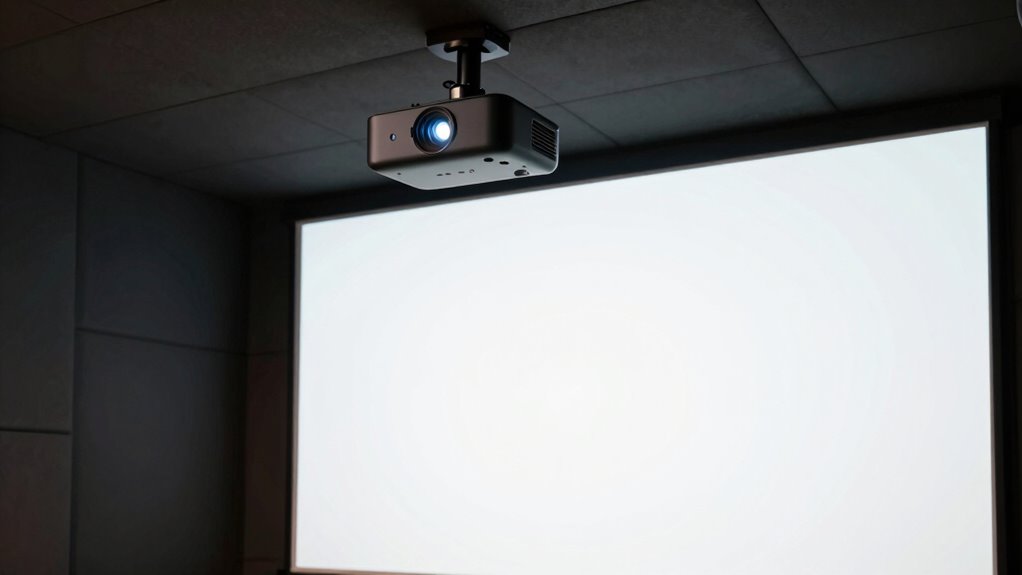
When choosing a projector for your golf simulator room, consider its brightness—aim for 3,000–4,500 lumens to keep images vivid in well-lit spaces. Pay attention to the throw distance and ratio to match your room size, whether short-throw or long-throw works best. Make certain it supports high resolution, like 1080p or 4K, for realistic visuals. Don’t forget compatibility and extra features for smooth setup. Keep these points in mind, and you’ll find the perfect projector for an immersive experience.

Get travel and outdoor gear delivered free with Prime
- Fast, free delivery on millions of items
- Prime Video, Amazon Music and more included
- Member-only deals all year
Key Takeaways
- Select a projector with 3,000–4,500 lumens for clear images in well-lit golf simulator rooms.
- Determine room size to choose between short-throw or long-throw projectors for optimal placement.
- Ensure the projector supports high resolutions like 1080p or 4K for realistic golf scenery.
- Check compatibility with your simulation system’s inputs and connectivity options.
- Consider ease of installation and additional features to enhance usability and immersive experience.
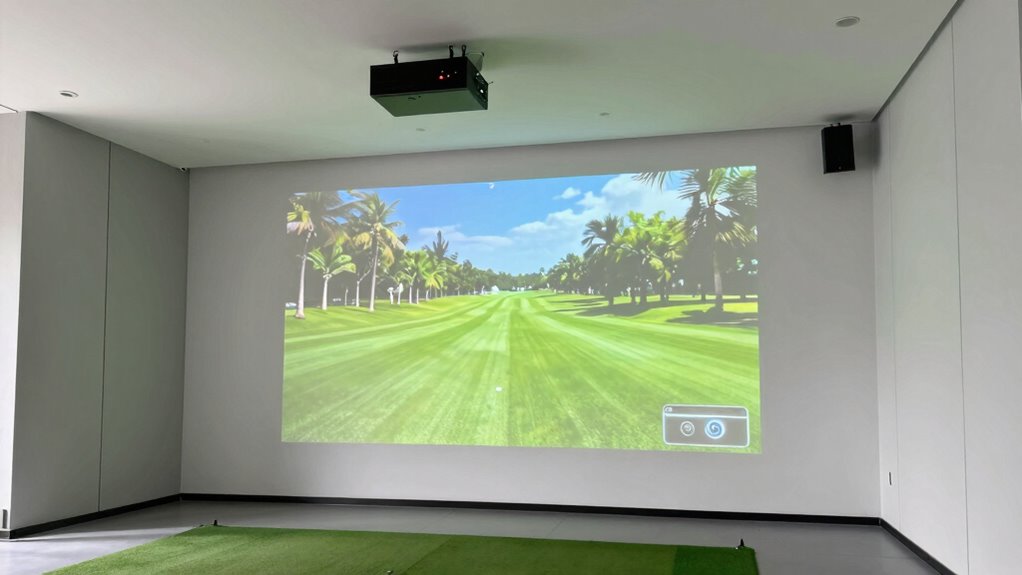
Selecting the right projector for your golf simulator is vital to creating an immersive and realistic practice environment. One of the key factors to evaluate is projection brightness. Since your simulator room may have ambient light from windows or ceiling fixtures, you’ll want a projector with a high lumen output—preferably between 3,000 and 4,500 lumens—to guarantee the image remains clear and vibrant. A brighter projector prevents your display from appearing washed out, allowing you to focus on your swing without squinting or adjusting the room’s lighting. Keep in mind that the brightness needs can vary based on your room’s lighting conditions, so if your space is particularly bright, opting for the higher end of this range helps maintain image quality.
Choose a projector with 3,000–4,500 lumens for bright, clear images in well-lit golf simulator rooms.
Equally important is understanding the lens throw distance, which refers to how far the projector needs to be placed from the screen to produce a properly sized image. Measure your available space carefully to determine the ideal throw distance for your room’s dimensions. A short-throw projector is often preferable because it can produce a large image from a relatively close distance, saving space and reducing shadows cast by your swing. Conversely, a long-throw projector might be suitable if you have a larger room and want a bigger image without installing the projector directly in front of the screen. To guarantee you get the right size and clarity, check the projector’s specifications for the throw ratio, which indicates how much space is needed to generate a specific image size. This helps you plan the perfect placement, avoiding the frustration of a projector that’s too far or too close. Additionally, understanding projection setup can help you optimize your room’s configuration for the best visual experience. Considering room size and layout in your planning ensures the setup is both functional and visually effective.
When choosing a projector, you should also think about its resolution—higher resolutions like 1080p or 4K will make your golf ball and environment look more realistic, enhancing your overall experience. Compatibility with your existing setup, ease of installation, and connectivity options are other essential considerations. Make sure the projector has the inputs you need, whether HDMI or wireless, to connect seamlessly with your golf simulator software and devices.
Ultimately, finding the right projector involves balancing projection brightness and lens throw distance with your space constraints and visual preferences. This careful selection guarantees your golf simulator room feels authentic, engaging, and capable of helping you improve your game from the comfort of your own home.
As an affiliate, we earn on qualifying purchases.
Frequently Asked Questions
What Is the Ideal Throw Distance for a Golf Simulator Projector?
You should aim for a projector with a throw distance that matches your room size, typically around 8-12 feet for a golf simulator. Focus on projection brightness to guarantee clear images, especially in lit rooms. Check the lens throw ratio—ideally between 1.5:1 and 2.0:1—so you can position the projector properly without distortion. This setup creates an immersive experience without sacrificing image quality.
How Do Ambient Light Conditions Affect Projector Selection?
Ambient light conditions markedly impact your projector choice. You need a projector with high screen brightness, especially in well-lit room lighting, to guarantee clear, vivid images. If your golf simulator room has lots of natural or artificial light, opt for a projector with at least 3,000 lumens or more. This helps prevent image washout, so your practice sessions stay sharp and immersive, regardless of room lighting.
Can I Use a Standard Home Theater Projector for Golf Simulation?
Sure, a standard home theater projector can work, but don’t expect pro-level results. You’ll want a projector that can handle the screen size you desire and deliver crisp visuals for accurate swings. Oh, and sound quality? That’s often an afterthought, so you might find yourself craving better audio. For an immersive golf simulation, investing in a projector designed for larger screens and superior sound will make your practice feel like the real thing.
What Maintenance Is Required for a Golf Simulator Projector?
You need to regularly clean the lens to keep the image clear, using a soft, lint-free cloth to avoid scratches. Keep an eye on the bulb life, and replace it when it nears the end of its lifespan to maintain brightness. Also, check the projector’s filters and cooling system to prevent overheating. Scheduled maintenance like these guarantees your golf simulator projector stays in top condition for peak gameplay.
Are There Portable Projector Options Suitable for Different Rooms?
Yes, there are portable projector options that suit different rooms. These portable options offer room versatility, making it easy for you to set up your golf simulator anywhere. Look for lightweight, compact models with adjustable brightness and throw distance. You can easily move them between spaces, ensuring you get a quality projection regardless of the room size or layout. This flexibility lets you enjoy your golf simulator experience anywhere you choose.
short throw projector for indoor golf
As an affiliate, we earn on qualifying purchases.
As an affiliate, we earn on qualifying purchases.
Conclusion
Selecting the right projector is your key to transforming your space into a golfer’s paradise. Like the steady hand of a seasoned caddie guiding you on the fairway, your choice sets the tone for every swing and every shot. With careful consideration, you’ll craft a haven where every putt feels real and every drive echoes true. Embrace this journey, and soon you’ll be teeing off in a virtual course that rivals the greats.
bright projector for well-lit rooms
As an affiliate, we earn on qualifying purchases.
As an affiliate, we earn on qualifying purchases.
As an affiliate, we earn on qualifying purchases.
Halloween Picks
halloween
As an affiliate, we earn on qualifying purchases.