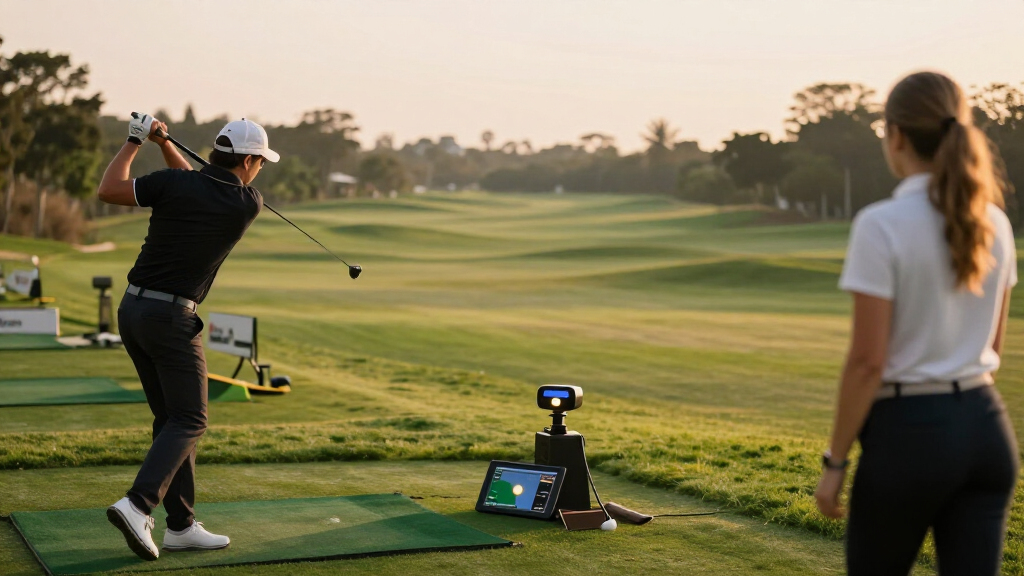
Golf launch monitors range from simple swing-speed readers to full simulator systems, and my best overall pick is the Garmin Approach R10 for its portable practice and simulator features. The PRGR HS-130A is a simpler choice for golfers who mainly want swing-speed feedback, while the Garmin Approach R50 suits players seeking a premium, self-contained setup. The main tradeoffs are how much shot data you need, whether you will practice indoors or outdoors, and how much setup and software complexity you are willing to manage. Camera-based systems, radar units, and basic analyzers answer different questions, so the most expensive option is not automatically the right fit. Continue reading for my full comparison and guidance on choosing among these 15 golf launch monitors.

Get travel and outdoor gear delivered free with Prime
- Fast, free delivery on millions of items
- Prime Video, Amazon Music and more included
- Member-only deals all year
Complete the kit



Key Takeaways
- The Garmin Approach R10 leads the portable all-rounder group: it combines range practice feedback with simulator features, while simpler units such as the PRGR HS-130A focus on a narrower set of swing measurements.
- Basic feedback can be the better value: golfers who primarily want swing speed and tempo information may have little use for the more involved software and setup offered by simulator-oriented models.
- Indoor practice changes the decision: a suitable hitting space, device placement, and software compatibility matter as much as the monitor itself when you plan to build a home simulator.
- The Bushnell Launch Pro and SkyTrak ST MAX target more involved practice setups: they suit buyers prioritizing detailed indoor shot analysis, with more setup and ecosystem decisions than compact range units.
- Several listings overlap or differ by bundle and condition: the R10 appears in renewed form, the Bushnell Launch Pro has two named versions, and Shot Scope and Rapsodo listings include bundle variations, so compare the exact package before choosing.
| GOLFBUDDY Shot Mate Launch Monitor – Doppler Radar Golf Swing Analyzer |  | Best for Structured Practice | Technology: Doppler radar | Metrics: Club speed, ball speed, smash factor, carry distance | Display: Full-color TFT LCD with auto-brightness | VIEW LATEST PRICE | See Our Full Breakdown |
| Garmin Approach R10 Portable Golf Launch Monitor |  | Best for Home-to-Range Versatility | Compatible app: Garmin Golf | Control: Application and voice | Club-head speed accuracy: ±3 mph | VIEW LATEST PRICE | See Our Full Breakdown |
| PRGR HS-130A Portable Golf Launch Monitor |  | Best App-Free Pick | Model: HS-130A | Technology: Doppler radar | Measurements: Club-head speed, ball speed, smash factor, carry distance, total distance | VIEW LATEST PRICE | See Our Full Breakdown |
| Voice Caddie SC200Plus Portable Golf Launch Monitor and Swing Analyzer |  | Best for Audio Feedback | Technology: Doppler radar with atmospheric pressure sensors | Feedback: LCD display and voice output | Swing-speed mode: Can be used without a ball | VIEW LATEST PRICE | See Our Full Breakdown |
| Rapsodo Mobile Launch Monitor for iPhone and iPad |  | Best for Video and Shot Shape | Model: MLM1 | Compatible devices: iPhone and iPad; iOS only | Measurements: Ball speed, club speed, launch angle, carry distance, shot shape | VIEW LATEST PRICE | See Our Full Breakdown |
| Golf Launch Monitor and Portable Swing Analyzer |  | Best for Environmental Adjustments | Metrics: Attack angle, launch angle, spin rate, club speed, distance, vertical clubface data | Environmental sensors: Temperature, humidity, barometric pressure | Display: OLED | VIEW LATEST PRICE | See Our Full Breakdown |
| Bushnell Golf Launch Pro – Circle B Edition Launch Monitor |  | Best for Indoor and Outdoor Accuracy | Measurement technology: Three-camera infrared imaging system | Ball data included: Carry distance, launch, spin, club head speed | Club data: Requires active subscription | VIEW LATEST PRICE | See Our Full Breakdown |
| Bushnell Golf Launch Pro i Circle B Edition Launch Monitor |  | Best for Indoor Simulator Detail | Measurement system: Three-camera infrared imaging | Use: Indoor golf simulation | Data provided: Carry distance, ball speed, total spin, launch angle, club head speed, smash factor | VIEW LATEST PRICE | See Our Full Breakdown |
| SkyTrak ST MAX Golf Launch Monitor with 1-Year Software |  | Best for a Software-Included Start | Included software: Core Foresight | Software term: 1 year | VIEW LATEST PRICE | See Our Full Breakdown | |
| Shot Scope LM1 Portable Golf Launch Monitor (PlayBetter Bundle) |  | Best Value for Simple Portable Feedback | Technology: Doppler radar | Metrics: Club speed, ball speed, smash factor, carry distance, total distance | Display: 3.5-inch color screen | VIEW LATEST PRICE | See Our Full Breakdown |
| Rapsodo Golf Launch Monitor and Swing Analyzer with Spin Rate Tracking |  | Best for Detailed Shot Analysis | Metrics captured: 15, including spin rate, spin axis, carry distance, club speed, club path, and launch angle | Tracking technology: Doppler radar and dual cameras | Screen: 3.01-inch capacitive touchscreen | VIEW LATEST PRICE | See Our Full Breakdown |
| Garmin Approach R10 Portable Golf Launch Monitor (Renewed) | | Best for Portable Garmin Practice | Model: 010-02356-00 | Tracked metrics: Clubhead speed, ball speed, swing tempo, ball spin, launch angle, and more | Battery life: Up to 10 hours | VIEW LATEST PRICE | See Our Full Breakdown |
| Garmin Approach R50 Premium Golf Launch Monitor and Simulator |  | Best Premium All-in-One Setup | Camera system: 3 cameras | Display: 10-inch built-in color touchscreen | Tracked metrics: Ball speed, launch angle, face-to-path, spin rate, and spin axis | VIEW LATEST PRICE | See Our Full Breakdown |
| Shot Scope LM1 Portable Launch Monitor |  | Best for Subscription-Free Speed Training | Metrics: Club speed, ball speed, smash factor, carry distance, and total distance | Battery life: 5+ hours | Charging: USB-C; charger included | VIEW LATEST PRICE | See Our Full Breakdown |
| Rapsodo MLM2PRO Mobile Launch Monitor Golf Simulator |  | Best for Mobile Simulator Features | Tracking technology: Doppler radar and dual cameras | Metrics tracked: 15, including spin rate, spin axis, carry distance, club speed, club path, launch angle, and ball speed | Compatibility: iOS and Android | VIEW LATEST PRICE | See Our Full Breakdown |
More Details on Our Top Picks
GOLFBUDDY Shot Mate Launch Monitor – Doppler Radar Golf Swing Analyzer
Practice and target modes give the Shot Mate a more guided feel than the straightforward PRGR HS-130A, which focuses on displaying swing and ball numbers. It tracks club speed, ball speed, smash factor, and carry distance, then saves up to 1,000 shots so golfers can follow changes across sessions. Its full-color screen and voice-free feedback suit players who want to check results directly on the unit, while a battery rated for up to 10 hours supports longer range visits.
The tradeoff is a narrower picture of ball flight: the listed metrics do not include launch angle or spin, unlike the Rapsodo Mobile Launch Monitor. Its stated tracking range also tops out at 320 yards. I’d choose it for repeatable practice with clear session history, but golfers who want richer flight analysis should look elsewhere.
Pros:- Measures club speed, ball speed, smash factor, and carry distance
- Practice and target modes add structure to range sessions
- Stores up to 1,000 shots and auto-saves the last 10 swings
- Full-color display and battery life rated up to 10 hours
Cons:- No spin-rate or launch-angle measurement is listed
- Tracking range is capped at 320 yards
Best for: Range golfers who want guided target practice and enough shot history to track progress between sessions
Not ideal for: Players who need spin or launch-angle data to diagnose ball flight, or routinely track shots beyond 320 yards
- Technology:Doppler radar
- Metrics:Club speed, ball speed, smash factor, carry distance
- Display:Full-color TFT LCD with auto-brightness
- Training modes:Practice and Target
- Shot storage:Up to 1,000 shots; auto-saves last 10 swings
- Battery:Rechargeable lithium polymer; up to 10 hours
- Measurement range:Up to 320 yards
Our verdict“Choose the Shot Mate for guided practice and shot history; pick the Rapsodo Mobile Launch Monitor if launch angle and shot-shape feedback matter more.”
Garmin Approach R10 Portable Golf Launch Monitor
The Garmin Approach R10 suits golfers who want one portable unit for range sessions, indoor practice, and virtual play. Through the Garmin Golf app, it pairs swing metrics with automatically recorded video and shot-dispersion charts, which can make patterns easier to spot than with the screen-led GOLFBUDDY Shot Mate. The listed accuracy figures include ±3 mph for club-head speed, ±1 mph for ball speed, and ±1 degree for launch angle and direction. It also supports virtual rounds on more than 42,000 courses with an active subscription.
That app connection is central to the experience, so golfers who don’t want a compatible smartphone involved may prefer the self-contained PRGR HS-130A. Virtual course play also depends on a subscription, and the R10’s battery is rated for up to 10 hours. I’d pick it for players who value video-supported feedback and simulator options across practice settings.
Pros:- Works for home, indoor, and driving-range practice
- Pairs automatically recorded swing video with metrics
- Training mode includes club statistics and shot-dispersion charts
- Lists accuracy figures for club speed, ball speed, launch angle, and direction
Cons:- Requires a compatible smartphone to use the Garmin Golf app
- Virtual rounds require an active subscription
Best for: Golfers who practice at home and on the range and want swing video, dispersion charts, and optional virtual rounds
Not ideal for: Players who want a standalone monitor without a compatible smartphone or who do not want subscription-dependent virtual play
- Compatible app:Garmin Golf
- Control:Application and voice
- Club-head speed accuracy:±3 mph
- Ball speed accuracy:±1 mph
- Launch angle accuracy:±1 degree
- Launch direction accuracy:±1 degree
- Battery life:Up to 10 hours
- Virtual courses:More than 42,000; active subscription required
- Water resistance:Yes
Our verdict“Choose the Garmin R10 if video feedback and virtual practice matter; the PRGR HS-130A is a simpler fit if you want app-free measurements.”
PRGR HS-130A Portable Golf Launch Monitor
The PRGR HS-130A keeps launch-monitor practice simple: it uses Doppler radar to show club-head speed, ball speed, smash factor, carry distance, and total distance without Wi-Fi, Bluetooth, or an app. That makes it a more self-contained choice than the Garmin Approach R10, whose video and training features depend on the Garmin Golf app. It can also measure swings without a ball, giving golfers a way to work on speed indoors or in a limited practice space.
Its 500-swing memory is smaller than the GOLFBUDDY Shot Mate’s 1,000-shot storage, and AAA batteries mean keeping spares on hand. It also lacks the R10’s listed video and virtual-course features. The PRGR makes the most sense for golfers who want uncomplicated numbers and multi-sport speed practice; it is less suited to players who want a connected analysis experience.
Pros:- Measures club-head speed with or without a ball
- Tracks ball speed, smash factor, carry, and total distance
- Works without Wi-Fi, Bluetooth, or an app
- Can be used for baseball, tennis, soccer, and hockey speed practice
Cons:- Runs on AAA batteries rather than a rechargeable battery
- Stores up to 500 swings, less than the GOLFBUDDY Shot Mate
Best for: Golfers who want a portable, app-free monitor for club-speed work and straightforward shot measurements
Not ideal for: Players who want swing video, connected performance charts, or large shot-history storage
- Model:HS-130A
- Technology:Doppler radar
- Measurements:Club-head speed, ball speed, smash factor, carry distance, total distance
- Swing memory:500 swings
- Power:AAA batteries
- Connectivity:No Wi-Fi, Bluetooth, or app required
- Other sports:Baseball, tennis, soccer, and hockey
Our verdict“Choose the PRGR HS-130A for app-free swing and speed training, while the Garmin Approach R10 is a better match for video and connected practice tools.”
Voice Caddie SC200Plus Portable Golf Launch Monitor and Swing Analyzer
The Voice Caddie SC200Plus is a practical choice for golfers who want shot feedback spoken aloud as well as shown on an LCD. Its Doppler radar and atmospheric pressure sensors support indoor and outdoor practice, and stored shot data and club statistics give sessions some continuity. A swing-speed mode that works without a ball also lets players train tempo or speed when a full shot setup is unavailable. Compared with the PRGR HS-130A, it adds voice output and adjustable loft angles, giving practice a more guided feel.
The product details do not provide accuracy measurements or independent performance results, so I can’t compare its precision directly with the Garmin Approach R10, which lists accuracy figures for several metrics. Its listed information also leaves the measured metrics and storage capacity unspecified. This pick is best for players who value accessible feedback, not those choosing mainly on documented measurement detail.
Pros:- Provides real-time feedback on its LCD and through voice output
- Swing-speed mode works without a ball
- Stores shot data and club statistics
- Designed for both indoor and outdoor use
Cons:- Product details do not state accuracy measurements
- The listed information does not specify the full set of measured metrics or storage capacity
Best for: Golfers who want spoken shot feedback and a swing-speed mode for practice with or without a ball
Not ideal for: Data-focused buyers who need published accuracy figures or a clearly specified list of measured metrics before choosing
- Technology:Doppler radar with atmospheric pressure sensors
- Feedback:LCD display and voice output
- Swing-speed mode:Can be used without a ball
- Loft angles:Adjustable
- Data storage:Stores shot data and club statistics
- Use environments:Indoor and outdoor
Our verdict“Choose the SC200Plus if spoken feedback makes practice easier, but consider the Garmin Approach R10 if documented accuracy figures are a priority.”
Rapsodo Mobile Launch Monitor for iPhone and iPad
The Rapsodo Mobile Launch Monitor pairs radar data with an iPhone or iPad camera, making it the most visual feedback option among these five. It reports launch angle and shot shape alongside ball speed, club speed, and carry distance, while video replay and shot tracing help connect a swing to the ball’s flight. GPS dispersion and performance trends add context across sessions. Compared with the GOLFBUDDY Shot Mate, it offers a richer view of each shot, especially for golfers who want to review flight patterns rather than focus on a short list of numbers.
That visual approach comes with constraints: it works with iOS devices only, and some simulator features require a premium upgrade. The Garmin Approach R10 is a more flexible alternative for players who want app-based practice across settings, while the Rapsodo is better suited to golfers who specifically want video and shot tracing. It needs a compatible device and camera setup to deliver its main advantages.
Pros:- Measures ball speed, club speed, launch angle, carry distance, and shot shape
- Video replay with shot tracer links swing footage to ball flight
- Tracks GPS shot dispersion and performance trends
- Supports range, backyard, indoor-net, and on-course use
Cons:- Requires an iPhone or iPad; Android devices are not supported
- Some simulator features require a premium upgrade
Best for: iPhone or iPad golfers who want video replay, shot tracing, and shot-shape feedback during practice
Not ideal for: Android users or golfers who want simulator features without a premium upgrade
- Model:MLM1
- Compatible devices:iPhone and iPad; iOS only
- Measurements:Ball speed, club speed, launch angle, carry distance, shot shape
- Tracking features:GPS shot dispersion and performance trends
- Video features:Swing replay with shot tracer
- Use environments:Driving range, backyard, indoor net, and golf course
- Simulator features:Courses and games; some features require a premium upgrade
Our verdict“Choose the Rapsodo for iOS-based video and shot-shape feedback; the GOLFBUDDY Shot Mate is a simpler option if you mainly want on-device practice numbers.”
Golf Launch Monitor and Portable Swing Analyzer
Environmental readings and detailed swing metrics give this monitor a different focus from simpler portable options such as the Shot Scope LM1. It tracks attack angle, launch angle, spin rate, club speed, distance, and vertical clubface data, while temperature, humidity, and barometric pressure can inform distance adjustments. Its OLED screen, voice feedback, and 45° and 90° practice views help golfers review shots without relying only on a phone display. There is no subscription requirement, and distance compensation can be calibrated from 80% to 120%. The tradeoff is setup space: indoor practice needs at least 15 feet, with the device five feet behind the ball and ten feet of ball flight. You also need to select a club before each swing, and missed shots or shanks return only club speed.
Pros:- Tracks attack angle, launch angle, spin rate, club speed, distance, and vertical clubface data.
- Environmental sensors measure temperature, humidity, and barometric pressure for adjusted shot data.
- OLED display, voice feedback, and two practice views support varied feedback during sessions.
- No subscription is required, and distance compensation can be calibrated by club.
Cons:- Indoor setup needs at least 15 feet of total space.
- The club must be selected before each swing for consistent data.
- Missed shots and shanks are recorded as club speed only.
Best for: Practice-focused golfers who want environmental adjustments and multiple swing metrics without an app subscription.
Not ideal for: Golfers practicing in short indoor spaces or those who want every mishit captured with full shot data.
- Metrics:Attack angle, launch angle, spin rate, club speed, distance, vertical clubface data
- Environmental sensors:Temperature, humidity, barometric pressure
- Display:OLED
- Body:Metal
- Indoor space:At least 15 ft total; device 5 ft behind ball with 10 ft of ball flight
- Distance compensation:80% to 120%, default 100%
- Practice views:45° and 90° perspectives
- Subscription:None required
Our verdict“Choose this monitor if you want broad practice metrics and environmental adjustments, provided you have room for its indoor setup.”
Bushnell Golf Launch Pro – Circle B Edition Launch Monitor
The Launch Pro’s three-camera infrared system measures at impact, making it a strong fit for golfers who want detailed ball data in either an indoor bay or an outdoor practice area. Carry distance, launch, spin, and club head speed are included without an active subscription, which gives it a clearer out-of-box data offer than the indoor-only Bushnell Golf Launch Pro i Circle B Edition. The distinction matters if you expect to move between spaces. Club data, however, requires a subscription, and the LINK feature depends on a compatible Bushnell laser rangefinder sold separately. Compared with the radar-based Shot Scope LM1, this model emphasizes camera-based impact measurement and richer ball analysis, but involves a more involved setup with alignment and connection accessories.
Pros:- Three-camera infrared imaging measures performance at impact.
- Provides carry distance, launch, spin, and club head speed without a subscription.
- Supports indoor and outdoor practice.
- LINK can connect launch data with compatible Bushnell laser rangefinders.
Cons:- Club data requires an active subscription.
- LINK recommendations require a compatible rangefinder sold separately.
Best for: Golfers who want camera-based ball measurements for both home simulator sessions and outdoor practice.
Not ideal for: Buyers seeking full club data without a subscription or golfers who do not need indoor and outdoor flexibility.
- Measurement technology:Three-camera infrared imaging system
- Ball data included:Carry distance, launch, spin, club head speed
- Club data:Requires active subscription
- Use:Indoor and outdoor
- Connectivity:USB-C, Ethernet
- Included accessories:USB-C cable, Ethernet cable, alignment stick, power cord, club marker pack
- Subscription trial:30-day Foresight+ Membership trial
Our verdict“Pick the Launch Pro if you value camera-based ball data across indoor and outdoor practice and can accept subscription-gated club metrics.”
Bushnell Golf Launch Pro i Circle B Edition Launch Monitor
For a dedicated simulator bay, the Launch Pro i combines three-camera infrared imaging with a broad set of ball and club measurements: carry distance, ball speed, total spin, launch angle, club head speed, and smash factor. That feature set gives it more shot detail than the portable Shot Scope LM1, which focuses on speed, smash factor, and distance. This Bushnell is also positioned differently from the standard Launch Pro Circle B Edition: the i model is specifically described for indoor simulation, while the standard unit supports outdoor use too. That specialization may suit a fixed setup, but it limits flexibility for range sessions. Another significant tradeoff is software access: both ball and club data require an active subscription, so the included 30-day Foresight+ trial is only a short introduction to its connected features.
Pros:- Three-camera infrared system measures performance at impact.
- Lists six ball and club metrics, including total spin and smash factor.
- Connects with Foresight+ simulation software and app.
- Includes alignment, power, and connection accessories plus a 30-day trial.
Cons:- Designed for indoor simulator use rather than outdoor practice.
- Access to ball and club data requires an active software subscription.
Best for: Home simulator owners who want detailed impact data and plan to use Foresight+ software.
Not ideal for: Golfers who need outdoor portability or want ongoing ball and club data without a software subscription.
- Measurement system:Three-camera infrared imaging
- Use:Indoor golf simulation
- Data provided:Carry distance, ball speed, total spin, launch angle, club head speed, smash factor
- Data access:Ball and club data require an active software subscription
- Included accessories:USB-C cable, Ethernet cable, alignment stick, power cord, club marker pack
- Software trial:30-day Foresight+ trial
Our verdict“Choose the Launch Pro i for a fixed indoor simulator where its detailed metrics and software integration justify the subscription requirement.”
SkyTrak ST MAX Golf Launch Monitor with 1-Year Software
The listing’s clearest buying distinction is its one-year Core Foresight software inclusion. That gives simulator shoppers a defined software term to start with, unlike the Bushnell Launch Pro i, where the supplied details say ball and club data require an active subscription. The available product information is sparse, though: it does not specify measurement technology, tracked metrics, indoor or outdoor use, or included setup accessories. That makes it difficult to compare its actual launch-monitor performance with the Launch Pro Circle B Edition or portable radar units such as the Shot Scope LM1. I would treat the software term as the known advantage, not assume it means particular data coverage or simulator compatibility beyond what is stated. Buyers who need verified shot metrics should check the full product documentation before choosing it.
Pros:- Includes Core Foresight software for one year.
- Provides a defined software period for planning an initial simulator setup.
- May suit buyers already seeking the included Core Foresight platform.
Cons:- The supplied product details do not identify its measurement technology.
- The supplied details do not list tracked metrics or indoor and outdoor capabilities.
Best for: Simulator buyers who already want Core Foresight software and are confirming the monitor’s data and setup details separately.
Not ideal for: Golfers who need a clearly specified metric list, measurement method, or outdoor-use capability before buying.
- Included software:Core Foresight
- Software term:1 year
Our verdict“Consider the ST MAX if its one-year Core Foresight term fits your simulator plan and you can verify its measurement details first.”
Shot Scope LM1 Portable Golf Launch Monitor (PlayBetter Bundle)
The LM1 keeps the job straightforward: its Doppler radar and 3.5-inch color screen show club speed, ball speed, smash factor, carry distance, and total distance, with no subscription required. That makes it a simpler, more self-contained choice than the Bushnell Launch Pro Circle B Edition, which uses camera imaging for more detailed ball data but gates club data behind a subscription. The PlayBetter bundle adds a protective case and a portable charger, useful for golfers who take the unit between a range and a practice area. Its five-hour-plus battery life and IPX3 protection add flexibility, though that rating covers light water exposure rather than heavy weather. The core compromise is metric coverage: unlike the environmental-sensor model in this roundup, the LM1 does not list spin rate, so it offers less help diagnosing why a shot curves or carries differently.
Pros:- No subscription is required, and the companion app is free for life.
- Color screen provides immediate on-device shot feedback.
- IPX3 water resistance supports use in light rain.
- Bundle includes a protective case and 5000mAh portable charger.
Cons:- Does not list spin rate among its tracked metrics.
- IPX3 protection is limited to light water exposure, not heavy weather.
- Requires placement five feet behind the ball.
Best for: Range golfers who want quick speed and distance feedback on the device, with a case and portable charger included.
Not ideal for: Players who need spin and launch analysis, or who regularly practice in heavy rain.
- Technology:Doppler radar
- Metrics:Club speed, ball speed, smash factor, carry distance, total distance
- Display:3.5-inch color screen
- Water resistance:IPX3
- Battery life:5+ hours per charge
- Setup:Place 5 feet behind ball
- Subscription:None; free lifetime app
- Bundle includes:Protective case, USB-C cable, cleaning cloth, user manual, 5000mAh portable charger
Our verdict“Choose the LM1 bundle for portable speed and distance feedback without subscription costs, as long as spin analysis is not a priority.”
Rapsodo Golf Launch Monitor and Swing Analyzer with Spin Rate Tracking
Spin and shot-shape data give this Rapsodo a more analytical role than the Shot Scope LM1, which focuses on speed, smash factor, and distance. Its Doppler radar and dual cameras track 15 metrics, including spin rate, spin axis, club path, and launch angle, helping golfers examine why a shot flew as it did rather than just how far it went. The compact, 16-ounce unit can move between indoor practice and the range, while the app adds video and simulated-course features during the 45-day premium trial. The tradeoff is ongoing dependence on a phone and a subscription for premium features after the trial. Compared with the Garmin R50, it offers less of an all-in-one simulator setup, but is easier to carry.
Pros:- Tracks 15 metrics, including spin rate, spin axis, and club path
- Doppler radar and dual cameras combine shot tracking with video features
- Lightweight 16-ounce design suits indoor and outdoor sessions
- Includes three Titleist Pro V1 balls
Cons:- Premium app features require a paid subscription after the 45-day trial
- Requires a compatible iOS or Android device to operate
Best for: Golfers who want spin and club-delivery data for practice at home and on the range, and are comfortable using a smartphone app.
Not ideal for: Players seeking a standalone screen or who want ongoing simulator features without a subscription.
- Metrics captured:15, including spin rate, spin axis, carry distance, club speed, club path, and launch angle
- Tracking technology:Doppler radar and dual cameras
- Screen:3.01-inch capacitive touchscreen
- Connectivity:Bluetooth
- Compatibility:iOS and Android
- Weight:16 ounces
- Included balls:3 Titleist Pro V1 golf balls
- Premium trial:45 days
Our verdict“Choose this Rapsodo if spin and shot-shape analysis matter more to you than a built-in display or subscription-free use.”
Garmin Approach R10 Portable Golf Launch Monitor (Renewed)
Portable practice with app-based feedback is the R10’s main appeal. It tracks clubhead and ball speed, tempo, spin, and launch angle, while training mode adds club statistics and shot dispersion; compatible phones can also record video alongside metrics. That gives it a broader practice toolkit than the Shot Scope LM1, whose listed tracking centers on speed, smash factor, and distance. The R10 also supports virtual rounds and offers up to 10 hours of battery life, making it a flexible option for sessions away from an outlet. Its key tradeoff is reliance on a compatible smartphone and Garmin Golf app, with virtual rounds requiring an active subscription. This is a renewed unit, so buyers should weigh its condition against a new device such as the Rapsodo monitor.
Pros:- Tracks clubhead speed, ball speed, tempo, spin, and launch angle
- Training mode provides club statistics and shot dispersion
- Up to 10 hours of battery life
- IPX7 water resistance and included phone mount
Cons:- Many features depend on a compatible smartphone and Garmin Golf app
- Virtual rounds require an active subscription
- Renewed condition may not suit buyers seeking a new unit
Best for: Golfers who already use Garmin Golf and want a portable monitor for range sessions, swing video, and app-based training.
Not ideal for: Buyers who want a new unit, built-in display, or virtual golf without a compatible phone and active subscription.
- Model:010-02356-00
- Tracked metrics:Clubhead speed, ball speed, swing tempo, ball spin, launch angle, and more
- Battery life:Up to 10 hours
- Water resistance:IPX7
- App compatibility:Garmin Golf app with compatible smartphone
- Virtual courses:Over 42,000 with active subscription
- Included accessory:Phone mount
- Condition:Renewed
Our verdict“Pick the renewed R10 for long, app-connected practice sessions if its condition and phone-dependent setup work for you.”
Garmin Approach R50 Premium Golf Launch Monitor and Simulator
Built-in screen and three-camera tracking make the Approach R50 the most self-contained simulator option in this group. Its 10-inch touchscreen presents training insights and impact video directly on the unit, while HDMI output lets golfers connect a monitor or projector. Compared with the portable Garmin R10, the R50 reduces reliance on a phone during practice and supports virtual play for up to four players. It also tracks spin rate, spin axis, launch angle, and face-to-path, though face-to-path measurement requires a sticker. The costs in convenience are physical and operational: battery life is up to four hours, and Home Tee Hero features need an active Garmin Golf membership. Golfers who mainly want speed and distance feedback may find the Shot Scope LM1 simpler to set up and use.
Pros:- Three-camera system tracks shot data and provides impact videos
- 10-inch built-in color touchscreen displays training insights
- HDMI output supports connection to a monitor or projector
- Virtual rounds support up to four players across more than 43,000 courses
Cons:- Battery life is limited to up to four hours
- Home Tee Hero features require an active Garmin Golf membership
- Face-to-path tracking requires a sticker
Best for: Golfers setting up a home simulator who want a built-in touchscreen, impact video, and multiplayer virtual rounds.
Not ideal for: Range-focused players who prioritize long battery life, a light carry setup, or basic feedback without membership features.
- Camera system:3 cameras
- Display:10-inch built-in color touchscreen
- Tracked metrics:Ball speed, launch angle, face-to-path, spin rate, and spin axis
- Course library:More than 43,000 courses
- Virtual players:Up to 4
- Connectivity:HDMI
- Battery life:Up to 4 hours
- Included accessory:Carrying case
- Face-to-path requirement:Sticker required
Our verdict“Choose the R50 for a screen-led home simulator with multiplayer play, provided its battery and membership requirements suit your setup.”
Shot Scope LM1 Portable Launch Monitor
Simple speed and distance feedback without subscription fees gives the LM1 a distinct place beside feature-rich monitors. It measures club speed, ball speed, smash factor, and carry or total distance, then stores session history in the free Shot Scope GPS app. Dedicated speed-training modes also work with clubs and speed sticks, making it a more focused choice for speed work than the Rapsodo MLM2PRO, which tracks spin and other ball-flight metrics through a mobile setup. The limitation is data depth: there is no spin or launch-angle tracking listed, so golfers diagnosing curvature or launch conditions should look to the Rapsodo or Garmin R50 instead. Its five-plus-hour battery and IPX3 water resistance support portable practice, though they offer less endurance and weather protection than the Garmin R10.
Pros:- Free app includes lifetime shot history with no subscription fees
- Measures club speed, ball speed, smash factor, and carry or total distance
- Speed-training modes work with clubs and speed sticks
- Includes a carry case and USB-C charger
Cons:- Does not list spin or launch-angle tracking
- Five-plus-hour battery life is shorter than the Garmin R10’s stated maximum
- IPX3 water resistance offers limited protection in wet conditions
Best for: Golfers focused on club speed, smash factor, and distance who want speed-stick training and session history without subscription fees.
Not ideal for: Players who need spin, launch-angle, or broader shot-shape data to tune ball flight.
- Metrics:Club speed, ball speed, smash factor, carry distance, and total distance
- Battery life:5+ hours
- Charging:USB-C; charger included
- Water resistance:IPX3
- Weight:1.4 pounds
- Dimensions:8 x 8 x 12 inches
- Units:Selectable mph/yards or km/h/meters
- Warranty:2 years
- Included components:Launch monitor, carry case, and USB-C charger
Our verdict“Choose the LM1 if speed training and distance feedback are your priorities and you can do without spin data.”
Rapsodo MLM2PRO Mobile Launch Monitor Golf Simulator
Detailed tracking paired with mobile simulator tools is the MLM2PRO’s defining combination. Doppler radar and dual cameras capture 15 metrics, including spin rate, spin axis, club path, carry distance, and launch angle, giving it considerably more ball-flight detail than the Shot Scope LM1. It works indoors and outdoors with iOS or Android devices, and the 45-day premium trial opens access to courses, challenges, and coaching features. That makes it a stronger fit for golfers who want both analysis and virtual practice than a basic distance-focused monitor. The compromise is that it depends on a phone or tablet, and premium features require a paid subscription after the trial. Compared with the Garmin R50, it is more mobile-led and lacks a built-in 10-inch display. It includes three Chrome Tour balls.
Pros:- Tracks 15 metrics, including spin, club path, carry distance, and launch angle
- Doppler radar and dual cameras combine shot tracking with video capabilities
- Works indoors and outdoors with iOS and Android devices
- Includes three Chrome Tour balls and a 45-day premium trial
Cons:- Premium features require a paid subscription after the trial
- Requires a compatible mobile device to function
- Does not have the R50’s built-in touchscreen
Best for: Golfers who want detailed shot metrics and mobile simulator features for practice both indoors and outdoors.
Not ideal for: Players seeking a standalone screen or who do not want app and subscription requirements for premium simulator tools.
- Tracking technology:Doppler radar and dual cameras
- Metrics tracked:15, including spin rate, spin axis, carry distance, club speed, club path, launch angle, and ball speed
- Compatibility:iOS and Android
- Use:Indoor and outdoor
- Included balls:3 Chrome Tour balls
- Premium trial:45 days
- Premium course library:30,000+ simulated golf courses
- Portability:Compact and portable
Our verdict“Choose the MLM2PRO for broad shot analysis and app-based simulator practice if a mobile setup and ongoing subscription fit your plans.”
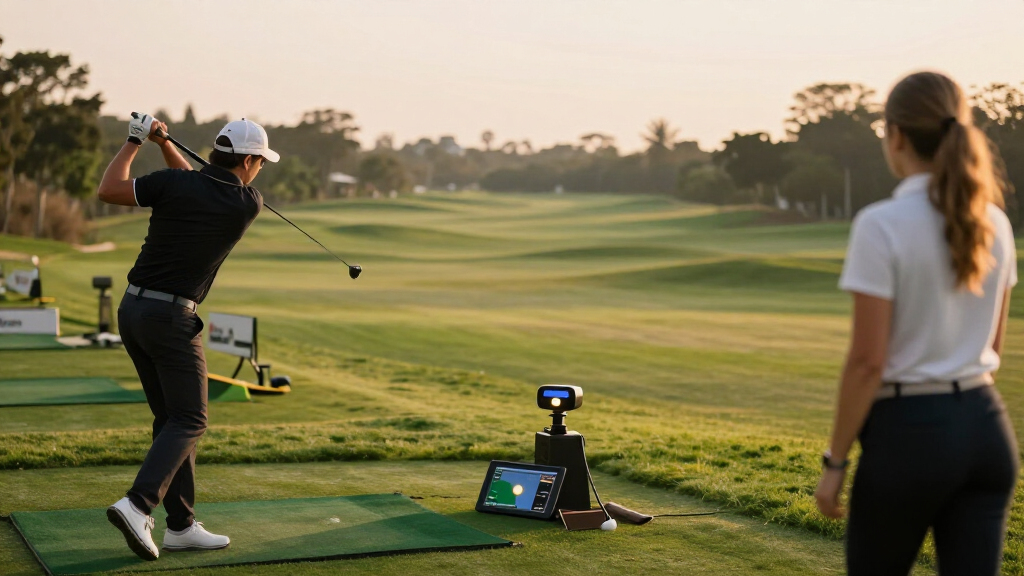
How We Picked
I ranked these golf launch monitors by how well their measurement approach, portability, and practice features match common buyer needs. I gave more weight to options that make useful shot feedback accessible across realistic practice settings, then considered how much setup, software, and space each requires. That puts the Garmin Approach R10 first as a versatile portable pick, while the PRGR HS-130A earns a distinct place for golfers who want straightforward swing feedback without a simulator-focused system.
Indoor-focused models such as the Bushnell Launch Pro editions, SkyTrak ST MAX, Garmin Approach R50, and Rapsodo MLM2PRO can serve players seeking richer analysis or simulator use, but their value depends on the buyer’s setup and willingness to work within their software ecosystems. I treated bundle contents and renewed condition as purchase details rather than performance advantages. Listings with similar names remain separate because their packages or versions may differ; buyers should check the specific model and included items before ordering.
Factors to Consider When Choosing Golf Launch Monitors
Before choosing a golf launch monitor, decide what you want to change in your practice. The right device depends on your questions, your available space, and how much time you want to spend setting up and reviewing data.
Choose the feedback you will act on
Start with the shot or swing question you want answered repeatedly. A speed-focused reader can help you track club speed and build a routine, while a more data-rich monitor may report additional ball-flight or impact information. More measurements only help when you understand what they mean and can connect them to a practice change. A common mistake is paying for a long data list before deciding which two or three numbers will guide your sessions. If you are learning the basics, simple feedback can make practice easier to follow. Move to a more advanced system when you have a clear need for deeper analysis.
Match the tracking method to your space
Radar and camera-based systems can behave differently depending on where the ball, device, and player sit. Check the manufacturer’s setup requirements for the spaces where you plan to hit, including indoor distance and lighting needs. A short garage bay may rule out a setup that works comfortably at an outdoor range. Buyers sometimes focus on the monitor’s portability but overlook the room or alignment demands that affect each session. Measure your hitting area before choosing simulator equipment. If you will practice in several locations, simpler placement can matter more than a longer feature list.
Account for the full simulator setup
A launch monitor alone does not create a satisfying indoor golf setup. You may also need a hitting mat, net or impact screen, enough clearance for a full swing, and a compatible phone, tablet, or computer. Software access and device compatibility can shape both the initial setup and how you use the system over time. Check which functions come with the unit and which depend on an app, account, or separate software arrangement. One frequent buying mistake is assuming every simulator feature is ready to use straight from the box. Price out the whole practice space and confirm compatibility before committing.
Decide how much setup you will tolerate
Some golfers want to unpack a device, place it behind the hitting area, and start a quick session; others are happy to align equipment and review app data. The difference affects how often a monitor becomes part of your routine. A sophisticated system can offer a richer practice environment, but extra steps may discourage short sessions. Think about whether you normally hit a few balls between other tasks or set aside dedicated simulator time. For frequent travel or range use, storage, power, and repeatable placement deserve attention. Choose the most capable workflow you will actually use.
Check bundle contents and listing condition
Product names can conceal meaningful package differences, especially when a listing includes balls, software access, or a carrying accessory. Renewed and new units also differ in condition and may have different return or warranty terms, so read the listing details rather than assuming the model name tells the whole story. Bundle extras can be useful, but they should not outweigh whether the monitor fits your practice needs. Confirm the exact model identifier, included equipment, software period, and seller terms. This matters in this roundup because several Garmin, Bushnell, Shot Scope, and Rapsodo listings are closely named or bundled differently. Compare what arrives in the box before deciding between them.
Frequently Asked Questions
Can one launch monitor work for both range practice and an indoor simulator?
Some portable monitors offer both range feedback and simulator functions, but the experience depends on the tracking method, required space, and software support. Check the manufacturer’s placement guidance for indoor use before assuming a device will fit your room. You will also need to account for a mat, net or screen, and enough space to swing safely. If you mainly practice outdoors, prioritize easy setup and useful range feedback. If simulator play is central, confirm the compatible software and full setup requirements first.
Should I choose a simple swing-speed monitor or one that measures more shot data?
Choose based on what you plan to change in your practice, rather than the number of measurements on the spec sheet. Swing-speed feedback can suit a golfer working on tempo or speed, while added shot data can help when you are diagnosing distance and flight patterns. More data brings more interpretation, and it may not improve practice if you do not have a clear way to use it. Beginners often benefit from tracking a few repeatable measures first. You can move to deeper analysis when your practice goals call for it.
What should I check before buying a launch monitor for a garage or spare room?
Measure the room’s width, ceiling height, and hitting distance, then compare them with the setup guidance for the specific monitor. Check whether the device needs to sit behind or beside the ball and whether indoor lighting or a particular ball setup affects tracking. Make sure there is room for a safe swing, a mat, and any net or impact screen. Confirm that your phone, tablet, or computer supports the relevant app or simulator software. A device that fits the budget but not the room will see little use.
Is a renewed Garmin Approach R10 a sensible choice?
It can be a sensible option if the listing’s condition, included accessories, return terms, and warranty fit your expectations. Compare its package with the new R10 listing rather than assuming the two arrive with the same support or extras. The monitor’s suitability still depends on whether its portable practice and simulator features match your routine. Read the seller’s description for exactly what has been renewed and what is included. If peace of mind matters more than package savings, a new unit may be the simpler choice.
When does it make sense to pay for a premium launch monitor?
A premium system makes more sense when you will use its added analysis, indoor practice features, or simulator experience regularly. It is harder to justify if you mainly want occasional swing-speed checks or quick range feedback. Include the cost and effort of compatible software, hitting surfaces, and room preparation in your decision. More capable equipment can support a more involved practice routine, but it does not replace a clear goal or consistent use. Choose premium features only when they solve a need your simpler setup cannot.
Conclusion
For the best overall balance of portability and practice options, I recommend the Garmin Approach R10. The PRGR HS-130A is my value-minded pick for golfers who want straightforward swing feedback, and it is also the easiest fit for beginners who prefer to start with a smaller set of measurements. For a premium indoor setup, compare the Garmin Approach R50, Bushnell Launch Pro, and SkyTrak ST MAX against your room, software, and data needs. The Rapsodo MLM2PRO is a specific option for buyers drawn to a mobile, simulator-oriented setup, while the Shot Scope LM1 models suit golfers seeking a portable monitor with a simpler role. Check bundle contents and listing condition closely for the renewed and package-specific versions; the best choice is the one that fits both your practice space and the feedback you will use.
Fall Picks
fall essentials
As an affiliate, we earn on qualifying purchases.