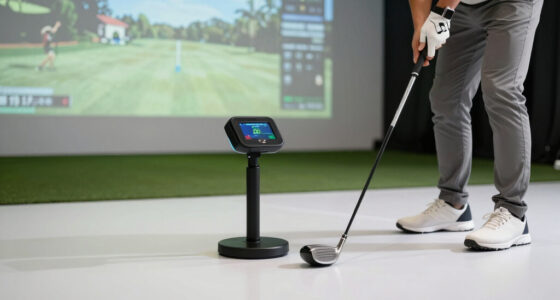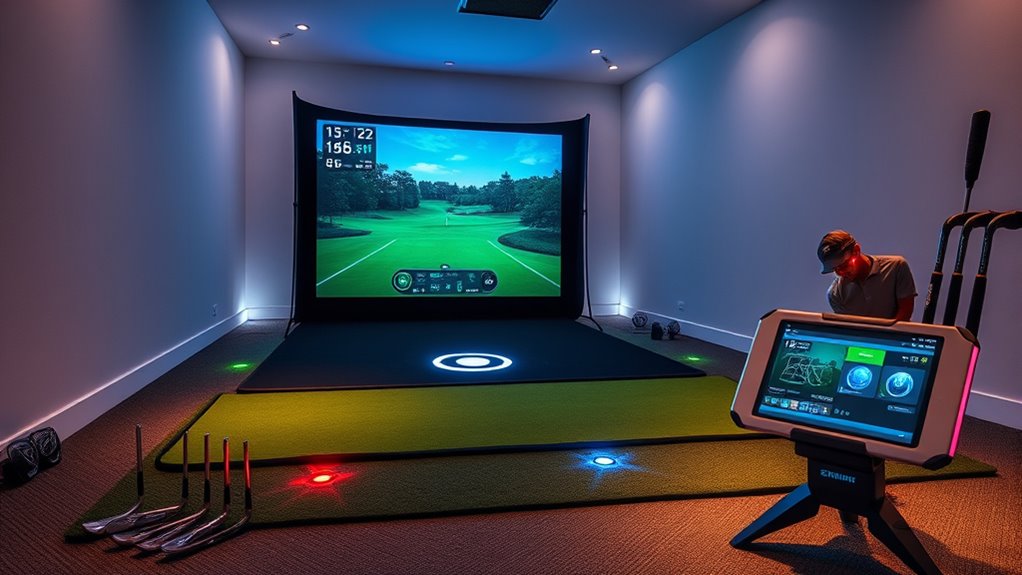

The best high-end golf tech gadgets for practice turn swings into useful feedback, but the right choice depends on whether you need detailed ball data, simulator play, or simple swing guidance. I rank the Garmin Approach R50 as the best overall for its premium launch-monitor and simulator focus, while the SkyTrak ST MAX stands out for dedicated indoor practice and the Garmin Approach R10 for portability. The main tradeoffs are data depth versus setup effort, indoor space versus easy transport, and advanced analysis versus beginner-friendly simplicity. Lower-cost training aids can build repeatable habits, but they do not replace measured launch data. Read on for the full breakdown and help matching each option to your practice setup.

Get travel and outdoor gear delivered free with Prime
- Fast, free delivery on millions of items
- Prime Video, Amazon Music and more included
- Member-only deals all year
Complete the kit



Key Takeaways
- The R50 and ST MAX lead for data-led practice: they suit golfers who want more than basic swing feedback and can dedicate space to a launch-monitor setup.
- Portability changes the kind of practice you can do: the R10, MLM1, MLM2PRO, and Mevo Gen2 are better fits for golfers who move between locations or want a smaller kit.
- Phone-based monitors depend on the whole setup: camera placement, lighting, alignment, and usable hitting space can affect the value of their data.
- PHIGOLF and the swing-training aids serve different goals: PHIGOLF emphasizes motion-based home play and feedback, while the Birdie mat and 5-in-1 trainer focus on swing habits rather than full ball-flight measurement.
- Premium features pay off only when they match practice habits: frequent, structured sessions can justify advanced analysis; occasional practice may be better served by portability or focused training tools.
| Garmin Approach R50 Premium Golf Launch Monitor & Simulator |  | Best Premium All-in-One | Screen: 10-inch LCD color touchscreen | Resolution: 800 x 1280 | Connectivity: Bluetooth, Wi-Fi | VIEW ON AMAZON | See Our Full Breakdown |
| SkyTrak ST MAX Golf Launch Monitor with 1-Year Software Included |  | Best for Software-Included Practice | Included software: One-year Core Foresight software subscription | Weight: 5 pounds | Package dimensions: 13.43 x 11.57 x 5.55 inches | VIEW ON AMAZON | See Our Full Breakdown |
| Garmin Approach R10 Portable Golf Launch Monitor |  | Best for Portable, Data-Focused Practice | Battery life: Up to 10 hours | Water resistance: IPX7 | Club-head speed accuracy: ±3 mph | VIEW ON AMAZON | See Our Full Breakdown |
| PHIGOLF Home Golf Simulator with Motion Sensor & 3D Analysis | 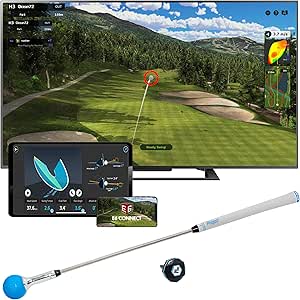 | Best for Interactive Home Practice | Sensor: 9-axis motion sensor | Compatibility: Android and iOS devices | Course access: Over 38,000 courses | VIEW ON AMAZON | See Our Full Breakdown |
| Rapsodo Mobile Launch Monitor Golf Simulator (MLM1) |  | Best for iPhone Video Feedback | Compatibility: iPhone and iPad; iOS only | Connectivity: Bluetooth | Weight: 0.4 kg | VIEW ON AMAZON | See Our Full Breakdown |
| Birdie Golf Swing Training Mat – Sequin Tech, Analyzes Swing Path, Portable |  | Best for Visual Swing-Path Feedback | Dimensions: 19.25 x 12.32 inches | Weight: 2.2 pounds | Material: Plastic, PVC | VIEW ON AMAZON | See Our Full Breakdown |
| Rapsodo MLM2PRO Mobile Launch Monitor Golf Simulator with 3 Chrome Tour Balls |  | Best for Mobile Data-Rich Practice | Compatible devices: Smartphone, iOS, Android | Display: LCD touchscreen, 1280 x 800 | Connectivity: Bluetooth | VIEW ON AMAZON | See Our Full Breakdown |
| FlightScope Mevo Gen2 Portable Golf Launch Monitor and Simulator |  | Best Premium Practice and Video Analysis | Swing data parameters: 18 | Simulation courses: 8 | Battery life: Up to 6 hours | VIEW ON AMAZON | See Our Full Breakdown |
| 5-in-1 Retractable Golf Swing Trainer with Grip Trainer and Feedback |  | Best Compact Tempo and Grip Trainer | Package dimensions: 15.79 x 2.32 x 1.85 inches | Package weight: 0.31 kg | Brand: FODESAN | VIEW ON AMAZON | See Our Full Breakdown |
More Details on Our Top Picks
Garmin Approach R50 Premium Golf Launch Monitor & Simulator
The Garmin Approach R50 earns the premium all-in-one spot by putting a launch monitor, shot review, and virtual play on its own 10-inch color touchscreen. Its three-camera system and impact videos give practice sessions more useful feedback than a screen-free setup, while third-party simulator compatibility adds flexibility for golfers building an indoor space. Compared with the Garmin Approach R10, the R50 is more self-contained and offers a much larger display, but it gives up some battery endurance: four hours versus the R10’s stated maximum of ten. Full course access and some features require a subscription, and club metrics need a tracking sticker. I’d choose it for a dedicated practice area where on-device review matters more than long sessions away from an outlet.
Pros:- Three-camera system supports detailed shot metrics
- 10-inch color touchscreen displays practice feedback on the unit
- Impact videos and virtual rounds add feedback and play options
- Included carrying case supports moving the monitor between practice spaces
Cons:- Four-hour battery life is shorter than the Garmin Approach R10’s stated maximum
- Subscription is required for full course access and some features
- Tracking stickers are needed for club metrics
Best for: Golfers setting up a home practice bay who want a large built-in display, shot videos, and simulator play in one premium device.
Not ideal for: Range-focused golfers who need long battery life or buyers who want full course access without a subscription.
- Screen:10-inch LCD color touchscreen
- Resolution:800 x 1280
- Connectivity:Bluetooth, Wi-Fi
- Battery life:4 hours
- Operating system:Windows
- Practice features:Impact videos, virtual rounds, stats tracking
- Simulator compatibility:Compatible with third-party simulators
Our verdict“Choose the R50 if you want a premium, screen-equipped simulator for a home practice area and can accept subscription costs and shorter battery life.”
SkyTrak ST MAX Golf Launch Monitor with 1-Year Software Included
The SkyTrak ST MAX suits golfers who want their launch monitor paired with a defined software starting point: the package includes one year of Core Foresight software and detailed swing analytics. That makes its appeal different from the Garmin Approach R50, which emphasizes a built-in touchscreen and impact-video review, and the Rapsodo MLM1, which depends on an iPhone or iPad for its practice display. At five pounds, the SkyTrak is reasonably portable, though the listed package dimensions make it less pocketable than the Rapsodo. The supplied details do not specify its measurement metrics, battery endurance, or display setup, so I would verify those requirements before planning a fixed simulator bay. The included software term is a clear advantage, but it does not establish what access costs or features apply after that year.
Pros:- Includes one year of Core Foresight software
- Designed to provide detailed swing analytics
- Five-pound listed weight keeps it movable between practice locations
Cons:- Provided product details do not specify particular metrics or measurement accuracy
- Battery life and display requirements are not listed in the supplied specifications
- Software inclusion is limited to a one-year term
Best for: Golfers who want a launch monitor with detailed analytics and a year of included Core Foresight software as the starting point for structured practice.
Not ideal for: Buyers who need clearly listed measurement accuracy, long battery life, or a self-contained display before committing to a simulator setup.
- Included software:One-year Core Foresight software subscription
- Weight:5 pounds
- Package dimensions:13.43 x 11.57 x 5.55 inches
- Battery:One lithium polymer battery included
- Intended use:Golf swing analytics and practice
- Department:Unisex-adult
Our verdict“Pick the ST MAX if included software and swing analytics matter more to you than having a built-in screen or fully specified performance details.”
Garmin Approach R10 Portable Golf Launch Monitor
The Garmin Approach R10 is the strongest fit here for golfers who move between a backyard, garage, and driving range and want a broad set of swing metrics without carrying a large screen. It reports measures including club-head speed, ball speed, spin, and launch data, with the Garmin Golf app providing analysis, swing video, and virtual play. Against the premium Garmin Approach R50, the R10 trades its built-in display and three-camera setup for a stated battery life of up to ten hours and a phone-based workflow. That makes it easier to take on longer sessions, but less self-contained. Full use depends on a compatible smartphone, and some features may need a subscription. Its listed accuracy figures are useful guidance, though golfers wanting a dedicated indoor simulator screen may prefer the R50.
Pros:- Up to 10 hours of battery life supports extended practice sessions
- Reports club-head speed, ball speed, spin, and other shot metrics
- IPX7 waterproof rating suits use across varied practice settings
- Garmin Golf app offers swing-video analysis and virtual play on over 42,000 courses
Cons:- A compatible smartphone and Garmin Golf app are needed for full features
- Some app features may require an active subscription
- Club-head speed accuracy is listed as ±3 mph, rather than a direct measurement guarantee
Best for: Range regulars and mobile practice golfers who already use a compatible smartphone and want detailed metrics with long battery life.
Not ideal for: Golfers who want a built-in display, a screen-free phone-independent setup, or a simulator centered on impact video from the monitor itself.
- Battery life:Up to 10 hours
- Water resistance:IPX7
- Club-head speed accuracy:±3 mph
- Ball speed accuracy:±1 mph
- Launch angle accuracy:±1 degree
- Launch direction accuracy:±1 degree
- Compatibility:Smartphone with Garmin Golf app
- Virtual course access:Over 42,000 courses through the app
Our verdict“Choose the R10 for portable, app-based practice and long sessions; choose the R50 instead if you want a larger built-in simulator display.”
PHIGOLF Home Golf Simulator with Motion Sensor & 3D Analysis
The PHIGOLF Home Golf Simulator takes a different route from a ball-tracking launch monitor: its 9-axis motion sensor, swing stick, and mobile app create an interactive practice and play setup. With access to over 38,000 courses, multiplayer options, and AI-powered coaching, it is geared toward making indoor sessions engaging for varied skill levels. Compared with the Garmin Approach R10 or Rapsodo MLM1, which focus on reported shot data from golf swings, PHIGOLF’s listed features lean more toward motion-based play and coaching; the supplied information does not give sensor accuracy figures for a direct measurement comparison. Its light sensor and included swing stick help keep the setup compact, but compatible-device setup is part of the experience. I’d choose it for guided home practice and virtual rounds, not as a substitute for a launch monitor with specified shot-measurement accuracy.
Pros:- 9-axis motion sensor supports interactive swing tracking
- Access to over 38,000 courses and multiplayer modes
- AI-powered swing coaching adds guided practice
- Lightweight sensor and included swing stick suit home use
Cons:- Requires a compatible Android or iOS device and setup
- Supplied details do not state sensor accuracy or measurement tolerances
- Motion-based practice is less suited to buyers seeking documented launch-monitor shot data
Best for: Households or golfers seeking app-based indoor practice, virtual courses, and coaching in an interactive format.
Not ideal for: Players who prioritize documented ball-flight measurement accuracy or want a launch monitor that does not rely on a compatible phone or tablet.
- Sensor:9-axis motion sensor
- Compatibility:Android and iOS devices
- Course access:Over 38,000 courses
- Included components:Sensor
- Item weight:0.59 kg
- Item dimensions:3 x 5 x 25 inches
- Material:Aluminum
- Warranty:1 year
Our verdict“Choose PHIGOLF for interactive, coached home practice and course play, rather than for verified ball-flight measurement.”
Rapsodo Mobile Launch Monitor Golf Simulator (MLM1)
The Rapsodo Mobile Launch Monitor (MLM1) is a practical pick for golfers who want shot data tied directly to swing video. Paired with an iPhone or iPad camera, it reports ball speed, club speed, launch angle, and carry distance, then adds a shot tracer and GPS satellite view to help connect the numbers with what happened on the swing. Compared with the Garmin Approach R10, the MLM1’s standout is its camera-based video replay; the R10 offers longer stated battery life and a wider virtual-course library. Rapsodo’s 0.4 kg weight makes it easy to carry to the range, but iOS-only compatibility rules it out for Android golfers. Simulator courses and other premium features may also require a subscription, so I’d treat it as a video-and-data practice tool first, not a no-extra-dependency simulator.
Pros:- Pairs shot metrics with video replay and an on-screen shot tracer
- Reports ball speed, club speed, launch angle, and carry distance
- Light 0.4 kg design is easy to bring to different practice locations
- GPS satellite view adds context to shot tracking
Cons:- Compatible only with iPhone and iPad
- Relies on a compatible Apple device and its camera
- Simulator courses and other premium features may require a subscription
Best for: iPhone or iPad golfers who want portable shot data, video replay, and a tracer to review mechanics at the range or in the backyard.
Not ideal for: Android users, golfers without a compatible Apple device, or buyers seeking course simulation without subscription-dependent features.
- Compatibility:iPhone and iPad; iOS only
- Connectivity:Bluetooth
- Weight:0.4 kg
- Dimensions:7.72 x 2.28 x 6.85 inches
- Video resolution:1920 x 1080
- Navigation view:GPS satellite view
- Reported metrics:Ball speed, club speed, launch angle, carry distance
- Mounting type:Handheld
Our verdict“Choose the MLM1 if you use iOS and want video-linked practice feedback; choose the R10 for longer battery life and broader virtual-course access.”
Birdie Golf Swing Training Mat – Sequin Tech, Analyzes Swing Path, Portable
The Birdie Golf Swing Training Mat is a focused practice aid for golfers who want to see what their club is doing at impact without setting up a launch monitor. Its sequin surface shows contact and divot patterns, giving quick visual feedback on swing path and helping make repeated drills easier to compare. At 2.2 pounds and about 19 inches long, it is easier to carry and store than the Rapsodo MLM2PRO or FlightScope Mevo Gen2, but it does not measure ball-flight metrics or provide simulator practice. That simplicity is the tradeoff: the mat can support a specific swing change, not diagnose every part of a shot. It suits indoor or outdoor use, though the sequin surface may need careful handling to preserve its feedback. Choose it for straightforward visual drills; skip it if you want data-rich analysis.
Pros:- Sequin surface provides immediate visual clues about contact and divot patterns
- Portable 2.2-pound design suits indoor and outdoor drills
- Compact footprint is simpler to store than a launch-monitor setup
- Easy-to-read feedback can support practice at different skill levels
Cons:- Does not track launch, distance, or other ball-flight metrics
- Sequin technology may require careful handling to retain its effectiveness
- Provides a narrower practice toolset than the Rapsodo MLM2PRO or FlightScope Mevo Gen2
Best for: Golfers working on swing path or impact consistency who want a portable, visual drill aid for home, range, or indoor practice.
Not ideal for: Players seeking launch data, ball-flight tracking, or simulator rounds; the mat is limited to contact-pattern feedback.
- Dimensions:19.25 x 12.32 inches
- Weight:2.2 pounds
- Material:Plastic, PVC
- Color:Multicolor
- Feedback method:Sequin surface shows contact and divot patterns
- Use:Indoor and outdoor practice
Our verdict“Choose the Birdie Mat for portable swing-path feedback, but pick a launch monitor if you need shot data or simulator practice.”
Rapsodo MLM2PRO Mobile Launch Monitor Golf Simulator with 3 Chrome Tour Balls
The Rapsodo MLM2PRO is the strongest fit here for golfers who want practice data and simulator features in one portable setup. Its Doppler radar and dual-camera system track 13 core metrics, while virtual courses and skill challenges can give a solo session more structure than the Birdie mat’s swing-path drills. It is also a more data-centered choice than the Rapsodo MLM1, though this model still does not promise every advanced metric a dedicated fitter might want. Phone or tablet compatibility is part of the deal: the device relies on a compatible smartphone for its full experience, so it is less self-contained than a basic training aid. The included three Chrome Tour balls add useful practice gear, but buyers should choose this only if they want to manage a connected setup.
Pros:- Doppler radar and dual cameras support detailed shot tracking
- Tracks 13 core golf metrics for structured practice
- Virtual courses and skill challenges add variety to solo sessions
- Portable design supports indoor and outdoor use
Cons:- Full functionality depends on a compatible smartphone or device
- Metric set may not satisfy golfers seeking more specialized advanced data
- Connected setup is more involved than using the Birdie mat or a simple swing trainer
Best for: Golfers who want portable shot tracking, core swing metrics, and virtual-course practice through a compatible iOS or Android device.
Not ideal for: Players who prefer a standalone device, do not have a compatible smartphone, or need advanced fitting data beyond the 13 tracked metrics.
- Compatible devices:Smartphone, iOS, Android
- Display:LCD touchscreen, 1280 x 800
- Connectivity:Bluetooth
- Weight:16 ounces
- Tracked metrics:13 core golf metrics
- Tracking technology:Doppler radar and dual-camera setup
- Included items:3 Chrome Tour balls
Our verdict“Pick the MLM2PRO if connected shot data and simulator practice matter more than a simple, self-contained swing drill.”
FlightScope Mevo Gen2 Portable Golf Launch Monitor and Simulator
The FlightScope Mevo Gen2 is the most analysis-oriented pick in this group for golfers who want swing data alongside recorded practice. It offers 18 swing data parameters, shot tracing, video recording, and multi-camera features, giving coaches and committed players more material to review than the Rapsodo MLM2PRO’s 13 core metrics. Its E6 Connect bundle includes eight courses, so it can also support simulated play rather than data review alone. That broader toolkit brings more setup complexity and a reliance on compatible iOS devices; Android users should look elsewhere in this roundup, including the MLM2PRO. Up to six hours of battery life supports portable sessions, but casual golfers may find the extra analysis features more than they need. This is a premium practice system, not the simplest route to occasional swing feedback.
Pros:- Tracks 18 swing data parameters for detailed practice review
- Includes eight E6 Connect simulation courses
- Video recording, shot tracing, multi-cam, and voiceover support analysis
- Portable radar unit offers up to six hours of battery life
Cons:- Setup may be complex for golfers who only want quick practice feedback
- Full functionality requires a compatible iOS device
- Its advanced analysis features may be unnecessary for casual players
Best for: Committed golfers and coaches who want a broad set of swing parameters, video review, shot tracing, and course simulation through iOS.
Not ideal for: Casual golfers seeking quick feedback, or Android users who need full device compatibility.
- Swing data parameters:18
- Simulation courses:8
- Battery life:Up to 6 hours
- Tracking technology:FlightScope Fusion 3D Doppler radar
- Compatibility:iOS devices
- Video features:Video recording, Multi-Cam, Voiceover
- Shot tracing:Shot Tracer
Our verdict“Choose the Mevo Gen2 if you want extensive data and video-led practice on iOS, rather than the MLM2PRO’s simpler connected setup.”
5-in-1 Retractable Golf Swing Trainer with Grip Trainer and Feedback
This 5-in-1 retractable swing trainer is for golfers who want hands-on practice with grip, tempo, and control rather than measured ball-flight data. Its retractable training aid, grip trainer, and feedback focus on repeatable mechanics, while the compact package is easier to carry than either the Birdie mat or a launch monitor. Compared with the Birdie Golf Swing Training Mat, it offers a more direct grip-and-tempo routine; compared with the Rapsodo MLM2PRO, it gives up shot metrics and simulator functions. The feedback may take practice to interpret, so it is not an instant substitute for coaching or quantified swing analysis. It is designed primarily for right-handed golfers, which makes handedness a real limitation. With a one-year warranty and lightweight package, it suits short, focused drills—not a complete practice setup.
Pros:- Combines a retractable swing trainer with a grip-training component
- Compact package is easy to carry and store
- Rubber and stainless-steel construction supports repeated practice
- Indoor and outdoor use supports flexible drill sessions
Cons:- Designed primarily for right-handed golfers
- Feedback takes practice to interpret effectively
- Does not provide the shot tracking or simulator features of the Rapsodo MLM2PRO
Best for: Right-handed golfers who want a compact aid for grip, tempo, and swing-control drills at home or while traveling.
Not ideal for: Left-handed golfers, or players who want launch metrics, ball-flight analysis, or a complete practice system.
- Package dimensions:15.79 x 2.32 x 1.85 inches
- Package weight:0.31 kg
- Brand:FODESAN
- Warranty:1 year
- Model name:Black-1
- Color:Black
- Material:Rubber, stainless steel
- Included components:Golf swing trainer arm band, retractable right-handed golf swing training aid, step-by-step instruction manual
Our verdict“Choose this trainer for portable grip and tempo drills if you are right-handed and do not need launch-monitor data.”

How We Picked
I compared the nine products by the practice problem each one solves: measuring ball flight, supporting simulator sessions, tracking motion, or reinforcing swing fundamentals. I weighed the usefulness and breadth of feedback, ease of setup, portability, suitability for indoor or outdoor use, and how much supporting equipment or space a golfer may need. Build and maintenance needs mattered too, since a sophisticated device is less useful if its setup makes regular practice inconvenient.
The ranking favors products that can support repeatable, information-rich practice across a broad range of golfers. The Garmin Approach R50 leads as the most complete practice-oriented package; the SkyTrak ST MAX follows for golfers prioritizing a dedicated indoor setup. Portable monitors rank well for flexible practice, while motion-based systems and training aids are placed according to their narrower roles. This is not a claim that every golfer needs the most data: the lower-ranked options can be the better buy when simplicity, compactness, or swing mechanics matter more than launch metrics.
Factors to Consider When Choosing High End Golf Tech Gadgets For Practice
Before choosing a device, decide what you want to change about your practice. More metrics do not automatically lead to better sessions: the right gadget gives feedback you can act on, in a setup you will use consistently.
Match Feedback to the Problem You Want to Fix
Start by naming one or two questions your practice needs to answer. If you are working on distance gaps or impact consistency, a launch monitor that captures ball-flight information is more relevant than a swing-motion aid. If your main issue is repeating a motion or following a practice routine, a simpler trainer may offer clearer direction without burying you in numbers. A common mistake is buying the device with the longest feature list before deciding which measurements matter. Choose the feedback you can use to make a change at your next session, not data you may only inspect once.
Check Space, Lighting, and Hitting Setup First
Indoor practice is shaped by room depth, ceiling height, net or screen placement, and how safely you can swing a club. Camera-based products may also depend on lighting and careful device positioning, while other setups need room for a launch monitor to read the shot. Measure the area where you will actually hit, rather than relying on a room’s total dimensions. For outdoor use, think about level ground, target alignment, and whether you can set up consistently from one session to the next. Buying before checking these details can leave a capable gadget gathering dust.
Choose Between a Permanent Setup and a Portable Kit
A fixed indoor station can make regular practice convenient, especially if you want simulator sessions as part of your routine. Portable monitors suit golfers who practice at a range, at home, or in more than one location, but moving equipment adds setup steps and calls for a safe carrying plan. Consider how long you are willing to spend aligning the unit before you start hitting. Small devices are not automatically easier if they rely on a phone, tripod, or other accessories you must remember. Buy for your real practice pattern, not an imagined one.
Separate Practice Data From Game-Like Play
Some products center on measured shot feedback; others make home practice more game-like through simulator or motion-based play. Those purposes can overlap, but they are not interchangeable. A virtual course can make sessions more engaging, while detailed measurements may be more useful for diagnosing a swing or tracking distance changes. Ask whether you want to improve specific shots, enjoy simulated rounds, or split time between both. If you mostly want entertainment, do not pay extra for analysis you will rarely use; if you want measurable practice, check that the system captures the information you need.
Account for Software, Accessories, and Ongoing Setup
The gadget itself is only part of the practice system. Check which software access is included, what it supports, and whether it suits the way you plan to practice; included access may be time-limited or tied to particular features. Factor in the need for a phone or tablet, a hitting net, a mat, a tripod, or suitable balls before choosing. Also think about updates, charging, storage, and how much room the full setup occupies between sessions. A lower-friction system can offer more practical value than a more advanced one that takes longer to prepare.
Pay for Useful Repeatability, Not Spec Sheet Bragging Rights
It is easy to mistake a larger set of measurements for better coaching. Data helps most when you can capture it under similar conditions and connect a reading to a specific adjustment. Beginners may get more from a clear swing cue and regular practice than from a dense dashboard, while skilled golfers may value detailed feedback for targeted changes. A training aid can also be a sensible companion to a monitor when you want to work on mechanics between measured sessions. Pick the system that supports the practice you can sustain, rather than stretching for features that do not fit your current goals.
Frequently Asked Questions
Do I need a launch monitor, or is a swing-training aid enough?
Choose a launch monitor if you need measured shot feedback, such as information that helps you track distance or compare ball flights. A swing aid is better suited to rehearsing a grip, path, or repeatable motion without building a full measurement setup. Neither option covers every practice need, and some golfers may use a training aid alongside a monitor. If you are still forming basic habits, a focused aid may be easier to use consistently. If you already have a specific ball-flight question, a monitor is the more direct tool.
Which type of gadget makes the most sense for a golfer without a dedicated practice room?
Prioritize compactness and setup flexibility, then check the actual space and conditions each device needs to work. Portable monitors can suit range sessions or temporary home setups, while motion-based systems and compact training aids may fit where a full hitting bay does not. A portable device still needs a safe swing area and may require a phone or other accessories. Measure your available space and confirm the setup requirements before deciding. If you cannot hit a real ball safely at home, a motion-focused option may fit better than a launch monitor.
Is a phone-based launch monitor accurate enough for practice?
A phone-based monitor can be useful when its measurements address your practice goals and you can set it up consistently. Its results depend on factors such as camera positioning, lighting, alignment, and the environment where you hit. Treat it as a tool for comparing repeatable sessions rather than assuming every reading is exact under every condition. If you need a permanent indoor practice station or highly detailed analysis, compare setup requirements and measurement needs against dedicated systems. Follow the product’s placement guidance and keep conditions as similar as possible from session to session.
Should I choose simulator features or more detailed shot analysis?
Base the choice on what keeps your practice useful. Simulator play can make sessions more engaging and help structure practice around targets or courses, while detailed shot analysis is better suited to golfers who want to study specific ball-flight outcomes. Some products combine both, but a broader feature set can bring extra setup or software demands. Think about what you will use during most sessions, not what sounds most impressive at purchase. If enjoyment is the main barrier to practicing, simulation may help; if you already practice regularly and want targeted feedback, analysis may matter more.
What should I verify before buying a golf practice gadget for home use?
Check the required hitting distance, safe swing clearance, ceiling height, surface, lighting, and any need for a net or screen. Confirm whether the device requires a phone or tablet, how it is positioned, and what software access or accessories come with the package. Look for any limitations on indoor versus outdoor use so you do not assume the same setup will work in both places. Consider where equipment will be stored and how much time setup takes, since those details affect how often you practice. A quick room measurement and a review of the full setup requirements can prevent a poor fit.
Conclusion
For the broadest blend of premium practice features, I would start with the Garmin Approach R50 as best overall; golfers building a dedicated indoor setup should compare it closely with the SkyTrak ST MAX, my best premium-focused alternative. The Garmin Approach R10 is the best value pick for golfers who want a portable monitor, while the PHIGOLF Home Golf Simulator is the friendlier starting point for home practice centered on motion feedback and play. Choose the Rapsodo MLM1, MLM2PRO, or FlightScope Mevo Gen2 when flexible monitor-based practice is the priority, checking each model’s setup and data needs against your routine. For specific swing-mechanics work, the Birdie Golf Swing Training Mat and 5-in-1 Retractable Golf Swing Trainer make more sense than a launch monitor; they are focused aids, not substitutes for shot measurement. My final rule is simple: buy the feedback you will use repeatedly, and skip advanced functions that do not serve your practice goal.