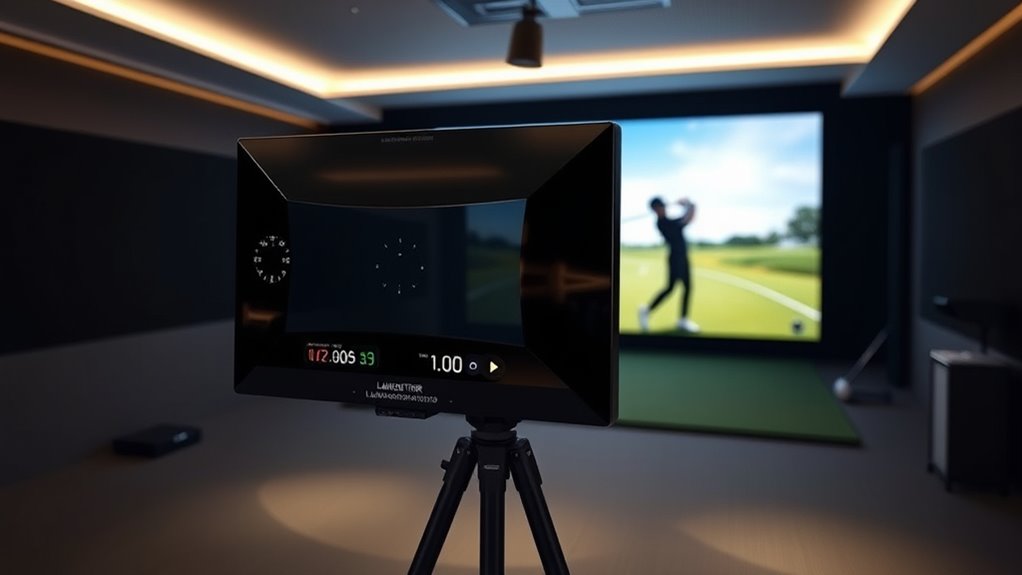

For golfers seeking a seamless experience between launch monitors and golf sims, the right choice depends on your priorities like accuracy, ease of setup, and budget. The Garmin Approach R50 stands out as the best overall for its combination of advanced features and reliable performance. Meanwhile, options like the SkyTrak ST MAX series offer excellent value, and the Garmin Approach R50 Premium provides a more premium experience. Each choice involves tradeoffs: higher-end models offer better accuracy but come at a higher price, while budget options may sacrifice some features. Continue reading for a detailed comparison of these top picks.
Complete the kit



Key Takeaways
- Accuracy and data fidelity vary significantly, with premium models like Garmin Approach R50 providing the most precise measurements.
- Ease of setup and integration influence overall usability, especially for those new to golf sims and launch monitors.
- The SkyTrak series offers a versatile balance of performance and value, making it popular among intermediate users.
- Bundled packages with software and course play add significant value but can increase overall cost.
- Build quality and durability are consistent across brands, but software updates and customer support differ, impacting long-term satisfaction.
| Garmin Approach R50 Premium Golf Launch Monitor & Simulator |  | Best Overall for Versatile Indoor/Outdoor Use | Display: 10-inch color touchscreen | Camera System: 3-camera | Battery Life: Up to 4 hours | VIEW ON AMAZON | See Our Full Breakdown |
| SkyTrak ST MAX Golf Simulator Standard Studio Package |  | Best Complete Indoor Golf Setup | Launch Monitor: SkyTrak ST MAX | Enclosure: Included | Impact Screen: Included | VIEW ON AMAZON | See Our Full Breakdown |
| SkyTrak+ Golf Launch Monitor Bundle with Free Foresight Course Play | 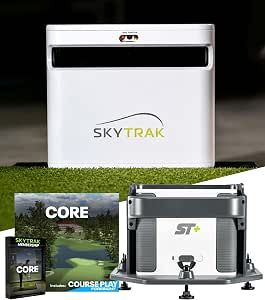 | Best for Tour-Level Data and Portable Practice | Technology: Dual Doppler radar and photometric camera | Included Membership: 1-year Foresight Core | Compatibility: Windows, macOS, iOS, Android | VIEW ON AMAZON | See Our Full Breakdown |
| SkyTrak ST MAX Golf Launch Monitor with 1-Year Software Included |  | Best for Guided Practice and Serious Training | Built-in Training: GOLFTEC Speed Training | Technology: Dual Doppler Radar and Photometric Cameras | Connectivity: Dual USB-C ports | VIEW ON AMAZON | See Our Full Breakdown |
| SkyTrak Golf Launch Monitor and Simulator |  | Best Portable Entry-Level Option | Technology: Photometric | Measurements: Ball speed, carry distance, spin, launch angle, shot shape | Connectivity: Wireless | VIEW ON AMAZON | See Our Full Breakdown |
| Garmin Approach R50 Premium Golf Launch Monitor and Simulator | | Best for Advanced Players Seeking High-Precision Tracking and Virtual Course Play | Display: 10-inch color touchscreen | Tracking Technology: 3-camera system | Battery Life: Up to 4 hours | VIEW ON AMAZON | See Our Full Breakdown |
| launch monitors integrated with golf sim | Connectivity | Battery Life | Technology |
|---|---|---|---|
| Garmin Approach R50 Premium Go | HDMI output | Up to 4 hours | — |
| SkyTrak ST MAX Golf Simulator | — | — | — |
| SkyTrak+ Golf Launch Monitor B | — | — | Dual Doppler radar and photometric camera |
| SkyTrak ST MAX Golf Launch Mon | Dual USB-C ports | — | Dual Doppler Radar and Photometric Cameras |
| SkyTrak Golf Launch Monitor an | Wireless | Up to 4 hours | Photometric |
| Garmin Approach R50 Premium Go | HDMI output | Up to 4 hours | — |
More Details on Our Top Picks
Garmin Approach R50 Premium Golf Launch Monitor & Simulator
The Garmin Approach R50 stands out for its high-precision impact and swing metrics, making it ideal for serious golfers who want detailed data both indoors and outdoors. Its 3-camera system and large 10-inch touchscreen provide clear controls and immersive virtual rounds on over 43,000 courses. Compared with the SkyTrak+ bundle, the R50’s advanced cameras deliver more accurate swing analysis, though it requires a subscription for full features—a tradeoff for those seeking a comprehensive experience. Setup might be complex for newcomers, but its portability and impact video review make it a versatile choice for dedicated players. This monitor is perfect for tech-savvy golfers aiming for detailed feedback across multiple environments.
Pros:- High-precision impact and swing metrics
- Large touchscreen for easy control
- Ability to play virtual courses on over 43,000 locations
- Portable with carrying case
Cons:- Subscription required for full course and tournament access
- Setup may be complex for beginners
Best for: Golfers who want top-tier, multi-environment performance with immersive features
Not ideal for: Casual players seeking a budget-friendly, plug-and-play option without subscriptions
- Display:10-inch color touchscreen
- Camera System:3-camera
- Battery Life:Up to 4 hours
- Connectivity:HDMI output
- Included Accessories:Carrying case
- Subscription Required:Yes (for courses and tournaments)
Our verdict“This device suits dedicated golfers seeking a premium, versatile launch monitor and simulator experience.”
SkyTrak ST MAX Golf Simulator Standard Studio Package
The SkyTrak ST MAX Studio Package is a comprehensive indoor golf solution for enthusiasts seeking an immersive experience. It includes a high-precision launch monitor, enclosure, impact screen, projector, and hitting mat, offering a true-to-life simulation environment. Compared to the SkyTrak+ bundle, the ST MAX’s bundled enclosure and projector make it easier for those without existing gear to set up a dedicated space, although setup complexity remains a factor, especially with ceiling height requirements. The package’s large impact screen and high-quality projector create vivid visuals, but space and ceiling height limitations could restrict some users. It’s best suited for dedicated home or garage setups where full immersion and data accuracy are priorities.
Pros:- Complete all-in-one indoor golf setup
- High-precision launch monitor for accurate data
- Immersive visuals with quality projector
- Includes training tools to improve swing speed
Cons:- Requires sufficient space and ceiling height
- Setup may be complex for some users
- Limited trial period for software features
Best for: Home or garage golfers wanting a full indoor simulation experience with immersive visuals
Not ideal for: Golfers with limited space or lower ceilings, due to setup height requirements
- Launch Monitor:SkyTrak ST MAX
- Enclosure:Included
- Impact Screen:Included
- Projector:ZW350ST short-throw
- Hitting Mat:5×5 premium
- Available Sizes:Studio 10, Studio 12, Studio 13 Deep
Our verdict“This package is ideal for serious indoor golfers looking for a turnkey, immersive simulation environment.”
SkyTrak+ Golf Launch Monitor Bundle with Free Foresight Course Play
The SkyTrak+ bundle offers tour-level accuracy with its dual Doppler radar and photometric camera, making it a top choice for serious players who want precise data both indoors and outdoors. The included 1-year Foresight Core Membership unlocks multiple courses and practice features, adding value beyond basic data. Compared with the SkyTrak ST MAX, the SkyTrak+ provides more portable, flexible use, though it may come at a higher cost for casual users. Its compatibility with multiple devices makes it versatile but requires compatible tech for full functionality. This product is ideal for golfers who want high-end data without a dedicated simulator setup, especially those practicing on the range or in a small space.
Pros:- Tour-level data accuracy with dual Doppler radar
- Includes a comprehensive 1-year course membership
- Portable and easy to set up
- Compatible with multiple devices
Cons:- May be expensive for casual golfers
- Requires compatible devices for full features
Best for: Golfers seeking portable, tour-level data with access to course play and practice features
Not ideal for: Casual players or those without compatible devices who want simple, straightforward feedback
- Technology:Dual Doppler radar and photometric camera
- Included Membership:1-year Foresight Core
- Compatibility:Windows, macOS, iOS, Android
- Hitting Zone:2″ x 2″
- Accessories:Protective case, USB Cables, Quick Start Guide
- Access:14-day access to Play Sweetens Cove
Our verdict“This bundle is perfect for serious golfers who want portable, high-precision data and access to extensive course content.”
SkyTrak ST MAX Golf Launch Monitor with 1-Year Software Included
The SkyTrak ST MAX with built-in GOLFTEC Speed Training is designed for golfers committed to detailed swing improvement. Its dual Doppler radar and photometric cameras deliver high-accuracy data, while integrated guided drills help translate data into actionable improvements. Compared with the SkyTrak+ bundle, it emphasizes training features for those who want structured, guided practice sessions. Durability and seamless connectivity make it a reliable choice, but understanding golf data is essential to fully benefit. This monitor is best for players who want to combine precise data with guided training programs to accelerate their skill development.
Pros:- High-precision dual Doppler radar and photometric data
- Built-in GOLFTEC Speed Training for guided drills
- Durable modular design for consistent use
- Includes comprehensive software suite
Cons:- Premium price may deter casual users
- Requires understanding of golf data to maximize benefits
Best for: Golfers focused on detailed swing analysis and structured improvement programs
Not ideal for: Casual players or those seeking a simple data device without training features
- Built-in Training:GOLFTEC Speed Training
- Technology:Dual Doppler Radar and Photometric Cameras
- Connectivity:Dual USB-C ports
- Included Software:Skills Assessments, Bag Mapping, Wedge Matrix, Practice
- Warranty:1 year
Our verdict“This monitor is ideal for dedicated golfers aiming for guided, data-driven swing improvement with professional-level feedback.”
SkyTrak Golf Launch Monitor and Simulator
The SkyTrak Golf Launch Monitor offers accurate real-time data, making it a strong choice for golfers looking for a portable, wireless device to improve their game. Its simple photometric technology captures key metrics like ball speed, spin, and launch angle, suitable for indoor practice or outdoor range sessions. Compared with the SkyTrak+ or ST MAX, it lacks some advanced features but compensates with ease of use and affordability. The included 14-day trial membership adds value for exploring additional training tools. However, its reliance on compatible devices and limited battery life mean it’s better suited for shorter practice sessions. This pick makes the most sense for golfers starting to incorporate launch monitor data into their routine without investing heavily.
Pros:- Accurate, real-time golf data
- Wireless and portable for indoor/outdoor use
- Includes trial membership for extra features
- Simple setup and operation
Cons:- Requires compatible devices for full functionality
- Battery life limited for extended use
Best for: Golfers seeking an affordable, portable device for basic data feedback and practice
Not ideal for: Advanced players needing detailed swing analysis or full simulation setup
- Technology:Photometric
- Measurements:Ball speed, carry distance, spin, launch angle, shot shape
- Connectivity:Wireless
- Battery Life:Up to 4 hours
- Includes:14-day trial membership
Our verdict“This monitor is best for entry-level golfers wanting a portable, easy-to-use device for basic data collection and practice.”
Garmin Approach R50 Premium Golf Launch Monitor and Simulator
The Garmin Approach R50 stands out for its 3-camera system that delivers highly accurate swing data, making it a step above many competitors like the SkyTrak options that rely more on photometric technology. Its 10-inch touchscreen offers an intuitive interface, enhancing user experience during practice or virtual rounds. Unlike some models that focus solely on measurement, the R50 integrates virtual course play and training modes, adding variety to indoor and outdoor sessions. However, this premium experience comes with the need for a subscription to access full features, which can add ongoing costs. Its portability and long battery life make it suitable for serious golfers who want a comprehensive, on-the-go solution, but the price point and additional accessory requirements may deter casual users or those on a tight budget.
Pros:- High-precision tracking with a 3-camera system
- Large, user-friendly 10-inch touchscreen display
- Includes virtual course play and training modes
- Portable with up to 4 hours of battery life
Cons:- Subscription required for full feature access
- Price is not specified but likely premium
- Some features may need additional accessories
Best for: Advanced amateur golfers and serious players who want precise data and immersive virtual play on a portable device
Not ideal for: Casual golfers or beginners who prefer a straightforward, no-subscription, budget-friendly option
- Display:10-inch color touchscreen
- Tracking Technology:3-camera system
- Battery Life:Up to 4 hours
- Connectivity:HDMI output
- Included Accessories:Carrying case
- Subscription Required:Yes (for virtual courses and tournaments)
Our verdict“This monitor is best suited for tech-savvy, dedicated golfers willing to invest in a comprehensive, high-accuracy system with virtual capabilities.”

How We Picked
These products were evaluated based on a combination of performance metrics, usability, build quality, and value. We prioritized accuracy of shot data, ease of integration with popular golf simulation software, and setup process. Additional factors like software features, included accessories, and customer support influenced the rankings. Products offering comprehensive packages with software and course options were rated higher, but we also considered budget-conscious choices. Our goal was to identify options that suit a range of golfer needs—from casual players to serious simulators—while maintaining reliable performance and user experience.| launch monitors integrated with golf sim | Connectivity | Technology |
|---|---|---|
| Garmin Approach R50 Premium Go | HDMI output | — |
| SkyTrak ST MAX Golf Simulator | — | — |
| SkyTrak+ Golf Launch Monitor B | — | Dual Doppler radar and photometric camera |
| SkyTrak ST MAX Golf Launch Mon | Dual USB-C ports | Dual Doppler Radar and Photometric Cameras |
| SkyTrak Golf Launch Monitor an | Wireless | Photometric |
| Garmin Approach R50 Premium Go | HDMI output | — |
Factors to Consider When Choosing Launch Monitors Integrated With Golf Sims
When choosing a launch monitor integrated with a golf sim, understanding key factors can help you make a smarter investment. Beyond raw data accuracy, consider how easy it is to set up and connect with your preferred software. Compatibility with your existing golf sim setup can save time and frustration. Budget constraints might influence your choice, but investing in a model with good software support and durable build quality often pays off in the long run. Be aware of common pitfalls, like expecting professional-level data from budget models, which can lead to disappointment. Balancing features with your specific needs is essential for getting the best value.Accuracy and Data Fidelity
The primary reason to choose a launch monitor is for precise shot data, which helps improve your game. Premium models like Garmin Approach R50 deliver highly reliable measurements, but they come with a higher cost. Less expensive options may provide sufficiently accurate data for casual practice but might lack the nuance needed for serious swing analysis. Be aware that some models might have calibration issues or data discrepancies, especially in less controlled environments. Consider how critical pinpoint accuracy is to your goals before prioritizing this feature.
Ease of Setup and Integration
Intuitive setup processes and seamless software integration significantly enhance your experience. Some models, like SkyTrak, are praised for straightforward calibration and quick connection to various golf sims. Others might require more technical knowledge or multiple steps, which can be frustrating. Compatibility with your existing devices and software ecosystems should be confirmed beforehand. A system that is easy to operate will save time and reduce the learning curve, especially if you plan to use it frequently or with multiple players.
Software Features and Course Content
The value of bundled software, including virtual courses and analysis tools, varies widely. Some products include extensive course libraries and advanced game modes, adding entertainment and training options. Others rely on third-party software, which may require additional purchases or subscriptions. Consider whether you want built-in features or prefer flexibility with third-party platforms. The quality and usability of software can influence your overall satisfaction, especially if you enjoy competitive play or detailed swing analysis.
Build Quality and Durability
Since launch monitors are often used outdoors and in various environments, durability matters. Look for models with sturdy materials and weather resistance if you plan to use them outside frequently. While most reputable brands maintain solid build quality, some lower-priced models might feel flimsy or be more prone to damage. Additionally, consider the manufacturer’s support and warranty options, which can influence long-term reliability and peace of mind.
Price and Value
Cost differences among these models range from budget-friendly to premium-priced options. Higher prices often correlate with better accuracy, more features, and robust software support. However, a more affordable model might suffice if you’re a casual golfer or just starting. Be cautious of overpaying for features you won’t use, but also recognize that investing in a reliable, feature-rich system can accelerate your improvement and enjoyment. Evaluate your specific needs against the price to find the best value for your budget.
Frequently Asked Questions
Can I use these launch monitors without a golf simulator?
Absolutely. Most of these launch monitors can function as standalone devices to measure your shots, providing data like ball speed, launch angle, and spin. They often come with companion apps that allow you to review your performance without connecting to a full golf sim. This flexibility makes them useful for indoor practice, even if you don’t plan to use them with a virtual course. However, integrating with a golf sim unlocks additional features like virtual gameplay and detailed analysis.
Are higher-priced models worth the investment for casual players?
For casual players, spending more can mean better accuracy, easier setup, and more entertainment options, but it isn’t always necessary. Budget models might provide sufficient data for basic practice and improvement. If your goal is to have a more realistic simulation experience or detailed swing metrics, investing in a higher-end model like Garmin Approach R50 could be justified. Consider your frequency of use and how much you value advanced features before deciding.
How important is software content in choosing a launch monitor with a golf sim?
Software content significantly enhances the overall experience by providing virtual courses, game modes, and detailed analytics. High-quality software can turn a simple launch monitor into an engaging training tool and entertainment hub. Some models include extensive virtual course libraries and regular updates, adding long-term value. If you primarily want data and casual practice, software features may be less critical, but for immersive gameplay and detailed analysis, they become a key consideration.
What should I look for in terms of compatibility with my existing golf setup?
Compatibility involves checking if the launch monitor can connect seamlessly with your preferred golf simulation software, devices (like tablets or PCs), and operating systems. Some models work best with specific platforms like E6, WGT, or The Golf Club. Confirming compatibility before purchase prevents frustration and ensures smooth integration. Also, consider whether the device supports wireless connections like Bluetooth or Wi-Fi, which can simplify setup and use.
Is a bundle with course content and software worth the extra cost?
Bundled packages with course content and software add convenience and often save money compared to buying separately. They provide immediate access to virtual courses and training tools, which can enhance your practice sessions. However, evaluate whether you will actually use all included features; sometimes, standalone models with compatible third-party software can deliver the same experience at a lower price. Consider your usage habits and preferences before opting for a bundle.
Conclusion
For most serious golfers or those seeking a comprehensive setup, the Garmin Approach R50 offers the best overall balance of accuracy, features, and ease of use. If you want excellent value with solid performance, the SkyTrak ST MAX series stands out. Beginners and casual players will find the SkyTrak Golf Launch Monitor or similar models more approachable, especially when paired with standard software. The premium options like Garmin’s higher-end models suit golfers who prioritize precision and durability, while budget-conscious players should focus on models that deliver core functionality without extra frills. Your choice should align with your skill level, budget, and how much you want to simulate the full golf experience.