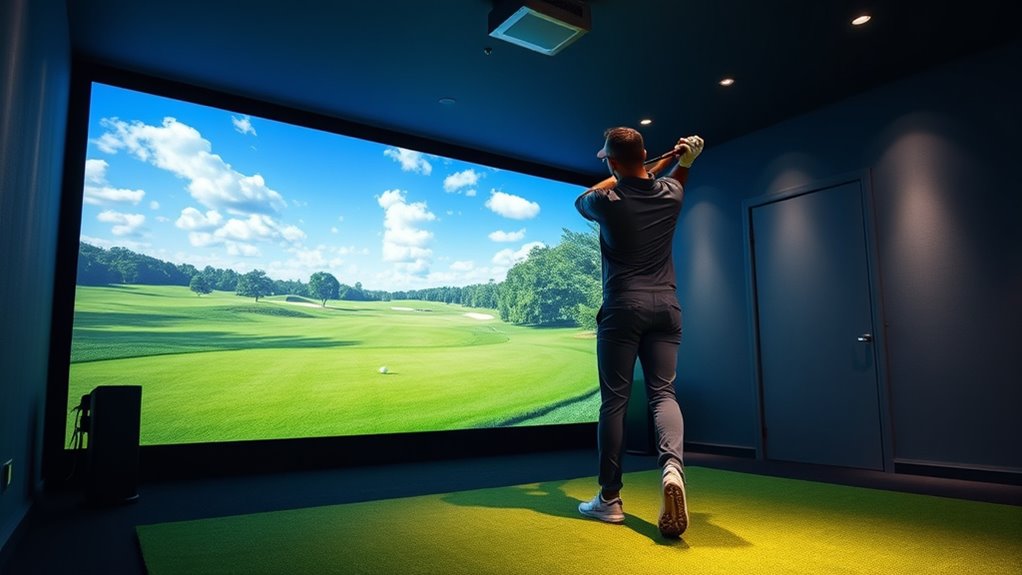

Choosing the right short throw projector for a golf simulator can dramatically enhance your practice space. The best models deliver clear, bright images with minimal setup, but tradeoffs often exist between price, resolution, and ease of installation. The Optoma ZW350ST stands out for its balance of brightness and affordability, while the BenQ LU710 offers premium laser performance for serious enthusiasts. Lower-cost options like the ViewSonic PS502X provide decent clarity but may lack the brightness needed for well-lit rooms. Continue reading for a detailed breakdown of each model to find the best fit for your golf simulator setup.

Get travel and outdoor gear delivered free with Prime
- Fast, free delivery on millions of items
- Prime Video, Amazon Music and more included
- Member-only deals all year
Complete the kit


Key Takeaways
- Higher brightness (lumens) is essential for well-lit rooms, impacting overall image clarity during daytime use.
- 4K resolution options like the Optoma GT3900UHD significantly improve image detail, especially for large screens.
- Laser projectors generally offer longer lifespan and better color accuracy compared to lamp-based models.
- Compact designs like the Optoma GT2000HDR make installation easier but may sacrifice some brightness or resolution.
- Price often correlates with features—more expensive models tend to include advanced calibration, higher resolution, and better build quality.
| Optoma GT2400HDR Full HD 1080p Short Throw Laser Projector |  | Best Overall for Bright, Long-Lasting Performance | Resolution: Full HD 1080p | Brightness: 4,200 Lumens | Light Source: Laser | VIEW ON AMAZON | See Our Full Breakdown |
| Optoma GT780 Short Throw Projector for Gaming & Movies |  | Best for Versatile, Bright, Small-Space Setups | Resolution: 720p HD (supports 1080p input) | Brightness: 3,800 Lumens | Projection Size: up to 300 inches | VIEW ON AMAZON | See Our Full Breakdown |
| 4K Projector for Golf Simulator, Home Theater & Gaming, 2200 ANSI Lumens |  | Best for Vivid 4K Visuals and Smart Features | Native Resolution: 1920 x 1080 | Maximum Resolution: 3840 x 2160 | Brightness: 2200 ANSI Lumens | VIEW ON AMAZON | See Our Full Breakdown |
| Optoma GT2000HDR Ultra-Compact Short Throw Full HD Home Laser Projector |  | Best Compact Laser for Space-Conscious Users | Brightness: 3500 Lumens | Resolution: Full HD | Design: Eco-Friendly | VIEW ON AMAZON | See Our Full Breakdown |
| ViewSonic PS502X XGA Short Throw Projector 4000 Lumens, Dual HDMI |  | Best Budget-Friendly for Bright, Large Images | Resolution: 1024×768 (XGA) | Brightness: 4000 Lumens | Throw Ratio: 0.6 | VIEW ON AMAZON | See Our Full Breakdown |
| Optoma GT3900UHD 4K UHD Short Throw Laser Projector | | Best Overall for Stunning Visuals and Versatility | Resolution: True 4K UHD | Lumens: 4,000 | Laser Life: 30,000 hours | VIEW ON AMAZON | See Our Full Breakdown |
| ViewSonic PS502W WXGA Short Throw Projector 4000 Lumens, Dual HDMI | 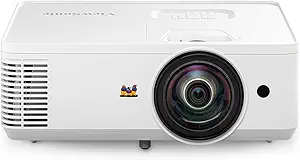 | Best for Small Spaces and Easy Setup | Resolution: 1280x800p WXGA | Lumens: 4000 ANSI lumens | Throw Ratio: 0.5 | VIEW ON AMAZON | See Our Full Breakdown |
| Optoma ZW350ST WXGA Short Throw Laser Projector |  | Best for Continuous Use in Tight Spaces | Throw Ratio: 0.52:1 | Brightness: 3,600 Lumens | Resolution: WXGA (1280×800) | VIEW ON AMAZON | See Our Full Breakdown |
| BenQ LU710 Golf Simulator Projector, White, 4000 Lumen WUXGA Laser |  | Best for Accurate Color and Flexible Installation | Brightness: 4000 lumens | Resolution: 1920×1200 WUXGA | Throw Ratio: 1.13-1.46 | VIEW ON AMAZON | See Our Full Breakdown |
| short throw projectors for golf simulator | Resolution | Brightness | Throw Ratio |
|---|---|---|---|
| Optoma GT2400HDR Full HD 1080p | Full HD 1080p | 4,200 Lumens | — |
| Optoma GT780 Short Throw Proje | 720p HD (supports 1080p input) | 3,800 Lumens | — |
| 4K Projector for Golf Simulato | — | 2200 ANSI Lumens | — |
| Optoma GT2000HDR Ultra-Compact | Full HD | 3500 Lumens | — |
| ViewSonic PS502X XGA Short Thr | 1024×768 (XGA) | 4000 Lumens | 0.6 |
| Optoma GT3900UHD 4K UHD Short | True 4K UHD | — | 0.496:1 |
| ViewSonic PS502W WXGA Short Th | 1280x800p WXGA | — | 0.5 |
| Optoma ZW350ST WXGA Short Thro | WXGA (1280×800) | 3,600 Lumens | 0.52:1 |
| BenQ LU710 Golf Simulator Proj | 1920×1200 WUXGA | 4000 lumens | 1.13-1.46 |
More Details on Our Top Picks
Optoma GT2400HDR Full HD 1080p Short Throw Laser Projector
This projector stands out for its exceptional brightness of 4,200 lumens and a laser light source with a 30,000-hour lifespan, making it a reliable choice for golf simulators set in well-lit rooms. Unlike the 4K-focused options, it offers Full HD resolution, which is sufficient for most golf simulation details without the higher cost and complexity of 4K models. Its laser technology ensures consistent image quality over many years, but the tradeoff is a higher price point and limited connectivity details. If your setup prioritizes brightness and durability over ultra-high resolution, this model delivers outstanding value.
Pros:- High brightness (4,200 lumens) ideal for well-lit rooms
- Laser light source with 30,000 hours lifespan
- Dust-resistant IP6X-rated design
Cons:- Limited information on connectivity options
- Higher cost due to laser technology
Best for: Golf enthusiasts who want a durable, high-brightness projector for well-lit indoor spaces
Not ideal for: Users seeking 4K resolution or advanced streaming features in their golf simulator setup
- Resolution:Full HD 1080p
- Brightness:4,200 Lumens
- Light Source:Laser
- Durability:30,000 hours
- Dust Protection:IP6X-Rated
Our verdict“This projector suits players needing dependable brightness and longevity over ultra-high resolution or advanced smart features.”
Optoma GT780 Short Throw Projector for Gaming & Movies
This model excels with 3,800 lumens brightness and a short throw ratio, making it suitable for small rooms or outdoor setups while supporting up to 300-inch images. Compared with the laser-based GT2400HDR, its lamp-based system may require more maintenance but offers a more affordable price point. Its 720p resolution is a step down from full HD, yet supports 1080p input, which is adequate for golf simulation that benefits more from brightness and size than ultra-sharp detail. The built-in 10W speaker and support for 3D content add to its versatility, but users should note that 3D glasses are sold separately, and resolution is limited.
Pros:- Bright image (3,800 lumens) suitable for lights-on environments
- Short throw lens simplifies placement in tight spaces
- Supports 3D content for immersive viewing
Cons:- Limited resolution (720p supports 1080p input only)
- 3D glasses sold separately
Best for: Home users who want bright, large images in small spaces with versatile media support
Not ideal for: Players seeking high-resolution, detailed graphics for professional-level golf simulation
- Resolution:720p HD (supports 1080p input)
- Brightness:3,800 Lumens
- Projection Size:up to 300 inches
- Throw Distance:4′ 5″ from screen
- Lamp Life:15,000 hours
- Speaker:10W built-in
Our verdict“This projector is ideal for casual golf players who prioritize size and brightness over ultra-high resolution.”
4K Projector for Golf Simulator, Home Theater & Gaming, 2200 ANSI Lumens
This projector combines 4K HDR support with 2200 ANSI lumens brightness, delivering stunning visuals for golf simulation and entertainment. It supports flexible setup options with auto-focus and keystone correction, making placement easier than some traditional models. Its low latency and built-in Google TV with streaming apps create a comprehensive entertainment hub. However, the high brightness level is lower than some laser models, requiring a larger or darker space for vivid images, and the more complex setup might challenge those less experienced. Compared to the laser-based options, it offers higher resolution but at the cost of potentially larger power consumption and setup complexity.
Pros:- Vivid 4K HDR visuals with 2200 ANSI lumens brightness
- Flexible setup with auto-focus and keystone correction
- Built-in Google TV and smart streaming apps
Cons:- Requires larger space for optimal projection
- Setup can be complex for beginners
Best for: Golf enthusiasts who want premium 4K visuals and integrated smart streaming capabilities
Not ideal for: Users with limited space or those preferring simple plug-and-play projectors without smart features
- Native Resolution:1920 x 1080
- Maximum Resolution:3840 x 2160
- Brightness:2200 ANSI Lumens
- Contrast Ratio:23000:1
- Display Type:LCD
- Speakers:40W Dolby Audio
Our verdict“This projector best suits players seeking premium 4K quality combined with smart streaming features, provided they have adequate space and technical comfort.”
Optoma GT2000HDR Ultra-Compact Short Throw Full HD Home Laser Projector
This compact laser projector offers 3,500 lumens brightness and full HD resolution, making it a strong contender in smaller golf simulator setups. Its small form factor is advantageous for users with limited space, and the laser technology provides long-lasting, stable image quality. However, details on throw distance and connectivity are scarce, which could complicate installation or integration into existing systems. The higher cost associated with laser tech may also be a barrier, but its eco-friendly design and external power supply enhance usability. Compared with larger, more feature-rich models, this projector emphasizes portability and straightforward performance at the expense of some advanced features.
Pros:- Compact and lightweight design
- High brightness (3,500 lumens) suitable for various lighting conditions
- Eco-friendly with external power supply
Cons:- Limited details on throw distance and screen size
- Higher cost due to laser technology
Best for: Players needing a space-saving, bright laser projector for home golf simulators
Not ideal for: Those requiring detailed setup instructions or extensive connectivity options
- Brightness:3500 Lumens
- Resolution:Full HD
- Design:Eco-Friendly
- Power Supply:External
Our verdict“This model is ideal for space-constrained users seeking reliable laser performance without sacrificing brightness.”
ViewSonic PS502X XGA Short Throw Projector 4000 Lumens, Dual HDMI
The ViewSonic PS502X offers 4,000 lumens brightness and a 0.6 short throw ratio, making it suitable for large images even in well-lit spaces. Its XGA resolution (1024×768) is lower than other models, which may not satisfy users demanding sharp details for precise golf simulation. Nonetheless, its 20,000 hours lamp life and dual HDMI ports support long-term, flexible setup options. Compared with higher-resolution projectors like the 4K model, this one sacrifices clarity for brightness and affordability. It’s a strong choice for those prioritizing large, bright images over pixel-perfect detail, especially in multi-user environments or classrooms.
Pros:- High brightness (4000 lumens) for vivid images
- Short throw ratio (0.6) allows for large images from short distances
- Dual HDMI ports for flexible device connections
Cons:- Limited resolution reduces detail fidelity
- Requires optional interactive modules for touch features
Best for: Budget-conscious users who need large, bright images for casual golf practice or presentations
Not ideal for: Players seeking high-definition, detailed golf simulation visuals
- Resolution:1024×768 (XGA)
- Brightness:4000 Lumens
- Throw Ratio:0.6
- Projection Size:up to 300 inches
- Lamp Life:20,000 hours
- Connectivity:Dual HDMI
Our verdict“This projector is best for budget users needing big, bright images rather than sharp details in golf simulation.”
Optoma GT3900UHD 4K UHD Short Throw Laser Projector
The Optoma GT3900UHD stands out for delivering true 4K UHD resolution with vibrant colors and HDR support, making it an excellent choice for high-fidelity golf simulators that demand crisp, detailed images. Compared to the BenQ LU710, it offers a sharper picture, but at a higher price point and with the need for a darker room to fully appreciate its 4K benefits. Its 4,000 lumens brightness ensures visibility even in well-lit rooms, and the laser source provides up to 30,000 hours of maintenance-free operation, reducing long-term costs. However, its premium features come with a significant price tag, which might be a barrier for casual users. This model is best suited for dedicated golf enthusiasts and home theater lovers who want the best image quality and are willing to invest accordingly.
Pros:- Stunning 4K UHD resolution with vibrant, true-to-life colors
- Bright 4,000 lumens suitable for ambient light settings
- Laser technology offers up to 30,000 hours of maintenance-free operation
- HDR support enhances contrast and detail
Cons:- High purchase price may be prohibitive for some users
- Requires a dark environment for optimal viewing quality
Best for: Golfers who prioritize ultra-high-resolution visuals and long-term durability in dedicated home setups
Not ideal for: Casual players or those on a tight budget, as the high price may outweigh its benefits for basic use
- Resolution:True 4K UHD
- Lumens:4,000
- Laser Life:30,000 hours
- Throw Ratio:0.496:1
- HDR Compatibility:Yes
- Input Lag:Low, supports 1080p at 240Hz and 4K/60Hz
Our verdict“This projector is ideal for serious golf simulator enthusiasts seeking top-tier image quality and long-term reliability.”
ViewSonic PS502W WXGA Short Throw Projector 4000 Lumens, Dual HDMI
The ViewSonic PS502W excels in providing a bright, large image from a short distance, making it suitable for compact golf simulator setups in small rooms. Its 1280×800 WXGA resolution, while lower than the other options like the BenQ LU710, still delivers sharp enough visuals for most golf training purposes. The 4,000 lumens brightness ensures clear images even in moderate ambient light, and auto-keystone correction simplifies installation—especially helpful for those new to projector setup. Its dual HDMI ports add flexibility for connecting multiple devices, but its resolution limits detailed image quality, which could be a drawback for users seeking ultra-fine detail. This projector makes the most sense for casual or beginner golfers with limited space and budget constraints.
Pros:- Bright 4000 lumens for clear images in ambient light
- Short throw ratio enables large images from small spaces
- Auto-keystone correction and instant on/off simplify setup
- Dual HDMI ports for multiple device connectivity
Cons:- Limited resolution may not satisfy detailed image needs
- No built-in speakers or advanced connectivity options
Best for: Beginners or casual golfers in small rooms who need an easy-to-use, bright projector
Not ideal for: High-end enthusiasts wanting ultra-clear, detailed images or 4K resolution for professional-level training
- Resolution:1280x800p WXGA
- Lumens:4000 ANSI lumens
- Throw Ratio:0.5
- Maximum Screen Size:150 inches
- Input:Dual HDMI
- Auto-Keystone Correction:Yes
Our verdict“This projector is perfect for beginners or those with limited space seeking bright, straightforward projection for golf practice.”
Optoma ZW350ST WXGA Short Throw Laser Projector
The Optoma ZW350ST offers a high-brightness, laser-based solution with a focus on durability and versatile placement, making it suitable for busy golf simulators or multi-use environments. Its 3,600 lumens brightness and dust-resistant design support operation in rooms with some dust or continuous use, unlike less rugged models. The 0.52:1 throw ratio allows large images from very short distances, similar to the ViewSonic PS502W, but its laser technology and dustproof features push the price higher, which might not appeal to budget shoppers. Its 24/7 operation capability is a plus for commercial or high-frequency use, but its resolution at WXGA could limit fine detail, especially when compared to 4K options. This is best for those needing reliable, long-term performance in compact, cluttered spaces.
Pros:- High brightness of 3600 lumens for vivid visuals in ambient light
- Dust-resistant, IP6X-rated for long-term durability
- Laser lifespan of 30,000 hours supports 24/7 operation
- Short throw ratio allows large images in tight spaces
Cons:- Limited resolution at WXGA may not satisfy detail-oriented users
- Higher cost due to laser and dustproof features
Best for: Commercial or high-use golf simulators needing durability and continuous operation
Not ideal for: Home users seeking ultra-high-resolution images for immersive experience, due to lower resolution and higher cost
- Throw Ratio:0.52:1
- Brightness:3,600 Lumens
- Resolution:WXGA (1280×800)
- Laser Lifespan:30,000 hours
- Dust Resistance:IP6X
- Operation:24/7, 360°
Our verdict“This projector is well-suited for commercial or busy golf simulators requiring robust, long-lasting performance in tight environments.”
BenQ LU710 Golf Simulator Projector, White, 4000 Lumen WUXGA Laser
The BenQ LU710 is tailored for golf simulators that demand precise color accuracy and flexible setup options. Its 4000 lumens brightness ensures visibility in various lighting conditions, and the WUXGA resolution (1920×1200) provides a sharp, detailed image that surpasses WXGA models like the ViewSonic PS502W. The adjustable throw ratio (1.13-1.46) and 2D keystone correction facilitate versatile placement, making it easier to install in irregular spaces. Its laser engine offers over 20,000 hours of operation with minimal maintenance, suitable for long-term setups. However, the projector’s price can be high, and it is primarily designed for golf simulation, potentially limiting its appeal for general-purpose use. It’s best for dedicated golfers who need highly accurate visuals and flexible positioning.
Pros:- High brightness of 4000 lumens for any ambient lighting
- Flexible installation with adjustable throw ratio and keystone correction
- Accurate color coverage with 92% Rec.709 for realistic visuals
- Long-lasting laser engine with over 20,000 hours
Cons:- Higher cost compared to WXGA or lower-resolution options
- Primarily designed for golf, limiting multi-use versatility
Best for: Golfers seeking precise color reproduction and adaptable installation in dedicated setups
Not ideal for: Casual or multi-purpose users who want a more affordable or simpler visual solution
- Brightness:4000 lumens
- Resolution:1920×1200 WUXGA
- Throw Ratio:1.13-1.46
- Laser Life:20,000+ hours
- Color Coverage:92% Rec.709
- Keystone Correction:±30° 2D
Our verdict“This projector is suitable for serious golf enthusiasts who need precise colors and flexible placement options in dedicated environments.”

How We Picked
The projectors in this roundup were selected based on a combination of key factors that influence their suitability for golf simulators. Performance metrics such as brightness (lumens), resolution, and color accuracy were prioritized to ensure clear visuals in various lighting conditions. Usability features like throw ratio, setup flexibility, and connectivity options were also considered, as they impact ease of installation and operation. Durability and maintenance costs, especially for laser versus lamp models, played a role in ranking. Finally, value was assessed by comparing features relative to price, helping identify options that provide the best performance for their cost.Factors to Consider When Choosing Short Throw Projectors For Golf Simulators
When choosing a short throw projector for a golf simulator, multiple factors come into play. Understanding these can help you avoid common pitfalls and select a model that meets your specific needs, whether for casual practice or serious training. From image quality to installation flexibility, each aspect influences how well your setup performs and how much you enjoy using it. Carefully weighing these factors ensures your investment delivers consistent, immersive results.Brightness (Lumens) and Room Lighting
Brightness is a critical factor—aim for at least 2,500 lumens if your room has ambient light or windows. Higher lumens ensure the image remains vivid and clear regardless of lighting conditions. However, increased brightness often comes with higher cost and larger form factors. For dedicated golf rooms with controlled lighting, lower lumens may suffice, allowing for more compact and affordable options without sacrificing image quality. Avoid models with insufficient lumens, as they produce dull images that diminish the realism of your golf simulation experience.
Resolution and Image Detail
Resolution directly affects the sharpness and detail of your projected image. While Full HD (1080p) models like the Optoma GT2400HDR are suitable for smaller screens, larger setups benefit from 4K projectors such as the Optoma GT3900UHD, which provide crisper visuals. Higher resolution enhances the accuracy of the simulation graphics, making your practice sessions more realistic. However, 4K models tend to be more expensive and demand more powerful processing devices, so weigh your budget against the need for image precision.
Laser vs. Lamp Technology
Laser projectors generally offer longer lifespan, lower maintenance, and more stable color performance compared to lamp-based options. This makes them ideal for frequent use in a golf simulator setting. However, laser models tend to be pricier upfront. Lamp-based projectors may require replacement bulbs over time, increasing ongoing costs. Consider your usage frequency and willingness to manage maintenance when choosing between these technologies, as laser models can provide more consistent, vibrant images over the long term.
Throw Ratio and Installation Flexibility
A short throw ratio allows the projector to be placed close to the screen, reducing shadows and space requirements. Look for models with a throw ratio of around 0.3 to 0.5 for optimal placement in typical golf rooms. Some projectors offer adjustable throw ratios, providing greater flexibility for room size variations. Avoid models with fixed, high throw ratios if your space is limited, as they may require complex mounting solutions or compromise image size and quality.
Connectivity and Compatibility
Ensure the projector supports the input options you need, such as HDMI, USB, or wireless connections. Dual HDMI ports allow connecting multiple devices like gaming consoles, computers, or streaming sticks seamlessly. Compatibility with calibration tools can also improve image accuracy, which is vital for realistic golf simulations. Overlooking these features can lead to frustration during setup or limited functionality, so prioritize models with versatile connectivity for a hassle-free experience.
Frequently Asked Questions
Can I use a short throw projector without a ceiling mount?
Yes, many short throw projectors can be placed on a shelf, table, or custom stand, making installation flexible. However, stability is key to maintaining a clear image, so a dedicated mount or sturdy surface is recommended. Some models feature adjustable feet or lens shift, which help fine-tune the image position without complex mounting. If you prefer a clutter-free setup or have limited ceiling options, choose a projector with versatile placement options to avoid compromising image quality or setup convenience.
How important is resolution for a golf simulator projector?
Resolution significantly impacts the clarity of the projected image, especially for detailed golf graphics and ball tracking. While 1080p is sufficient for smaller screens, larger setups benefit from 4K resolution, providing sharper and more immersive visuals. Higher resolution enhances the realism of your simulation, making practice more effective. However, 4K projectors tend to be more expensive and require more processing power, so balance your budget with the desired level of image detail for your setup.
What is the typical lifespan of laser versus lamp projectors?
Laser projectors generally last between 20,000 to 30,000 hours before needing maintenance, offering a long-term, low-cost solution. Lamp projectors usually have a lifespan of around 3,000 to 5,000 hours, after which the bulb must be replaced, adding ongoing costs. For frequent use or long-term setups, laser models tend to be more economical despite their higher initial price. Consider your usage frequency and maintenance willingness when choosing between these technologies.
Is brightness more important than resolution for my golf simulator?
Brightness is often more critical than resolution if your room has ambient light, as it ensures the image remains visible and vibrant. If your space is darker, resolution becomes more influential for image detail. For large screens or well-lit environments, prioritize higher lumens to maintain clarity. Ultimately, both factors matter, but in most golf rooms with some ambient light, brightness has a more immediate impact on the viewing experience.
Should I prioritize built-in speakers or external audio options?
Most projectors have basic built-in speakers, but these are typically not powerful enough for an immersive golf simulator experience. Investing in external speakers or sound systems will greatly improve sound quality and realism. Look for projectors with multiple audio output options like HDMI ARC or audio out ports, which allow easy connection to external soundbars or speakers. Good audio enhances immersion, so consider external options if sound quality is a priority for your setup.
Conclusion
For most users, the Optoma ZW350ST offers a balanced mix of brightness, resolution, and affordability, making it the best overall choice. Serious enthusiasts or those with dedicated, well-lit rooms might opt for the BenQ LU710 for its premium laser performance and 4K clarity. Beginners or casual players should consider more straightforward, budget-friendly options like the ViewSonic PS502X that still deliver decent image quality without complex setup. For those with limited space, compact models such as the Optoma GT2000HDR provide excellent flexibility. Ultimately, your choice depends on your room conditions, budget, and how immersive you want your golf simulation experience to be.”