
If you’re looking for the best wireless golf launch monitors for range practice, I’ve explored top options like Rapsodo, SkyTrak, Swing Caddie, and Garmin. These devices offer high accuracy, real-time data, and easy portability, helping you fine-tune your swing and improve your game. Some support virtual simulations, while others focus on swing analysis. Keep watching to discover which monitor fits your style and needs for maximum game improvement.
Key Takeaways
- Advanced Doppler radar and high-speed camera tech ensure high accuracy (+/- 3%) for shot data like swing speed and ball distance.
- Compatible with popular simulation software and apps, enabling immersive practice and full-course virtual play.
- Portable, lightweight designs with long-lasting batteries support indoor and outdoor range sessions effortlessly.
- Easy setup with minimal calibration and stable Bluetooth/Wi-Fi connectivity provide real-time, reliable swing analysis.
- Durable, weather-resistant builds make these monitors suitable for diverse outdoor conditions, boosting training consistency.
Portable Golf Launch Monitor & Swing Analyzer
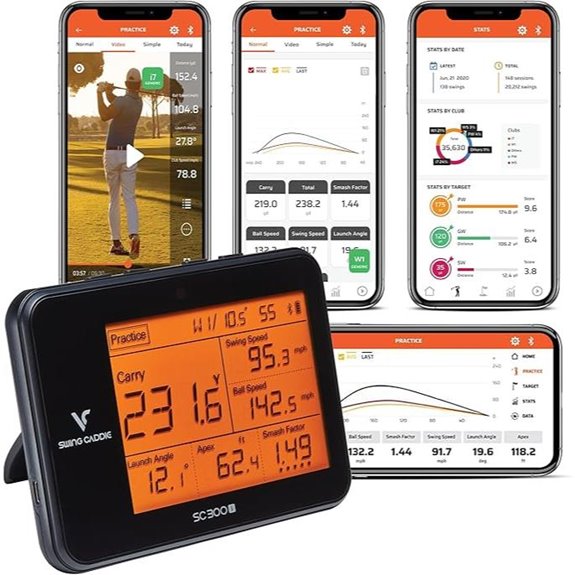
If you’re serious about improving your golf game, a portable launch monitor and swing analyzer like the MySwingCaddie is an essential tool, especially for practice sessions both indoors and outdoors. It provides real-time shot data, including swing speed, ball speed, carry distance, smash factor, launch angle, apex, and spin via the MySwingCaddie app. Its advanced Doppler radar technology guarantees highly accurate measurements, with +/- 3% for ball speed and +/- 3 yards for carry distance. The device features an LCD display, voice feedback, and adjustable loft angles, making it versatile for different clubs. Plus, its 12-hour battery life supports extended practice sessions anywhere.
Best For: serious golfers and golf enthusiasts seeking accurate, portable shot analysis for indoor and outdoor practice sessions.
Pros:
- Provides comprehensive real-time shot data including swing speed, ball speed, and spin via the MySwingCaddie app
- Utilizes advanced Doppler radar technology for highly accurate measurements with minimal error margins
- Features an LCD display, voice feedback, and adjustable loft angles for versatile training
Cons:
- May require a smartphone for full analysis and data access, which could be inconvenient during practice
- The device’s accuracy can vary slightly in practice mode (+/- 5% carry distance) compared to target mode
- Limited to 12 hours of battery life, which might necessitate frequent recharging for extended use
Rapsodo Mobile Golf Launch Monitor for iPhone/iPad

The Rapsodo Mobile Golf Launch Monitor stands out for its professional-level accuracy, making it an excellent choice for serious golfers who want precise shot data without the need for bulky equipment. It provides detailed metrics like shot distance, ball and club speed, and launch angle, all accessible via your iPhone or iPad. Its GPS feature offers exact shot tracking, whether indoors or outdoors. Beyond data, it transforms your space into a golf simulator with real-time swing analysis, shot shape tracking, and interactive games. Compact and easy to use, this monitor suits all skill levels, helping you improve consistency, accuracy, and overall performance on the range or course.
Best For: serious golfers and golf enthusiasts of all skill levels seeking precise shot data, swing analysis, and indoor/outdoor training capabilities using a portable, easy-to-use device.
Pros:
- Offers professional-level accuracy in shot metrics such as distance, ball speed, and launch angle
- Transforms any space into a golf simulator with real-time swing analysis and shot visualization
- Compatible with iPhone and iPad, making it portable and user-friendly for all skill levels
Cons:
- Requires a compatible iPhone or iPad for operation, which may limit use for those without Apple devices
- Slight learning curve for beginners unfamiliar with golf technology or calibration steps
- May be more expensive than basic launch monitors, reflecting its advanced features and accuracy
SC4 PRO Golf Launch Monitor & 3D Simulator
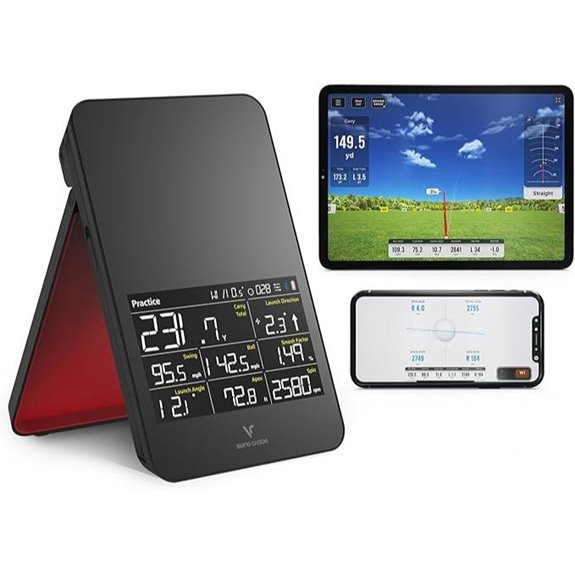
Designed for golfers who want pro-grade accuracy in both indoor and outdoor settings, the SC4 PRO Golf Launch Monitor & 3D Simulator delivers precise shot tracking and thorough performance analysis. It uses the Prometrics Engine to track ball and club data in real-time, providing unmatched accuracy for extensive feedback. The device combines a 3D Driving Range and the E6 Connect golf simulator, offering immersive virtual practice. With multiple training modes like Speed Training and Swing Speed Mode, it helps target specific skills. Easy to set up and compatible with standard golf balls, it’s perfect for all skill levels seeking detailed insights to improve their game.
Best For: golfers of all skill levels seeking precise shot tracking, virtual practice, and performance insights for indoor and outdoor use.
Pros:
- Offers pro-grade accuracy with comprehensive swing and ball flight data tracking.
- Combines virtual simulation and multiple training modes for versatile practice.
- Easy setup and compatibility with standard golf balls make it accessible for all users.
Cons:
- May require a compatible smartphone app for full feature access.
- High-quality features could be costly compared to basic launch monitors.
- Limited information on battery life or whether it supports extended outdoor sessions.
Swing Caddie Portable Launch Monitor
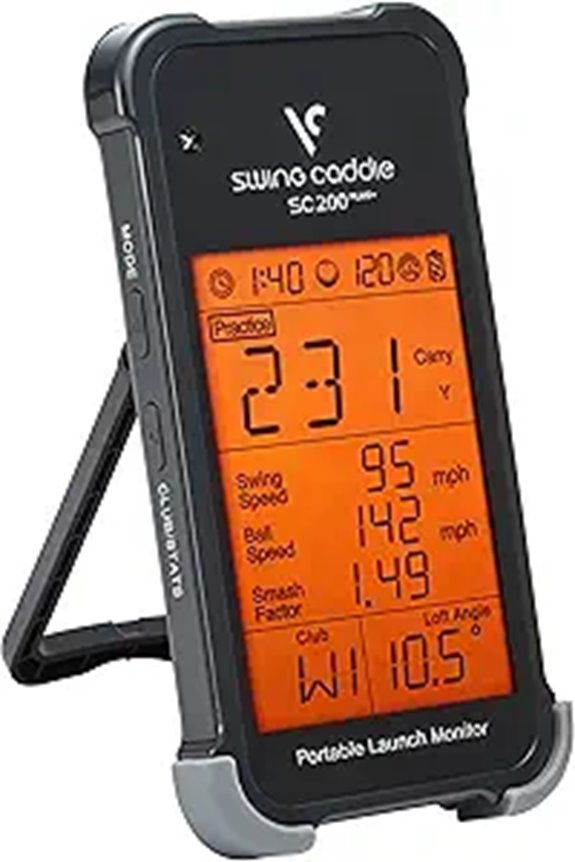
For golfers seeking precise swing analysis without the need for a ball, the Swing Caddie Portable Launch Monitor (Model SC200Plus) offers advanced features that make practice sessions more effective. It uses Doppler radar technology and atmospheric sensors to deliver accurate, real-time data on swing speed, ball speed, and carry distance. The device includes an all-new Swing Speed Mode to improve club speed and tempo, plus adjustable loft angles to simulate different clubs. Its LCD display and voice output provide instant feedback, helping you track progress effortlessly. Compact, lightweight, and compatible with smartphones, it’s a versatile tool perfect for indoor and outdoor practice.
Best For: golfers seeking portable, accurate swing analysis to improve their game both indoors and outdoors without the need for a ball.
Pros:
- Provides real-time, precise data using Doppler radar technology for accurate swing and ball speed measurement
- Features an all-new Swing Speed Mode and adjustable loft angles to tailor practice sessions and simulate various clubs
- Compact, lightweight design with voice output and smartphone compatibility for convenience and versatility
Cons:
- May be less suitable for beginners who need more detailed coaching features
- Requires batteries and regular charging, which could be inconvenient during extended use
- Limited to adult unisex users, possibly not ideal for younger or more casual golfers
Garmin Approach R10 Portable Golf Launch Monitor
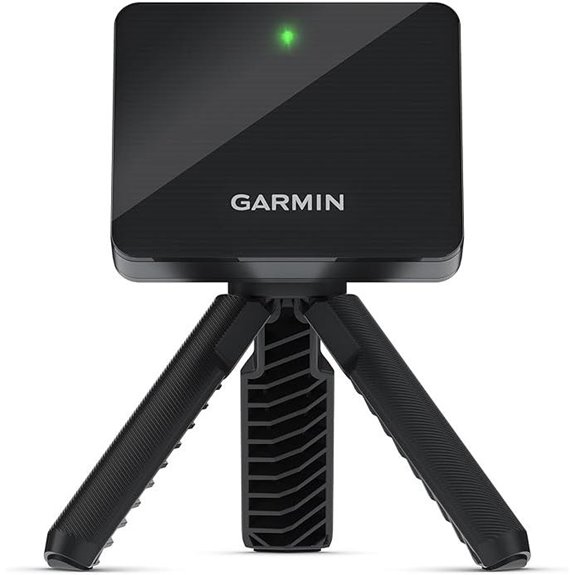
If you’re looking for a portable launch monitor that delivers precise data and versatile features, the Garmin Approach R10 stands out as an excellent choice. It’s perfect for use at home, indoors, or on the range, with up to 10 hours of battery life and an IPX7 waterproof rating for durability. The device provides accurate metrics like club head speed, ball speed, launch angle, and direction, helping you analyze your swing. Paired with the Garmin Golf app, it tracks key data, records swings, and even offers virtual play on thousands of courses with a subscription. Its lightweight design and easy-to-use controls make it a top tool for serious practice.
Best For: golfers seeking a portable, accurate launch monitor for practice, indoor use, and virtual course play.
Pros:
- Precise measurement of key golf metrics such as club head speed, ball speed, and launch angle.
- Long battery life of up to 10 hours and waterproof design for durability.
- Compatible with the Garmin Golf app for detailed analysis, swing recording, and virtual course play.
Cons:
- Requires a smartphone and subscription for virtual courses and advanced features.
- May have a learning curve for new users unfamiliar with golf technology.
- Limited to 42,000 courses in virtual mode, which might not cover all local or niche courses.
Uneekor Eye MINI CORE Golf Launch Monitor & Simulator
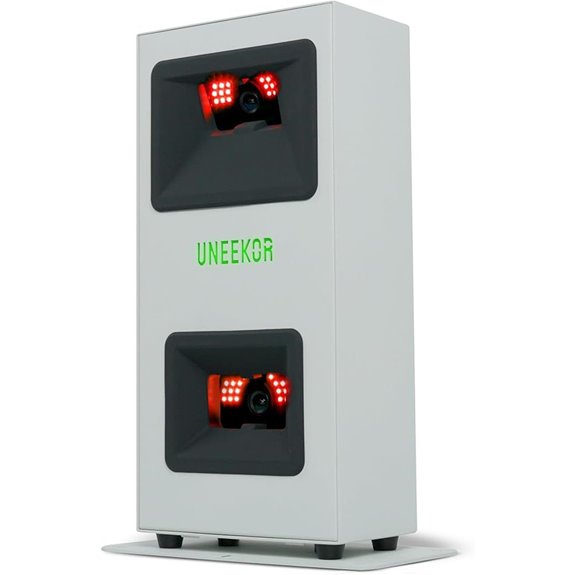
The Uneekor Eye MINI CORE Golf Launch Monitor & Simulator stands out for players who want detailed data and seamless integration into their home setup. It offers 15 ball data points with near-zero latency, thanks to advanced Dimple Optix technology that reads any dimple pattern without stickers. Compatible with popular software like GSPro, E6 Connect, TGC19, and Creative Golf 3D, it enables full-course play, practice, and tournaments. The system includes real-time club feedback via Club Optix and extensive swing analysis through VIEW software. Easy to set up and upgrade, it’s ideal for serious golfers seeking precise data and immersive practice right at home.
Best For: Serious golfers and golf enthusiasts seeking precise data, immersive practice, and full-course simulation capabilities at home.
Pros:
- Provides 15 detailed ball data points with near-zero latency for accurate swing analysis.
- Compatible with multiple popular simulation software, offering versatile gameplay options.
- Features Dimple Optix technology that reads any ball dimple pattern, eliminating the need for stickers.
Cons:
- Requires high-performance PC or laptop with specific hardware and internet connection, which may be costly to upgrade.
- Setup and integration can be complex for users unfamiliar with golf simulators or tech systems.
- Subscription needed for access to certain software features and third-party programs like Creative Golf 3D.
SkyTrak Golf Launch Monitor and Golf Simulator with Metal Protective Case
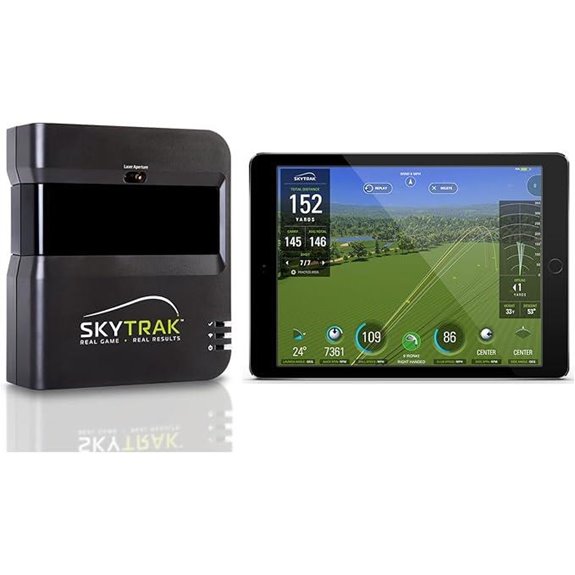
Looking to elevate your golf practice with precise data and realistic simulations? The SkyTrak Golf Launch Monitor and Golf Simulator is an excellent choice. It measures key parameters like ball speed, launch angle, club speed, distance, and spin rates, giving you detailed insights to improve. The device comes with a durable metal protective case, ensuring it stays safe during practice sessions and transport. Whether you’re working on your swing or simulating a game, SkyTrak offers realistic feedback that helps refine your skills. Plus, its easy setup makes it a practical tool for serious golfers aiming to boost performance on the range.
Best For: serious golfers and golf enthusiasts looking to improve their skills through precise data analysis and realistic simulation at home or on the range.
Pros:
- Provides detailed data including ball speed, launch angle, club speed, and spin rates for comprehensive analysis
- Durable metal protective case ensures safety and longevity during transport and practice sessions
- Easy to set up and use, making it suitable for both beginners and advanced players
Cons:
- Requires a signature upon delivery, which may necessitate being available at home for receipt
- May be more expensive than basic launch monitors, reflecting its advanced features
- Limited to use in well-lit indoor or outdoor environments, as precise measurement can be affected by external conditions
TheStack™ Radar Golf Launch Monitor & Swing Analyzer

For serious golfers seeking detailed swing analysis and real-time feedback, theStack™ Radar Golf Launch Monitor & Swing Analyzer stands out as a top choice. It’s portable and connects seamlessly via Bluetooth to the iOS and Android apps, providing instant data on swing speed, ball speed, estimated carry, and smash factor. Trusted by tour pros like Matt Fitzpatrick, it’s ideal for speed training, wedge practice, and on-course measurement. The app offers engaging features like gamified wedge sessions and guided putting analysis. Its accuracy and portability make it perfect for practicing anywhere, helping you refine your game with professional-level insights.
Best For: Serious golfers looking for precise swing analysis, real-time feedback, and engaging training features to improve their game anywhere.
Pros:
- Accurate measurement of swing speed, ball speed, carry distance, and smash factor for detailed analysis
- Portable design that supports training on range or course with seamless Bluetooth connectivity
- App features like gamified wedge training and guided putting insights to enhance skill development
Cons:
- Wedge training not yet available on Android devices, limiting compatibility for some users
- Requires iOS 15.0 or later for wedge training, which may exclude older Apple devices
- Limited to app-based training sessions; physical feedback or coaching features are not included
PRGR HS 130-A Portable Golf Launch Monitor
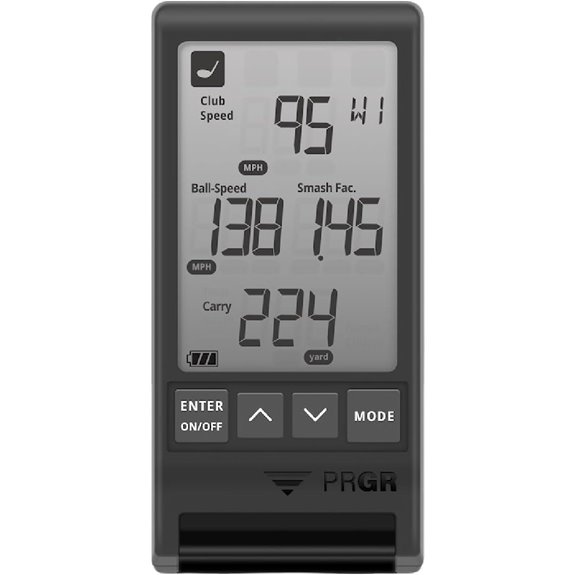
If you want accurate swing data without the hassle of syncing with apps or needing Wi-Fi, the PRGR HS 130-A Portable Golf Launch Monitor is an excellent choice. It uses advanced doppler radar technology to deliver precise measurements of club head speed, ball speed, smash factor, total distance, and carry distance—whether or not you hit a ball. It runs on AAA batteries, making it simple to operate anywhere. Known for its affordability, it offers high-end accuracy comparable to premium models and stores up to 500 swings for review. Even Hall of Famer Padraig Harrington personally uses it for swing speed training, highlighting its reliability.
Best For: golfers and multi-sport athletes seeking accurate, portable swing and speed training data without the need for external connectivity or apps.
Pros:
- Provides precise measurements of club head speed, ball speed, smash factor, and distances using advanced doppler radar technology.
- No Wi-Fi, Bluetooth, or app required, offering easy, on-the-go operation with AAA batteries.
- Stores up to 500 swings for review, making it ideal for tracking progress over time.
Cons:
- Lacks detailed data analysis features available in higher-end, connected launch monitors.
- May require manual setup and calibration for optimal accuracy.
- Limited to basic measurement functions, not offering features like shot tracking or video analysis.
SkyTrak Launch Monitor w/ 30 Day Trial of Game Improvement Software
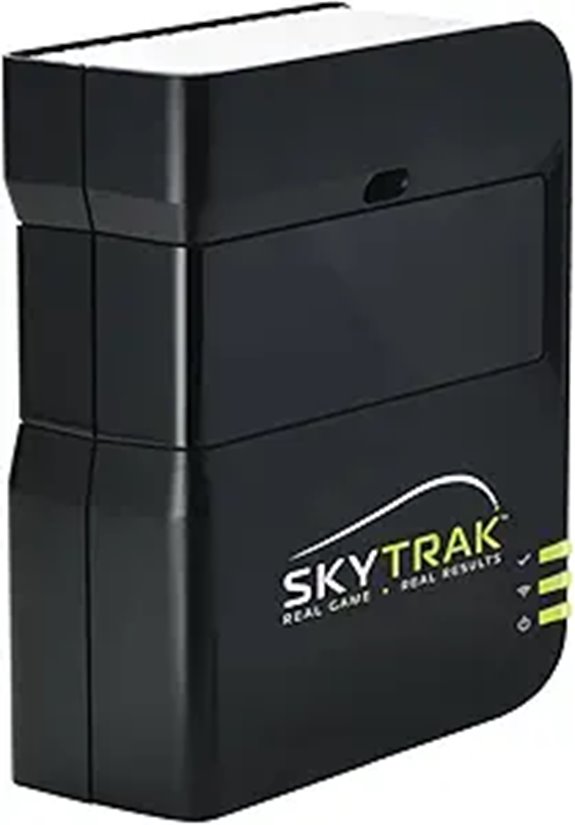
The SkyTrak Launch Monitor with a 30-day trial of game improvement software stands out as an excellent choice for golfers seeking accurate, real-time data to enhance their practice sessions. Its high-speed photography provides immediate shot launch data and 3D ball flight visuals, measuring metrics like ball speed, launch angle, and spin rates for detailed analysis. Wireless connectivity makes it easy to use indoors or outdoors, while its compact, portable design allows for practice anywhere. The built-in rechargeable battery offers up to four hours of continuous use. Plus, the included 14-day trial of software reveals advanced features to help you improve your game effectively.
Best For: golfers seeking precise, real-time data and portable training solutions to improve their game indoors or on the range.
Pros:
- Provides accurate shot launch data and 3D ball flight visuals for comprehensive analysis
- Wireless connectivity allows convenient indoor and outdoor use without cables
- Compact and lightweight design ensures easy portability for practice anywhere
Cons:
- Battery life of up to 4 hours may require frequent recharging during extended sessions
- Software features are limited to a 14-day trial period, requiring subscription for full access
- High initial cost may be a barrier for casual golfers or those on a budget
Izzo Golf Swami Launch Master Pro Golf Launch Monitor

The Izzo Golf Swami Launch Master Pro stands out for golf enthusiasts who want precise, real-time data to improve their game. It uses advanced Doppler radar sensors to track ball and club performance with high accuracy, even in different weather conditions thanks to integrated sensors measuring temperature, humidity, and altitude. It captures a full range of metrics, including distance, swing speed, ball speed, launch angle, spin rate, and apex. With a range of 30 to 420 yards, it’s versatile for all clubs, from wedges to drivers. Customizable settings allow personalized data collection, making it a powerful tool for targeted practice and performance improvement.
Best For: golfers seeking precise, real-time data to enhance their swing and overall performance across all skill levels.
Pros:
- Utilizes advanced Doppler radar sensors for high-accuracy tracking of ball and club metrics.
- Offers comprehensive data collection including distance, swing speed, spin rate, and launch angle.
- Features integrated weather sensors for reliable performance analysis in varying environmental conditions.
Cons:
- May require calibration or setup time to optimize measurement accuracy.
- The device’s cost could be a barrier for casual or beginner golfers.
- Limited information on battery life and portability for extended or on-the-go practice sessions.
SkyTrak+ Golf Launch Monitor & Simulator
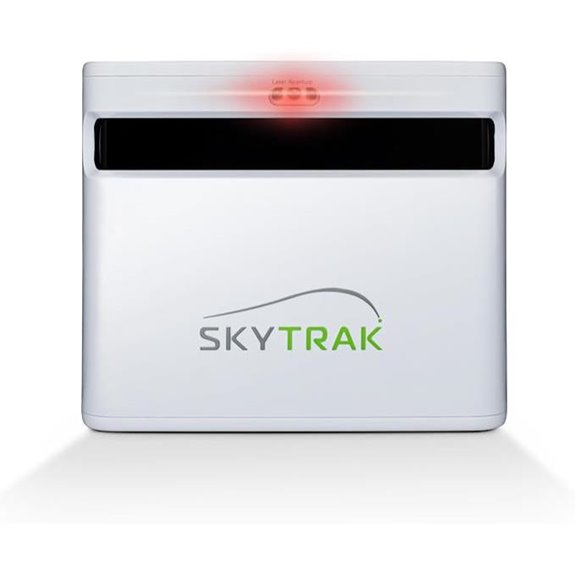
Looking for a launch monitor that delivers tour-level analysis and seamless connectivity? The SkyTrak+ Golf Launch Monitor & Simulator checks all the boxes. Equipped with dual Doppler radar and an enhanced camera, it provides highly accurate data on your swing and shots, helping you make game-changing improvements. Its real-time gameplay simulation, Wi-Fi, and USB-C charging guarantee you can practice and play anywhere, regardless of weather or location. Plus, it comes with top-tier tutorials and educational content to accelerate your skill development. For serious golfers seeking reliable, advanced technology with user-friendly features, the SkyTrak+ is an excellent choice.
Best For: Serious golfers and golf enthusiasts seeking high-precision data, real-time simulation, and seamless connectivity to improve their game anytime and anywhere.
Pros:
- Provides tour-level analysis with dual Doppler radar and enhanced camera for highly accurate swing and shot data
- Offers real-time gameplay simulation with Wi-Fi and USB-C charging for convenience and flexibility
- Includes top-tier tutorials and educational resources to accelerate skill development
Cons:
- May be more expensive compared to basic launch monitors, making it less accessible for casual players
- Requires some technical setup and familiarity with digital devices for optimal use
- Performance can be affected by Wi-Fi connectivity issues in certain environments
Bushnell Golf Launch Pro Launch Monitor with Simulator
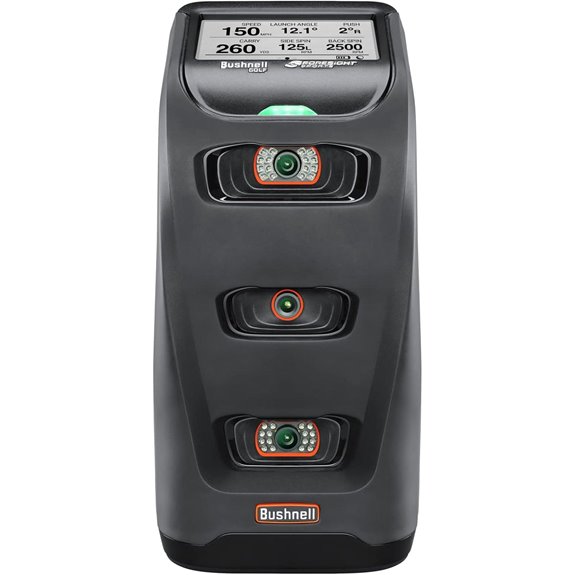
For serious golfers and coaching professionals seeking precise data and realistic practice, the Bushnell Golf Launch Pro Launch Monitor with Simulator stands out as an excellent choice. It uses high-speed cameras to capture thousands of frames per second, providing accurate launch conditions and ball flight data. The device measures key metrics like ball speed, launch angle, spin rate, and club speed at impact, giving detailed insights for improvement. Its integrated simulator lets you play on top courses or practice on the range, making it versatile for indoor and outdoor use. Plus, with a thorough package, it’s perfect for those who want professional-grade analysis in their own space.
Best For: serious golfers and coaching professionals seeking precise data and realistic practice in both indoor and outdoor settings.
Pros:
- Provides highly accurate launch and ball flight data using high-speed cameras.
- Includes an integrated simulator allowing play on top courses or practice on the range.
- Compact and versatile for use in home garages, simulator rooms, or outdoor practice areas.
Cons:
- Requires an internet connection at least once every 45 days to maintain full functionality.
- Does not include a gaming PC, projector, hitting mat, or screen, which must be purchased separately.
- May be affected or disabled if location masking is attempted or if connectivity is lost.
Factors to Consider When Choosing Wireless Golf Launch Monitors for Range Use
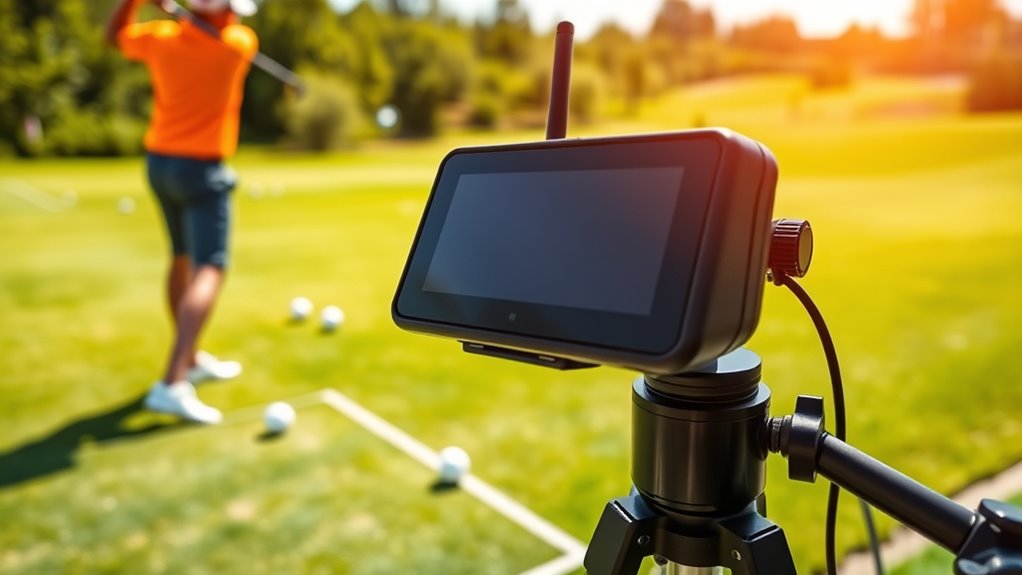
When choosing a wireless golf launch monitor for range use, I focus on key factors that impact performance and convenience. Things like accuracy, battery life, and connectivity directly affect how well I can track my shots and use the device seamlessly. Understanding these points helps me pick the right monitor to improve my game.
Accuracy and Precision
Accurate and precise measurements are essential when selecting a wireless golf launch monitor for range use, as they directly impact the quality of your swing analysis and improvement. Devices with a measurement error of just +/- 1 to 3 mph for club and ball speeds provide reliable data, helping you track progress accurately. High-precision monitors use Doppler radar or high-speed cameras to ensure consistent results, especially for critical parameters like launch angle, spin rate, and carry distance. Calibration and environmental factors, such as weather or whether you’re indoors or outdoors, can influence accuracy, so choosing a monitor that accounts for these variables is wise. Additionally, real-time feedback with minimal latency guarantees you get immediate, trustworthy data, making your practice sessions more effective.
Battery Life Duration
A critical factor to contemplate in choosing a wireless golf launch monitor is its battery life, especially if you plan to spend several hours practicing. Longer battery life guarantees you won’t be interrupted by power loss during extended range sessions or multi-hour training. Most portable monitors provide between 8 to 12 hours of use, which is typically enough for a full day of practice. Devices with quick charging features or replaceable batteries are particularly convenient, minimizing downtime. Keep in mind that features like voice feedback, app connectivity, and data processing can drain the battery faster, so choosing a monitor with at least 10 hours of battery life is advisable. This way, you can focus on improving your game without worrying about running out of power.
Connectivity Options
Choosing the right connectivity option is vital for getting reliable, real-time data from your wireless golf launch monitor. Bluetooth is popular because it offers quick pairing and low latency, making it ideal for immediate shot feedback during practice sessions. Wi-Fi, on the other hand, provides higher data transfer speeds, allowing you to stream more complex data or connect to larger display systems. Some monitors support both options, giving you flexibility based on your environment and device compatibility. It’s important to ensure a stable and strong wireless signal to prevent dropouts or lag, especially when analyzing multiple shots or using virtual simulations. The right connectivity ensures smooth operation and accurate data, helping you make the most of your practice time.
Compatibility and Software
When selecting a wireless golf launch monitor for range practice, compatibility with your mobile device and software is a key factor. You want to guarantee it works smoothly with your preferred operating system, whether iOS or Android, for effortless app integration. It’s also important to verify that the device supports your chosen golf apps for data analysis and virtual simulations. Regular software updates are vital to keep the monitor compatible with new device releases and OS versions. Additionally, check if the monitor’s connectivity options, like Bluetooth and Wi-Fi, align with your existing network and device capabilities. Finally, consider whether it supports third-party software or integrations, such as full-course simulators or advanced swing analysis platforms, to maximize its functionality and future-proof your investment.
Portability and Setup
Portability and setup are essential factors because you want a wireless golf launch monitor that’s easy to carry and quick to get ready for practice. I look for devices that are lightweight and compact, so I can effortlessly transport them to different range locations. Quick and simple setup is a must—ideally, I shouldn’t need to spend time calibrating or fiddling with technical adjustments before hitting balls. Wireless connectivity options like Bluetooth or Wi-Fi make pairing seamless, saving me time and hassle. Battery life is also vital; I prefer monitors with at least 8-12 hours of continuous use to cover multiple sessions without recharging. Finally, I check if the device has a durable, weather-resistant exterior, so it can withstand outdoor conditions during practice sessions.
Frequently Asked Questions
How Accurate Are Wireless Launch Monitors Compared to Professional Equipment?
Wireless launch monitors are quite accurate, but they can’t fully match professional equipment. I’ve noticed they do a great job tracking key data like ball speed and launch angle, but sometimes they miss subtle details or have slight lag. For casual practice and improvement, they’re excellent and convenient. However, if you’re aiming for top-tier precision, professional-grade monitors still hold the edge. Still, for most golfers, wireless options provide impressive accuracy at a much lower cost.
What Is the Battery Life of Most Portable Golf Launch Monitors?
Most portable golf launch monitors give me about 4 to 8 hours of battery life on a single charge, depending on the model and usage. I find that keeping a portable charger handy helps extend their use during long practice sessions. It’s always a good idea to check the specific battery details for each device, but generally, these monitors are designed to last through multiple rounds or practice sessions without needing frequent recharging.
Are Wireless Launch Monitors Compatible With All Smartphones and Tablets?
Wireless launch monitors are generally compatible with most smartphones and tablets, but it’s not universal. I recommend checking the device’s specifications before purchasing. Most work seamlessly with iOS and Android devices, but some may require specific versions or apps. I always verify my device meets the minimum requirements to avoid any compatibility issues. This way, I can track my shots and analyze my game without hassle.
Do Launch Monitors Require Internet Connection for Operation?
No, most launch monitors don’t require an internet connection to work. They typically use Bluetooth or Wi-Fi to connect directly to your device, allowing you to analyze your shots instantly. An internet connection might be needed for firmware updates or app features, but basic operation and data collection happen locally. So, you can practice and track your progress even when offline, making them super convenient for range practice.
How Easy Is It to Set up and Calibrate These Devices for First-Time Users?
Setting up and calibrating a wireless golf launch monitor is pretty straightforward for first-time users. I found that most devices come with clear instructions and simple apps that guide you through the process step-by-step. Just place the monitor correctly, connect it to your phone or tablet, and follow the prompts. It took me only a few minutes to get everything calibrated and ready to go, so don’t worry—it’s quite user-friendly.
Conclusion
Choosing the right wireless golf launch monitor is like finding the perfect swing partner—your game’s best ally. With options spanning portability, advanced features, and affordability, there’s a device tailored for everyone. Remember, the right tool doesn’t just track your shots; it unleashes your potential. So, invest wisely, practice diligently, and watch your game soar—because in golf, as in life, progress begins with the right perspective.