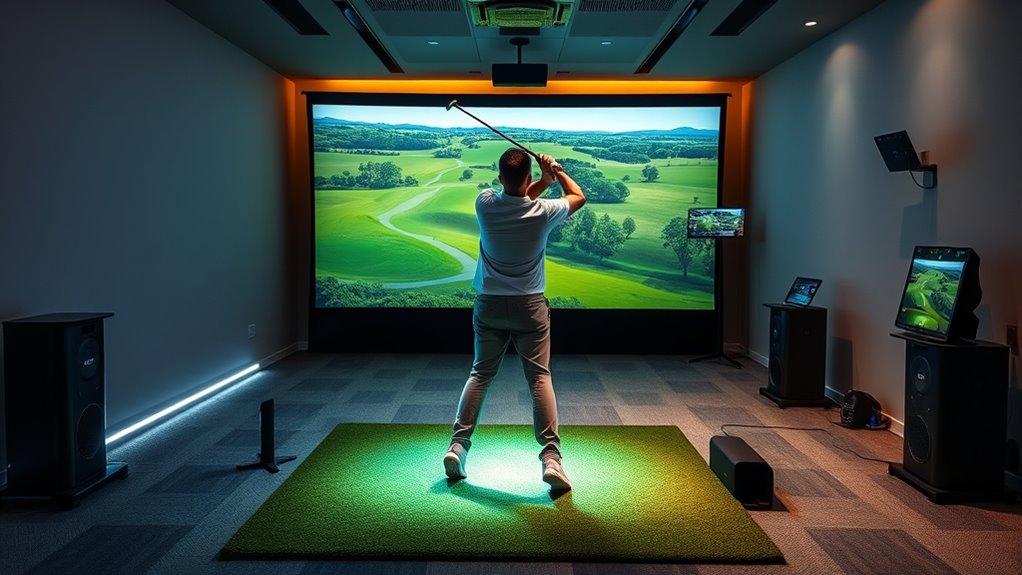

For golfers seeking a hassle-free way to enjoy virtual practice and play, plug and play golf simulator solutions stand out for their quick setup and minimal technical fuss. The best options offer reliable performance without needing complex installation or extensive space modifications. The Garmin Approach R50 is our top overall pick, praised for its ease of use and high-quality data. SkyTrak+ Portable Studio is a flexible choice for those who want mobility, while the Full Swing Kit offers a premium experience for serious players. Readers face tradeoffs between setup simplicity, feature set, and price—continue reading for a full breakdown of the best solutions in 2026.

Get travel and outdoor gear delivered free with Prime
- Fast, free delivery on millions of items
- Prime Video, Amazon Music and more included
- Member-only deals all year
Complete the kit


Key Takeaways
- Ease of setup and minimal technical requirements are key differentiators among top plug and play options.
- High-quality launch data and realistic simulation come at a higher price point, often with more complex setups.
- Portability varies widely; some systems are designed for permanent installation, others for mobile use.
- Bundled accessories like screens, mats, and enclosures significantly impact overall value and usability.
- Price ranges from affordable starter kits to premium systems, making it crucial to match features with your skill level and space.
| Garmin Approach R50 Premium Golf Launch Monitor & Simulator |  | Best Overall for Versatile High-End Performance | Display: 10-inch color touchscreen | Camera System: 3-camera | Battery Life: Up to 4 hours | VIEW ON AMAZON | See Our Full Breakdown |
| SkyTrak ST MAX Golf Simulator Standard Studio Package |  | Best for Complete Indoor Golf Setups | Launch Monitor: SkyTrak ST MAX | Enclosure: Included | Impact Screen: Included | VIEW ON AMAZON | See Our Full Breakdown |
| SkyTrak+ Portable Golf Sim Studio |  | Best for Portability and On-the-Go Practice | Launch Monitor Technology: Photometric | Swing Data: Ball speed, spin, launch angle | Net Size: 10×7 ft | VIEW ON AMAZON | See Our Full Breakdown |
| Uneekor EYE MINI CORE Golf Launch Monitor & Simulator |  | Best for Advanced Swing Analysis and Software Compatibility | Data Points: 15 | Latency: Near-zero | Software Included: VIEW | VIEW ON AMAZON | See Our Full Breakdown |
| SkyTrak+ Golf Launch Monitor & Simulator Bundle |  | Best for Accurate Data with Realistic Course Play | Measurement Technology: Dual Doppler radar and photometric camera | Data Tracked: Carry distance, ball speed, spin, launch angle, shot shape, club path, face angle | Hitting Zone: 2″ x 2″ | VIEW ON AMAZON | See Our Full Breakdown |
| SkyTrak ST MAX Golf Simulator Ultimate Studio Package – Dual Radar & Photometric Launch Monitor with Screen, Projector, Mat & Enclosure |  | Best Overall for Professional-Grade Home Setups | Measurement Space: 10′ W x 8’6″ H x 5’4″ D (Studio 10), 12′ W x 8’6″ H x 5’4″ D (Studio 12), 13′ W x 10′ H x 10′ D (Studio 13 Deep) | Ceiling Height Minimum: 8’6″ (Studio 10 & 12), 10′ (Studio 13 Deep) | Projector Brightness: 3,500 lumens | VIEW ON AMAZON | See Our Full Breakdown |
| Garmin Approach R50 Golf Launch Monitor & Simulator HDMI/Surge Bundle |  | Best for Versatile Practice and High-Quality Data | Display: 10″ color touchscreen | Virtual Courses: 43,000+ | Included Accessories: Carrying case, AC adapter, power cord, club tracking stickers, powerbank, HDMI transmitter/receiver, HDMI cable, surge protector | VIEW ON AMAZON | See Our Full Breakdown |
| Full Swing Kit Golf Launch Monitor & Simulator |  | Best for Professional-Grade Portability | Technology: 5D Radar | Data Metrics: 16 key metrics including carry distance, spin rate, launch angle, club speed | Camera: 4K with 1080p output | VIEW ON AMAZON | See Our Full Breakdown |
| PHIGOLF Home Golf Simulator with Motion Sensor & 3D Analysis |  | Best for Interactive Indoor Play and Skill Development | Compatibility: Android and iOS devices | Courses: Over 38,000 | Sensor: 9-axis motion sensor | VIEW ON AMAZON | See Our Full Breakdown |
| SkyTrak Golf Simulator Studio Pro Package with Launch Monitor and Accessories |  | Best for Easy Assembly and Realistic Visuals | Room Size Requirement: 10 feet wide, 8 feet 6 inches high ceilings | Includes: SkyTrak device, protective enclosure, projector, impact screen, hitting mat, ball tray | High Impact Screen: Yes | VIEW ON AMAZON | See Our Full Breakdown |
More Details on Our Top Picks
Garmin Approach R50 Premium Golf Launch Monitor & Simulator
The Garmin Approach R50 stands out for its combination of advanced metrics and flexible use, suitable for both indoor and outdoor settings. Its 3-camera system delivers precise swing and ball flight data, surpassing simpler launch monitors like SkyTrak in accuracy. The large 10-inch touchscreen offers detailed visual feedback, but the need for a subscription to access virtual courses and features can increase ongoing costs. Compared with SkyTrak, the R50’s impact videos and impact analysis elevate the feedback experience, although its high price may deter casual players. This model is best suited for serious enthusiasts who want comprehensive data and versatility without sacrificing quality.
Pros:- Exceptional accuracy with advanced metrics and 3-camera system
- Versatile use indoors and outdoors with impact videos
- Compact and portable with included carrying case
Cons:- High purchase price may be prohibitive for casual users
- Full virtual course features require a subscription
- Tracking sticker needed for precise face-to-path measurements
Best for: Golfers seeking a premium, all-weather launch monitor with detailed swing analysis and virtual options.
Not ideal for: Casual players or budget-conscious buyers who prefer a straightforward, less expensive setup without subscription fees.
- Display:10-inch color touchscreen
- Camera System:3-camera
- Battery Life:Up to 4 hours
- Connectivity:HDMI output
- Included Accessories:Carrying case
Our verdict“This is an ideal choice for dedicated golfers who prioritize precision and versatility in a premium package.”
SkyTrak ST MAX Golf Simulator Standard Studio Package
The SkyTrak ST MAX package provides a comprehensive indoor golf experience, including a high-precision launch monitor, enclosure, impact screen, hitting mat, and projector. Compared to the SkyTrak+ portable system, the ST MAX offers a more immersive environment with larger screen options and space for realistic swings, making it ideal for dedicated home setups. However, it requires sufficient ceiling height and a more involved setup process, which might be challenging for some users. This package is best suited for serious golf enthusiasts who want a dedicated indoor space with high-quality visuals and training tools.
Pros:- Complete indoor golf setup with high-fidelity visuals
- Multiple studio sizes to fit different spaces
- Includes training tools to improve swing performance
Cons:- Setup complexity and space requirements can be challenging
- Ceiling height constraints for full swing
- Price not clearly specified, potentially expensive
Best for: Homeowners with dedicated golf rooms who want a full, immersive indoor simulator experience.
Not ideal for: Players with limited space or those seeking a portable, quick-to-setup solution.
- Launch Monitor:SkyTrak ST MAX
- Enclosure:Included
- Impact Screen:Included
- Hitting Mat:5×5 premium
- Projector:ZW350ST short-throw
- Studio Sizes:10′, 12′, 13′ Deep
Our verdict“This system is perfect for those seeking a dedicated indoor golf environment with immersive features and space for serious practice.”
SkyTrak+ Portable Golf Sim Studio
The SkyTrak+ Portable Golf Sim Studio offers a high-precision launch monitor with advanced photometric technology, making it suitable for both indoor and outdoor use. Its portability surpasses traditional fixed setups like SkyTrak ST MAX, allowing players to practice at the range or at home. The included durable net and interlocking hitting mat make setup straightforward, but it does require a dedicated space for proper use, and its higher cost may be a barrier for casual players. Compared to larger, fixed simulators, this unit emphasizes flexibility without sacrificing much accuracy, making it ideal for golfers who need a reliable, mobile solution.
Pros:- High-precision photometric technology with real-time swing data
- Easy to set up and transport for outdoor or indoor use
- Durable net and interlocking mat for safety and convenience
Cons:- Price could be high for casual or infrequent use
- Requires space for setup and operation
- Limited to software and course options included in the package
Best for: Golfers seeking a portable, high-accuracy launch monitor for versatile practice environments.
Not ideal for: Those looking for a full indoor simulator with immersive visual features or large screen setups.
- Launch Monitor Technology:Photometric
- Swing Data:Ball speed, spin, launch angle
- Net Size:10×7 ft
- Hitting Mat Size:5×3 ft
- Setup:Indoor and outdoor
Our verdict“This pick is best for golfers who want accurate data and portability without sacrificing quality on the move.”
Uneekor EYE MINI CORE Golf Launch Monitor & Simulator
The Uneekor EYE MINI CORE distinguishes itself through real-time swing tracking with high-speed cameras and infrared sensors, eliminating the need for ball stickers. Its compatibility with popular third-party software like GSPro and E6 Connect expands its potential for immersive play and detailed analysis, making it suitable for serious amateurs and professionals alike. However, the system’s higher-end hardware requirements and the need for subscriptions to unlock full features mean it’s less accessible for casual users. Compared to the SkyTrak+ or SkyTrak ST MAX, the EYE MINI CORE offers superior swing data and software flexibility, but at a steeper technological and financial investment.
Pros:- Near-zero latency with high-speed cameras and infrared sensors
- No ball stickers required, simplifying setup
- Compatible with multiple third-party simulation software
Cons:- Requires higher-spec PC hardware for full simulation experience
- Subscriptions needed for full software access
- Additional purchase needed for club tracking with Club Optix
Best for: Golfers who want detailed swing analysis and software customization for indoor simulation and training.
Not ideal for: Players seeking a simple, plug-and-play setup without the need for additional software subscriptions or complex system requirements.
- Data Points:15
- Latency:Near-zero
- Software Included:VIEW
- Trial Period:3 months
- Compatibility:GSPro, E6 Connect, TGC19, Creative Golf 3D
Our verdict“Ideal for tech-savvy golfers demanding detailed swing data and flexible software options over simple plug-and-play convenience.”
SkyTrak+ Golf Launch Monitor & Simulator Bundle
The SkyTrak+ bundle offers professional-grade accuracy, combining dual Doppler radar and photometric camera technology for detailed shot analysis. Compared to the Garmin Approach R50, the SkyTrak+ emphasizes detailed shot data, including spin and shot shape, making it suitable for players focused on fine-tuning their skills. Its portability and included software access offer flexibility, but setup and calibration can be a barrier for casual or less technical users. The bundle’s focus on precision makes it a compelling choice for serious amateurs who want to analyze their game in depth.
Pros:- High-precision dual Doppler radar and photometric measurement
- Portable and easy to set up outdoors or indoors
- Includes access to realistic courses and detailed shot feedback
Cons:- Price may be high for casual or infrequent players
- Requires calibration and some setup knowledge
- Limited to specific software and course options
Best for: Golfers who prioritize precise shot data and immersive course simulation for both indoor and outdoor practice.
Not ideal for: Beginners or casual players who prefer a simple, no-calibration setup with minimal technical fuss.
- Measurement Technology:Dual Doppler radar and photometric camera
- Data Tracked:Carry distance, ball speed, spin, launch angle, shot shape, club path, face angle
- Hitting Zone:2″ x 2″
- Compatibility:Indoor and outdoor
- Included Accessories:USB Cables, Software, 14-day Play Sweetens Cove access
Our verdict“Best suited for dedicated golfers seeking detailed shot data and immersive course experience with reliable portability.”
SkyTrak ST MAX Golf Simulator Ultimate Studio Package – Dual Radar & Photometric Launch Monitor with Screen, Projector, Mat & Enclosure
This package stands out for its dual Doppler radar and photometric cameras, offering the kind of data accuracy that rivals commercial systems, making it ideal for serious golf enthusiasts who want the most realistic practice experience at home. Compared to the SkyTrak+ or even the full SkyTrak Studio Pro, the ST MAX’s combination of high-end sensors and comprehensive package—including a sturdy enclosure, impact screen, and HD projector—delivers an immersive setup that minimizes compromise. The main tradeoff involves space: it requires a ceiling height of at least 8’6″ and ample room for a full swing, which might be limiting for smaller spaces. The setup process can be complex, especially for users unfamiliar with technical configurations, and the cost reflects its professional-level features, making it less suitable for casual players.
Pros:- Exceptional accuracy with dual radar and photometric sensors
- Complete setup with enclosure, impact screen, and high-lumen projector
- Realistic turf and impact area for full swing and short game practice
Cons:- Requires significant space and ceiling height for proper use
- Higher cost and setup complexity compared to simpler solutions
Best for: Golfers serious about high-precision data and immersive home setups, willing to invest in comprehensive equipment.
Not ideal for: Casual players or those with limited space and ceiling height, as the installation is space-dependent and costly.
- Measurement Space:10′ W x 8’6″ H x 5’4″ D (Studio 10), 12′ W x 8’6″ H x 5’4″ D (Studio 12), 13′ W x 10′ H x 10′ D (Studio 13 Deep)
- Ceiling Height Minimum:8’6″ (Studio 10 & 12), 10′ (Studio 13 Deep)
- Projector Brightness:3,500 lumens
- Hitting Mat:5×5 true-turf with cushioning
- Ball Tray Capacity:Up to 100 balls
- Additional Features:Built-in cellphone holder
Our verdict“This is the best choice for serious golfers who want a professional-quality, all-in-one home simulator experience.”
Garmin Approach R50 Golf Launch Monitor & Simulator HDMI/Surge Bundle
The Garmin Approach R50 bundle offers a 10″ color touchscreen and access to over 43,000 virtual courses, making it a flexible choice for those who want both detailed swing analysis and an extensive course library. Unlike the SkyTrak Studio packages, the R50’s emphasis on training modes and high-speed impact videos makes it ideal for players focused on improving specific aspects of their game. However, its higher price point and complex technology can be daunting for casual or first-time users—requiring space and setup time similar to the SkyTrak Studio Pro. The included HDMI/Surge bundle enhances portability, but some users may find the advanced features overwhelming initially.
Pros:- Detailed swing and ball data to target specific improvements
- Massive virtual course library for varied play
- High-quality touchscreen display for instant feedback
- Comprehensive bundle with accessories for portability
Cons:- High price may deter casual or budget-conscious buyers
- Setup and operation can be complex for newcomers
- Requires space and a dedicated area for optimal use
Best for: Golfers seeking advanced swing tracking combined with an extensive course library and detailed feedback, especially those focused on skill improvement.
Not ideal for: Beginners or casual players who prefer simple, plug-and-play options without the need for complex setup or extensive data analysis.
- Display:10″ color touchscreen
- Virtual Courses:43,000+
- Included Accessories:Carrying case, AC adapter, power cord, club tracking stickers, powerbank, HDMI transmitter/receiver, HDMI cable, surge protector
- Compatibility:HDMI/Surge bundle
Our verdict“Ideal for dedicated golfers who want detailed analytics, a huge virtual course selection, and a premium experience at home.”
Full Swing Kit Golf Launch Monitor & Simulator
The Full Swing Kit leverages 5D Radar technology trusted by professionals like Tiger Woods, making it one of the most accurate portable systems on the market. Its focus on compactness and ease of use sets it apart from bulkier, stationary systems like the SkyTrak Studio packages, emphasizing mobility for outdoor or indoor use. The inclusion of a 4K camera and 16 key metrics provides comprehensive swing and ball data, suitable for serious players who want to review their performance immediately via a full-color display. The main tradeoff involves the high price, which may put it out of reach for casual users, and the learning curve associated with its advanced features.
Pros:- Exceptional accuracy trusted by pros
- Portable with quick setup, suitable for outdoor use
- Includes 4K video analysis for swing review
- Seamless smartphone and smartwatch connectivity
Cons:- Premium price limits accessibility for some users
- Features can be complex, requiring some learning
- Requires compatible devices for full functionality
Best for: Golfers seeking a professional-grade, portable launch monitor for indoor and outdoor use, with quick setup and detailed data review.
Not ideal for: Casual or budget-conscious players who prefer simpler, less expensive systems or do not need ultra-precise data.
- Technology:5D Radar
- Data Metrics:16 key metrics including carry distance, spin rate, launch angle, club speed
- Camera:4K with 1080p output
- Connectivity:Wi-Fi and Bluetooth
- Display:Full-color customizable
- Setup:Portable with protective case, no calibration needed
Our verdict“Perfect for serious golfers who need a portable, highly accurate launch monitor with professional features for indoor and outdoor practice.”
PHIGOLF Home Golf Simulator with Motion Sensor & 3D Analysis
This system offers a different approach from the radar-based options like SkyTrak or Full Swing, focusing on motion sensing and virtual coaching. The 9-axis motion sensor and access to over 38,000 courses make it particularly appealing for users who enjoy interactive play and virtual swing analysis. It’s well-suited for players at all skill levels, especially those seeking a fun, engaging experience with AI coaching and multiplayer options. However, setup can be tricky, especially for those unfamiliar with connecting devices and sensors, and it’s primarily designed for indoor use unless you attach the sensor to real clubs outdoors. The cost can add up with accessories, making it a less economical choice for casual players.
Pros:- Large course library and virtual swing analysis
- Interactive play with AI coaching and multiplayer modes
- Compatible with Android and iOS devices
- Engaging, game-like experience for all skill levels
Cons:- Setup can be complex for non-technical users
- Limited outdoor functionality without attaching sensor to clubs
- Potentially high cost when factoring in accessories
Best for: Indoor players of all skill levels who want a highly interactive, coaching-focused golf simulation experience with multiplayer options.
Not ideal for: Players seeking ultra-precise data or those with limited space or technical setup skills, as the system can be complex to configure.
- Compatibility:Android and iOS devices
- Courses:Over 38,000
- Sensor:9-axis motion sensor
- Features:AI coaching, swing feedback, multiple game modes
Our verdict“Great for indoor players who want an engaging, interactive golf experience combined with virtual coaching and multiplayer fun.”
SkyTrak Golf Simulator Studio Pro Package with Launch Monitor and Accessories
This package offers a simplified, all-in-one solution that combines the trusted SkyTrak launch monitor with a ready-to-use enclosure, projector, and impact screen. Compared to the SkyTrak ST MAX, the Studio Pro is designed for ease of setup, making it appealing to users with limited technical skills or those who want a quicker installation. Its room requirements—10 feet wide and 8.6 feet high—are modest, but still demand a dedicated space. The high-quality screen enhances visual realism, and the package’s straightforward assembly process makes it accessible for beginners. The main tradeoff is that it’s not as feature-rich or customizable as the ST MAX or premium options, but it balances performance with ease of use well.
Pros:- Complete, easy-to-assemble package
- High-impact screen for realistic visuals
- Includes all essential accessories for quick setup
Cons:- Limited room size requirements may still be restrictive
- Less customizable compared to higher-end setups
Best for: Home users seeking a straightforward, high-quality golf simulator package that’s easy to set up without complex calibration or space requirements.
Not ideal for: Advanced users seeking professional-level data or maximum customization, as the package prioritizes simplicity over extensive features.
- Room Size Requirement:10 feet wide, 8 feet 6 inches high ceilings
- Includes:SkyTrak device, protective enclosure, projector, impact screen, hitting mat, ball tray
- High Impact Screen:Yes
- Hitting Mat Size:5×5 feet
- Assembly:Easy-to-follow instructions
Our verdict“A strong choice for beginners or casual home players who want a reliable, easy-to-install golf simulation setup.”

How We Picked
These products were evaluated based on ease of setup, reliability, data accuracy, build quality, and overall value. Since plug and play solutions should require minimal technical expertise, systems that offer quick installation and straightforward operation were prioritized. We also considered the inclusiveness of bundled accessories, user reviews, and brand reputation. The ranking reflects a balance between performance, convenience, and price, ensuring that both casual and serious golfers find suitable options.Factors to Consider When Choosing Plug And Play Golf Simulator Solutions
Choosing the right plug and play golf simulator depends on several factors beyond just initial setup. Understanding these can help you avoid common pitfalls and get the most value from your investment. Consider how much space you have, your budget, and whether you prefer portability or a permanent setup. Features like data accuracy, screen quality, and included accessories also influence long-term satisfaction and performance.Ease of Installation and Setup
Plug and play solutions should require minimal effort to get running. Look for systems that come with pre-configured components, straightforward instructions, and minimal wiring. Avoid overly complex setups that may need professional installation or significant calibration. A truly user-friendly system will let you start practicing or playing within an hour, saving you time and frustration.
Performance and Data Accuracy
The core benefit of a golf simulator is realistic feedback, so accuracy matters. Even in plug and play models, check if the system uses reliable sensors or radar technology. Be aware that some affordable options sacrifice precision, which can impact your practice effectiveness. High-end systems often provide more detailed swing analysis and shot data, which can justify the higher price for serious players.
Space Requirements and Compatibility
Measure your available space carefully. Some systems need dedicated rooms with high ceilings, while others are compact enough for smaller spaces or mobile use. Check the recommended dimensions for each product, especially if you’re considering a portable model. Compatibility with existing rooms or setups also plays a role—ensure your space can accommodate the screen, projector, or enclosure if included.
Included Accessories and Bundles
Many plug and play options come bundled with essential accessories like hitting mats, screens, and projectors. These bundles can offer better value but vary greatly in quality. Evaluate whether the included gear meets your needs or if additional purchases are necessary. High-quality accessories can enhance realism and durability, but watch for inflated bundle prices that don’t truly save money.
Budget and Long-Term Value
Prices for plug and play golf simulators span from affordable starter kits to high-end systems. Consider your budget carefully, but also think about long-term value. Cheaper options might lack advanced features or durability, leading to additional costs over time. Investing in a slightly more expensive, reliable system can pay off with better performance, easier maintenance, and a more immersive experience.
Frequently Asked Questions
Can I set up a plug and play golf simulator without technical skills?
Yes, most plug and play golf simulators are designed for simplicity, allowing users to set up with minimal technical knowledge. They typically come with clear instructions, pre-configured components, and user-friendly interfaces. However, some systems may require basic electrical connections or calibration, so reading the setup guide carefully is advisable to avoid frustration.
Are plug and play systems suitable for serious golfers?
Many plug and play solutions offer accurate data and realistic simulations that suit serious players. While ultra-premium, fully custom setups may provide more detailed analysis, these systems often come at a higher cost and complexity. If you prioritize ease of use but still want quality feedback, select models with high sensor accuracy and comprehensive swing analysis features.
What’s the biggest tradeoff when choosing a plug and play golf simulator?
The main tradeoff is often between convenience and feature depth. Simpler, easier-to-set-up systems may lack some advanced features or the most precise data, which can limit their usefulness for honing skills. Conversely, more sophisticated models tend to be less portable and require more technical setup, reducing the plug and play appeal. Balancing your needs and expectations is key.
How important is the included accessories bundle?
The accessories bundle can significantly impact your overall experience, especially if it includes quality hitting mats, screens, and enclosures. A comprehensive, well-made bundle can save money and time, offering a ready-to-use setup. However, be cautious of overly inflated bundle prices or low-quality accessories that might not last or feel realistic during play.
Do plug and play systems require regular maintenance?
Most plug and play golf simulators are designed to be low maintenance, but regular cleaning of sensors and screens can keep data accurate. Some systems may need software updates or calibration over time, which are usually straightforward. Choosing a reputable brand with good support can make maintenance easier and less time-consuming.
Conclusion
For casual golfers or those with limited space and technical skills, the Garmin Approach R50 stands out as the best overall choice, offering a balance of ease and performance. Serious players seeking the most realistic experience should consider the Full Swing Kit, despite its higher complexity and cost. Budget-conscious buyers will find the SkyTrak+ Portable Studio provides excellent value with mobility. Beginners or those testing the waters should focus on systems with simpler setups and bundled accessories, like the SkyTrak ST MAX Standard Package. Ultimately, your selection depends on your space, skill level, and how much you’re willing to invest in convenience versus features.
As an affiliate, we earn on qualifying purchases.Evergreen bestsellers Picks
bestsellers