
TL;DR
Portable golf GPS devices use satellite positioning and mapped course data to estimate distances to greens, hazards, and other points. Choose a watch, handheld, speaker, or phone app based on your preferred display, course coverage, battery needs, and budget; check competition rules before using advanced features.
Portable golf GPS devices use satellite positioning and course maps to estimate distances to greens, hazards, and layup points.
Watches suit quick glances, handhelds show more detail, speakers provide audio prompts, and phone apps use your existing device.
Check exact course and layout coverage, map update options, battery capacity, screen readability, and subscription terms before buying.
Treat GPS readings as practical estimates and combine them with your club distances, lie, wind, and target.
Check competition rules and turn off restricted features, such as slope-adjusted distance, when required.

Get travel and outdoor gear delivered free with Prime
- Fast, free delivery on millions of items
- Prime Video, Amazon Music and more included
- Member-only deals all year
What a portable golf GPS tells you during a round
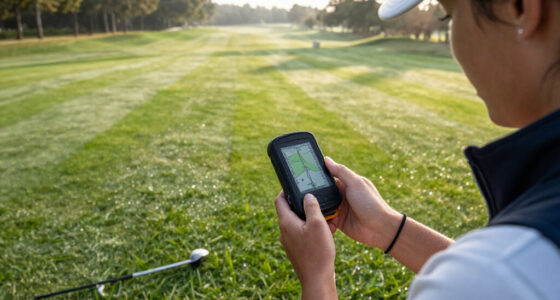
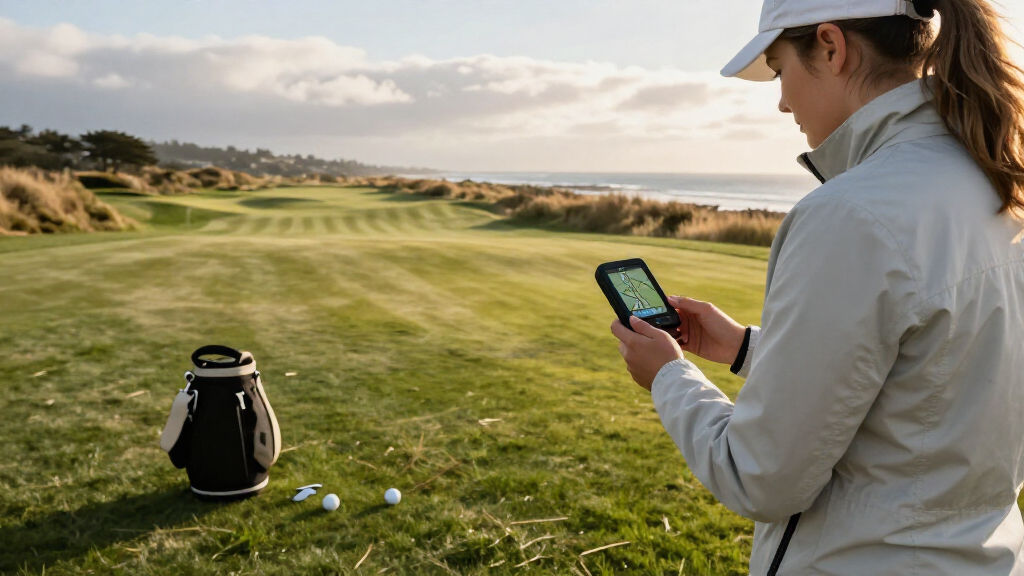
A portable golf GPS device estimates your position on the course and displays distances to mapped points, such as the front, middle, and back of a green. Those three readings describe different choices: the front helps judge the carry, the middle gives a common reference point, and the back can help avoid hitting through the green. It can also show hazards, layup spots, or doglegs, turning a distance into a decision about where to land the ball. On a par five, for example, knowing that water starts 185 yards ahead can help you decide whether to lay up short of it or choose a club that carries it safely. The device gets its location from satellite signals and matches it with a digital course map. Think of the map like a marked paper scorecard that can follow you around: the satellite fix puts you on the page, and the mapped features provide the landmarks. Both parts affect the reading. A weak position fix can put you in the wrong spot, while an outdated or imprecise map can mark the target incorrectly even when your location is sound. Device placement and the point displayed matter too, so treat the number as practical guidance rather than a survey measurement. [1] The phrase “portable golf GPS” covers several formats. A dedicated handheld gives you a larger map, a watch is easy to glance at, a speaker can announce distances, and a phone app uses the GPS already in your smartphone. The convenience comes with tradeoffs: a larger display can take longer to consult, while a watch limits how much detail fits on screen. A laser rangefinder is different: it measures to a visible target, while GPS estimates distances to locations already marked on a course map. Some golfers carry both because a mapped hazard view and a direct reading to a visible flag answer different questions.Products Worth Considering
Amazon Kindle Paperwhite (12th Generation, 2024), 16GB, 7-Inch Display, Raspberry

Apple AirPods Pro 3 Wireless Earbuds with Active Noise Cancellation

Bose QuietComfort True Wireless Earbuds with Active Noise Cancellation, Bluetooth 5.3, USB-C Charging, IPX4, Black
As an affiliate, we earn on qualifying purchases.
Choose the format that fits the way you play
The best format depends on how you want to get a distance while walking or riding, and how much detail you need before making a choice. Watches put numbers on your wrist, handhelds show more map detail, speakers offer audio prompts, and phone apps can keep the cost down. Imagine reaching a tree-lined tee box in bright sun: a large handheld screen may be easier to study, while a watch lets you check a number without digging through your bag. The right balance depends on whether you value a quick glance, a fuller picture, or fewer devices to carry.| Format | Good fit when you want | Tradeoff to check |
|---|---|---|
| GPS watch | Quick glances at green distances | Smaller screen and controls |
| Handheld | A larger map and more detail | Another item to carry or mount |
| Clip-on or speaker | Audio prompts without handling a screen | Less visual detail; check volume and comfort |
| Phone app | A low-cost way to try GPS golf | Phone battery use and handling |
Compare the features that change your club choice
The most useful golf GPS features are accurate course coverage, clear distances, readable controls, and enough battery for your usual round. These features affect whether the number is trustworthy, easy to find, and available when you need it. Extra statistics matter only if you’ll use them. At a course you play often, a map that shows a bunker 165 yards away can help you choose a layup because it connects the number to a landing decision; a flashy score dashboard you rarely open adds little to that choice. Check these details before paying:- Course maps: Search the maker’s database for your exact course and layout, and find out how updates or corrections work. A nearby course with a similar name is not enough if the holes or tees differ.
- Distance display: Look for front, middle, and back green readings, plus hazard and layup distances if those guide your decisions. More points are useful when they help you choose a target, but can add clutter if the screen is hard to scan.
- Green view: Some models offer a basic outline; others let you adjust the pin or inspect a more detailed shape. Pin adjustment can improve the relevance of a distance, but it relies on you placing the pin accurately.
- Screen and controls: Consider sunlight readability, button or touch controls, and whether you can use them comfortably while walking or riding. A screen that looks clear indoors may be frustrating in bright light.
- Battery and price: Compare the stated round capacity with your habits, and check whether maps or advanced features require a subscription. A low upfront price may cost more over time if essential features are behind a paid plan.
Use GPS distances without letting a number make the shot
To use a golf GPS well, read the mapped distance, relate it to the shot in front of you, then choose a club based on your own reliable yardages and conditions. The device supplies information; you still make the decision. A reading to the middle of the green does not tell you whether you can carry a hazard, and a reading to the front may be more useful when a short miss is safer than a long one. On a breezy day, a 150-yard reading over a pond may call for a different club than the same number from a clean fairway lie.- Check your position: Stand where you plan to hit and give the device a moment to settle. A reading taken while moving may be less useful because the displayed position can lag behind you.
- Read more than one point: Compare front, middle, and back of the green, or check the carry distance to a hazard. The difference between points helps reveal whether a pin is near the front or back and how much room there is to miss.
- Match the number to your game: Use club distances you have observed, not a recommendation you have never checked. Your reliable carry distance is more relevant than a best-ever shot.
- Account for the shot: Consider wind, slope, lie, and the target you want to leave yourself. These conditions can change how far the ball travels even when the GPS distance is unchanged.
- Play and review: Notice whether your choice worked; shot tracking can help reveal patterns over several rounds. A few repeated results are more informative than drawing conclusions from one unusual shot.